
2022 Latest 100% Exam Passing Ratio - 3V0-643 Dumps PDF
Pass Exam With Full Sureness - 3V0-643 Dumps with 23 Questions
Objective 1.3 - Configure and Manage Transport Zones
- Configure the control plane mode for a Transport Zone
- Create Transport Zones according to a deployment plan
- Add clusters to Transport Zones
- Remove clusters from Transport Zones
2. Create and Manage VMware NSX Virtual Networks
Objectives covered by this section:
NEW QUESTION 12
Configure the Layer 3 connectivity between the newly created Dev-segments by assigning them to a new DLR named Dev-DLR-NEW.
Requirements:
vCenter: vcsa-01a.corp.local
Ccredentials: [email protected] . VMware1!
Default GW for Dev-subnets:
Dev-Web-Tier-01-NEW172.16.10.1/24
Dev-App-Tier-01-NEW172.16.20.1/24
Dev-DB-Tier-01-NEW172.16.30.1/24
DLR Settings:
DLR Name: Dev-DLR-NEW
Uplink IP Address: 192.168.6.5/30
Interface: Dev-Transit
Password: VMware1!WMware1!
Cluster: Management & Edge Cluster
Ensure east-west routing has been optimized.
The control plane failover should begin 15 seconds on logical switch HA-VXLAN.
Ensure secure shell is available.
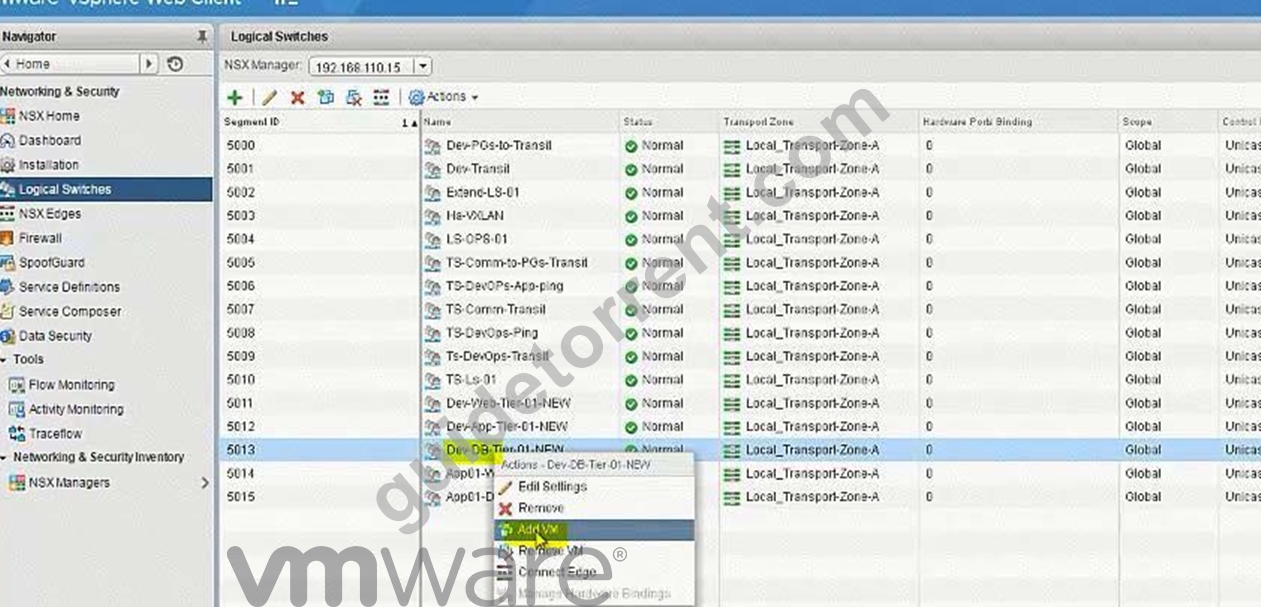
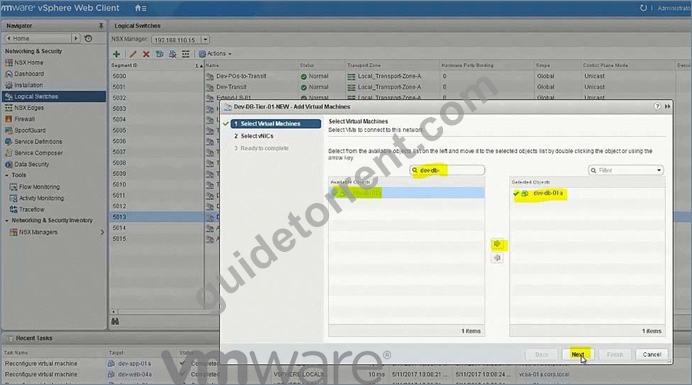
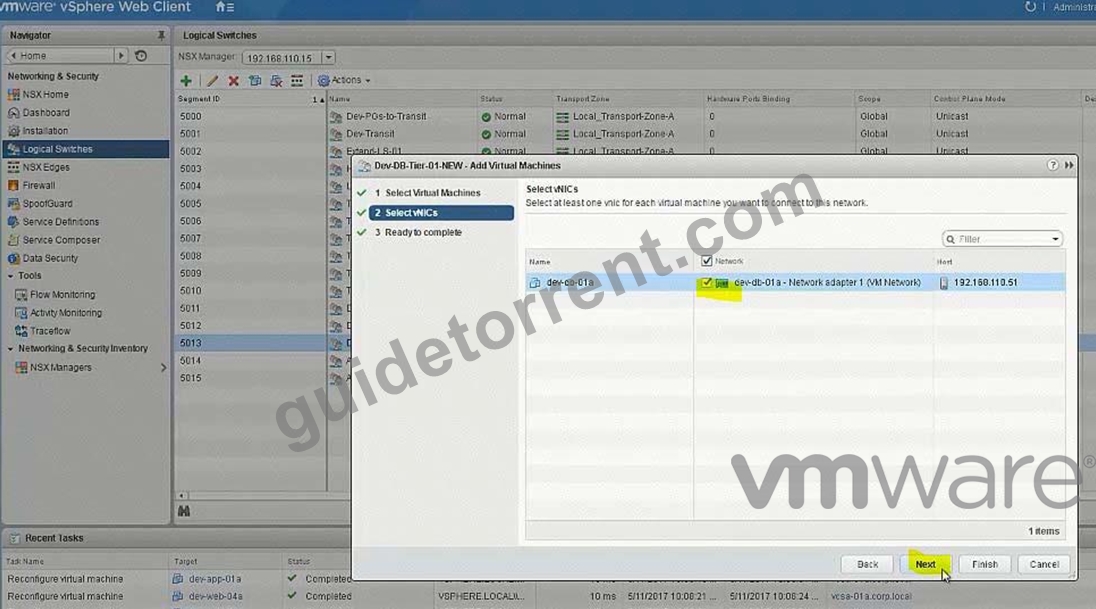
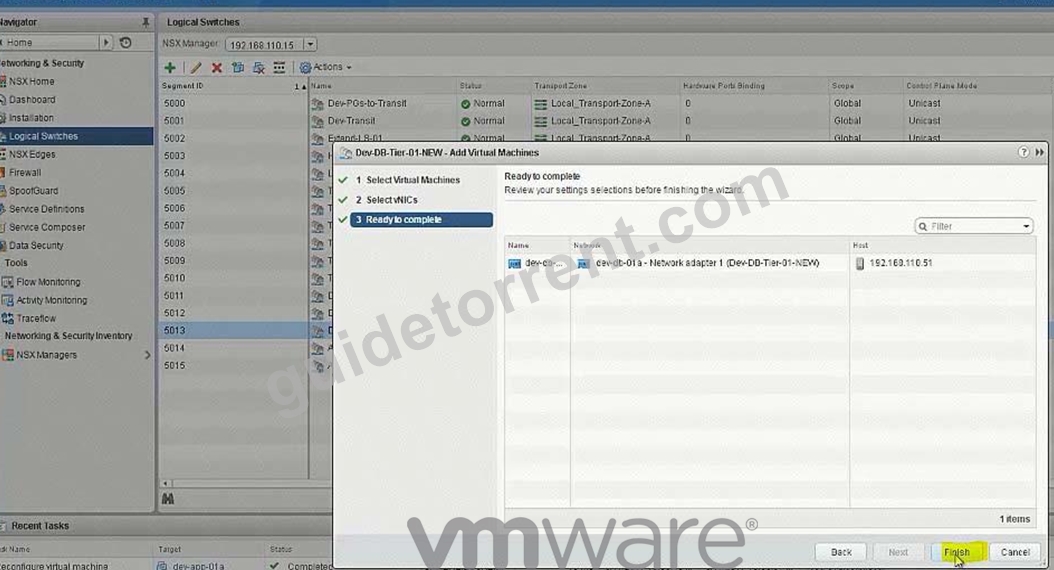
Connect the Web, App and DB virtual machines to their respective dev tiers.
Dev-web-01, Dev-web-02a, Dev-web-04a
Dev-app-01a
Dev-db-01a
HOL LAB for Practice:
also deploy Distributed logical router DLR in the same way the lab.
See the explanation part for complete solution.
Answer:
Explanation:
SOLUTION:
Add VMs to respective Logical Switches: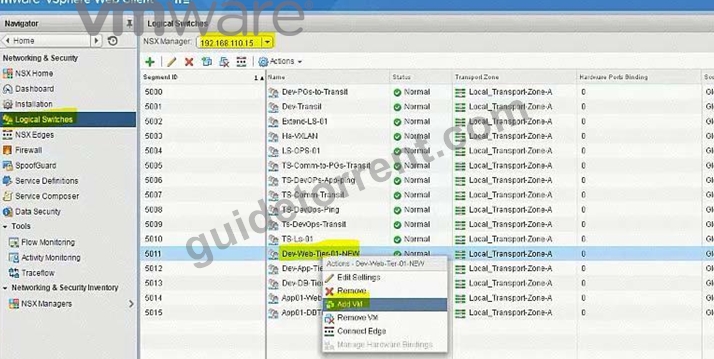
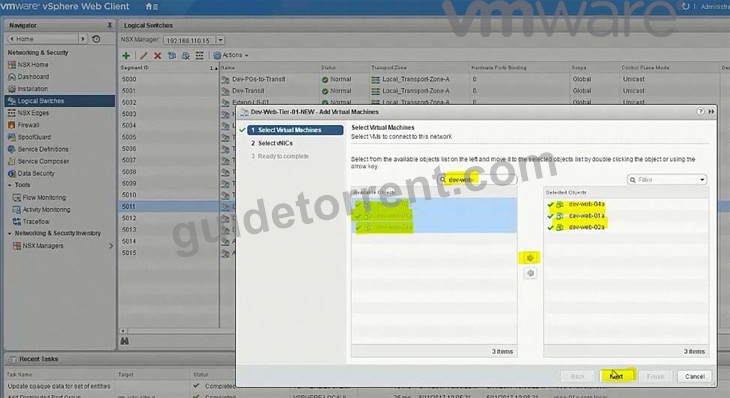
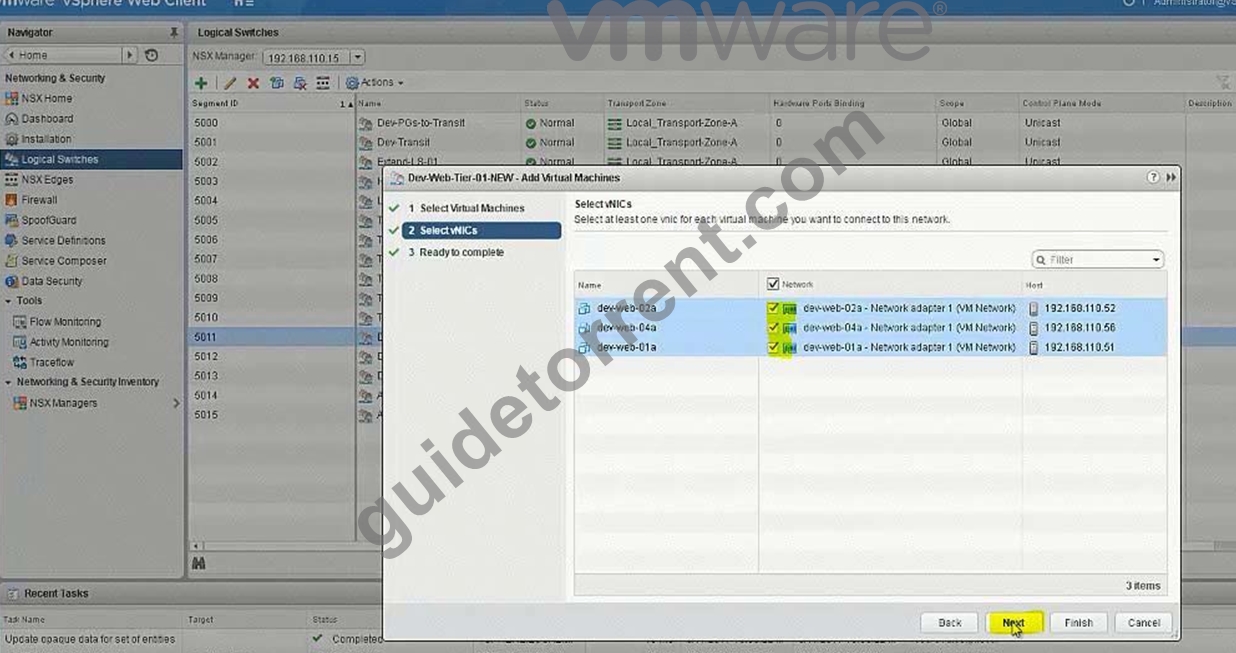
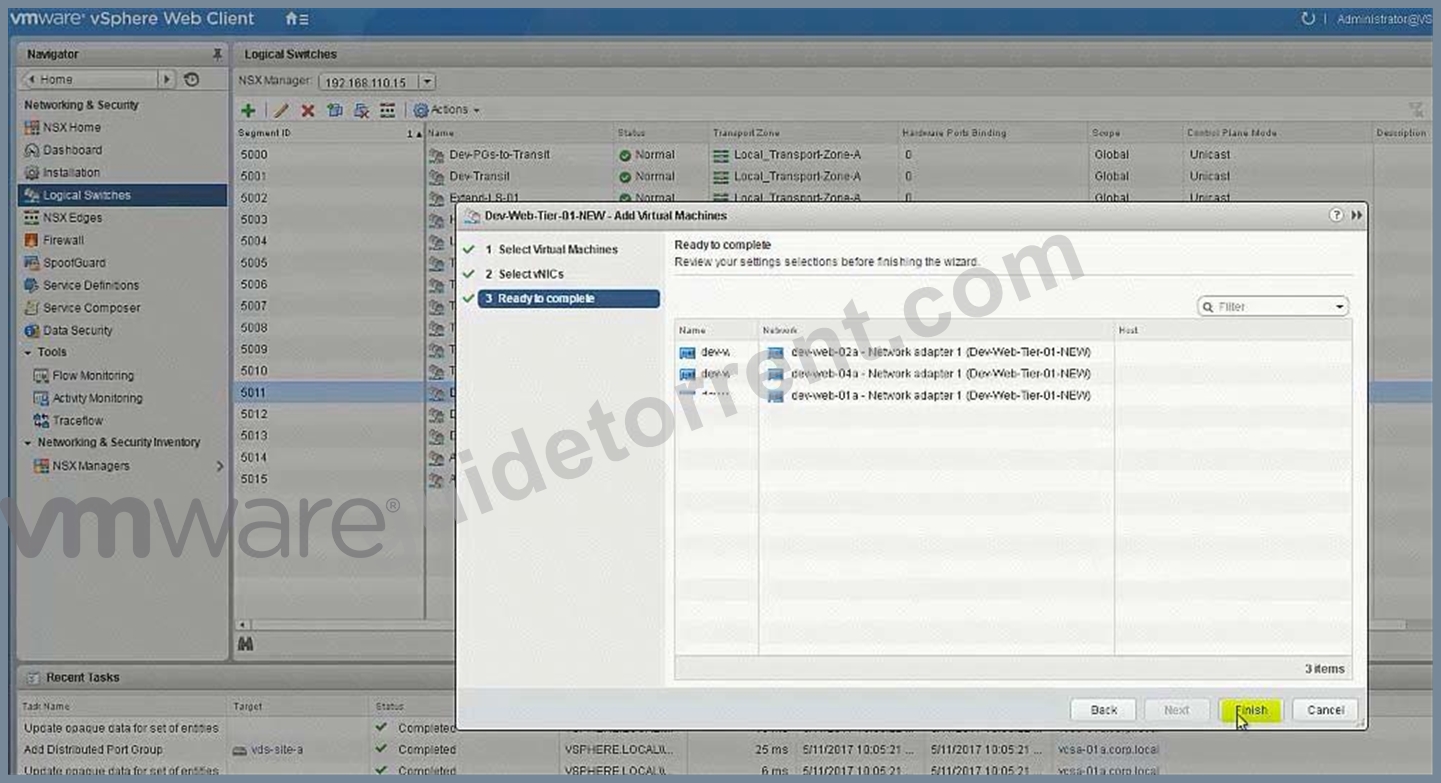
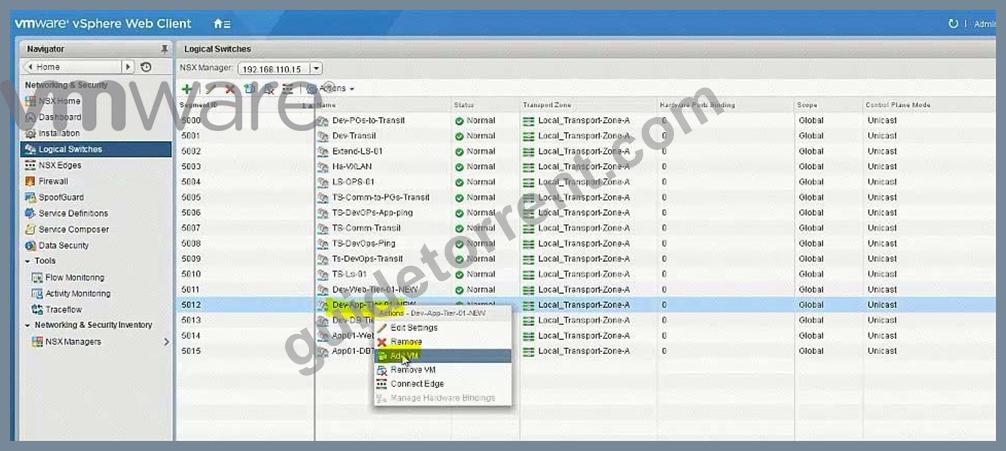
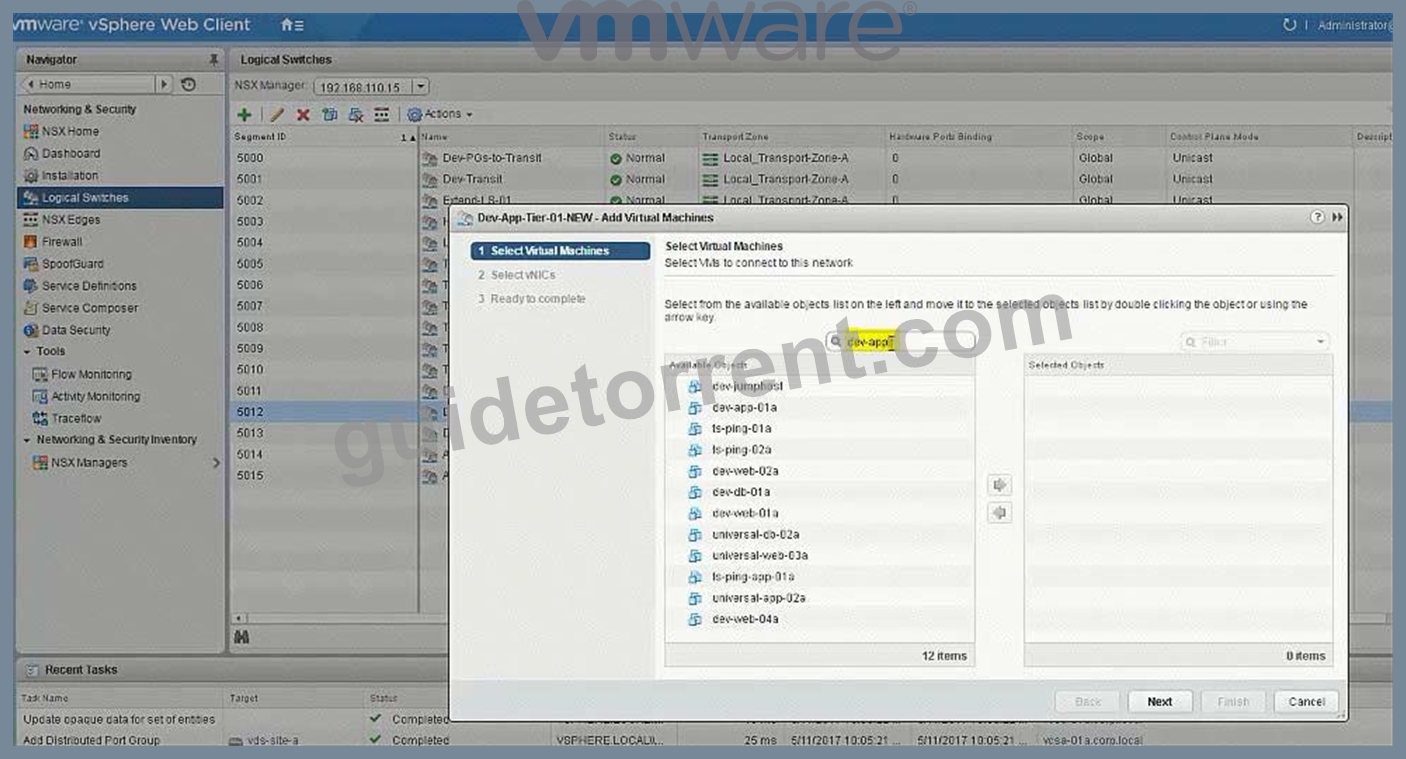
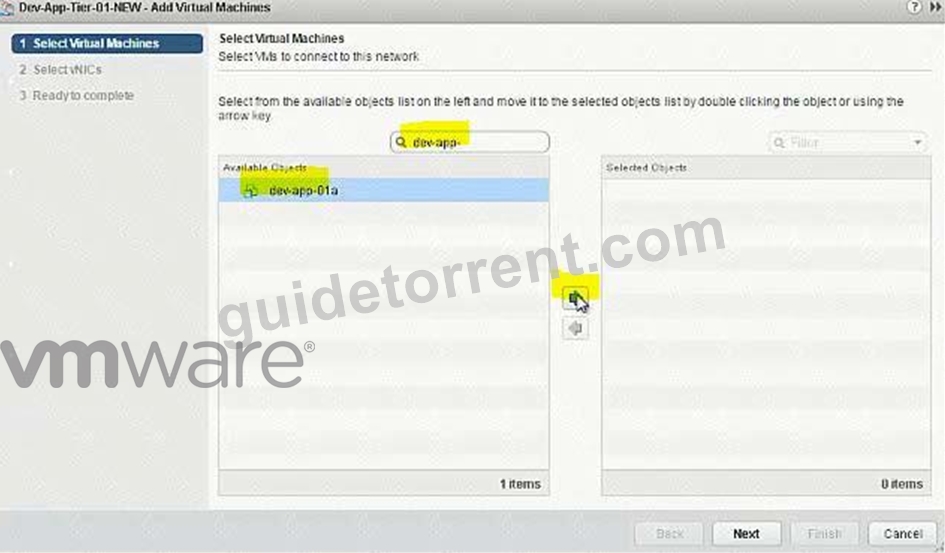
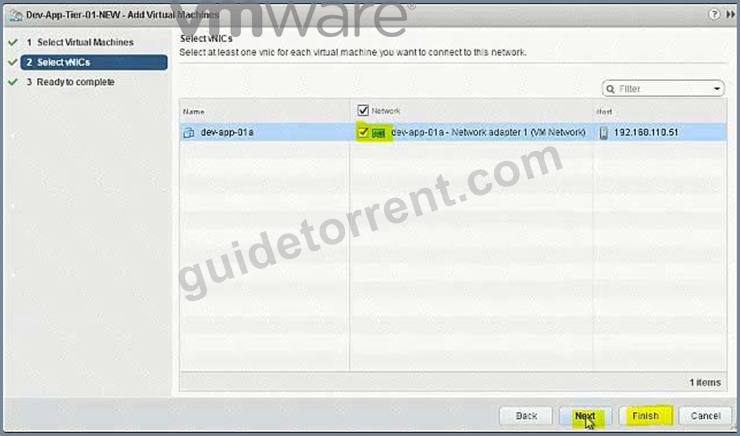
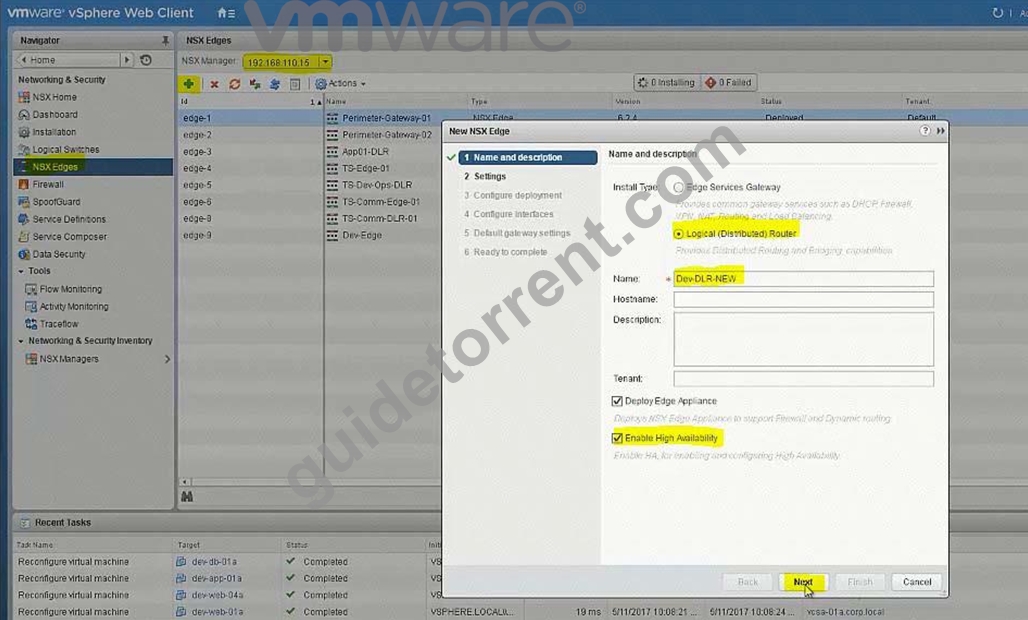
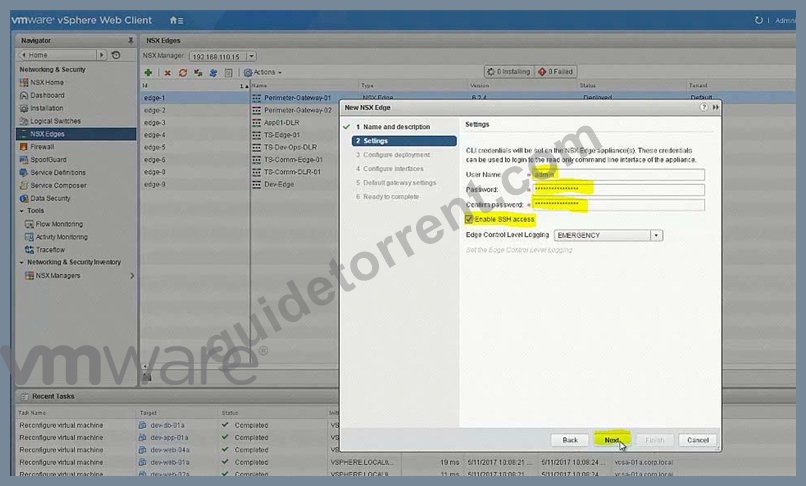
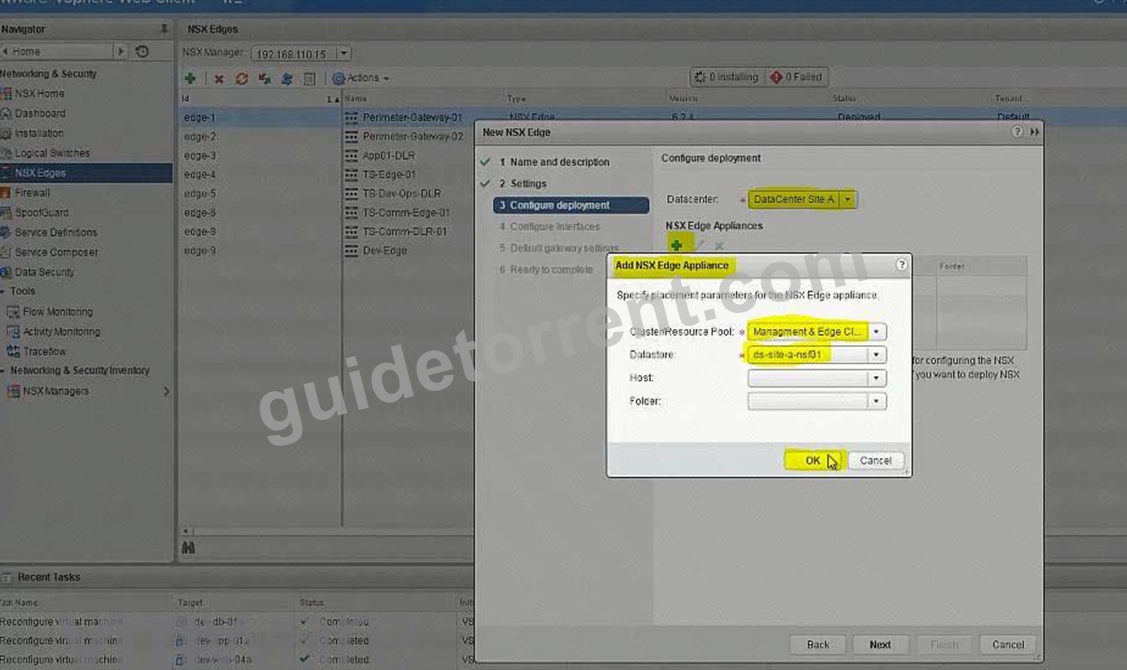
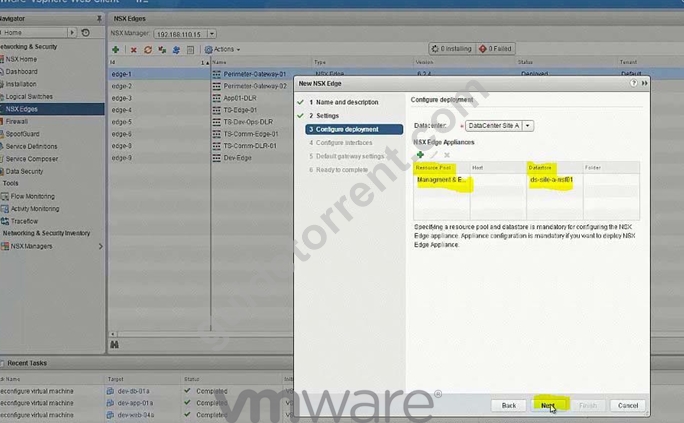
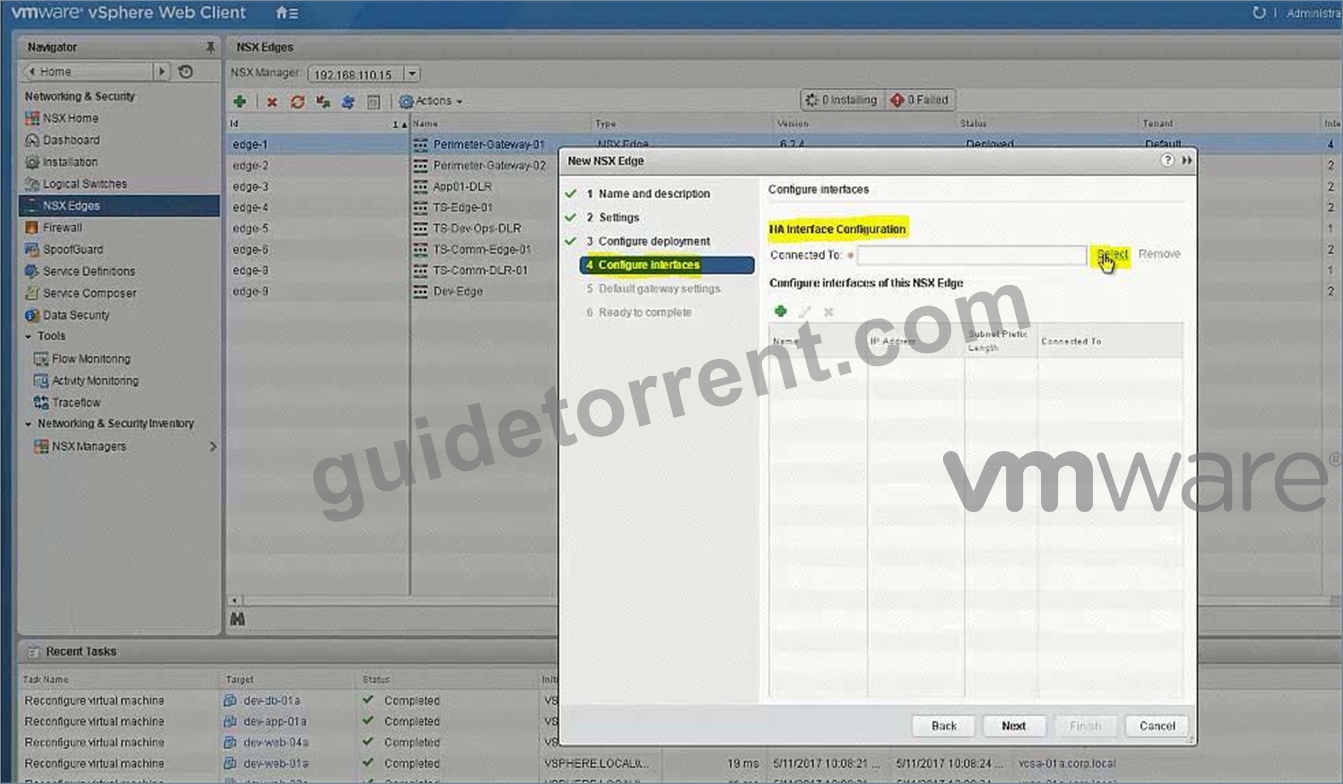
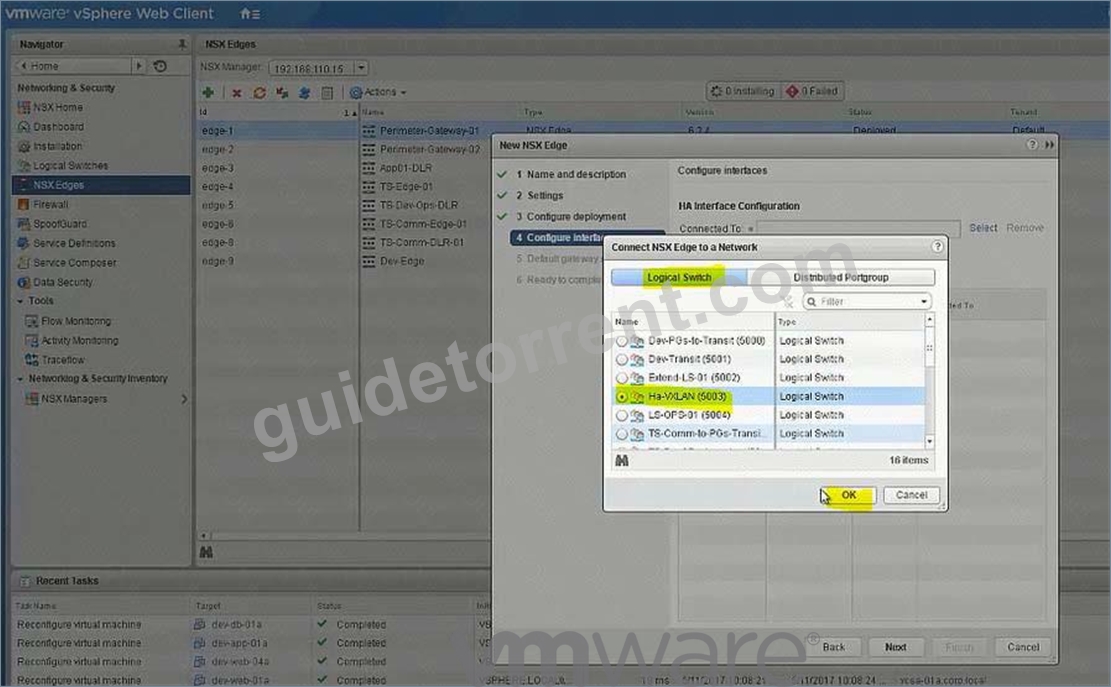
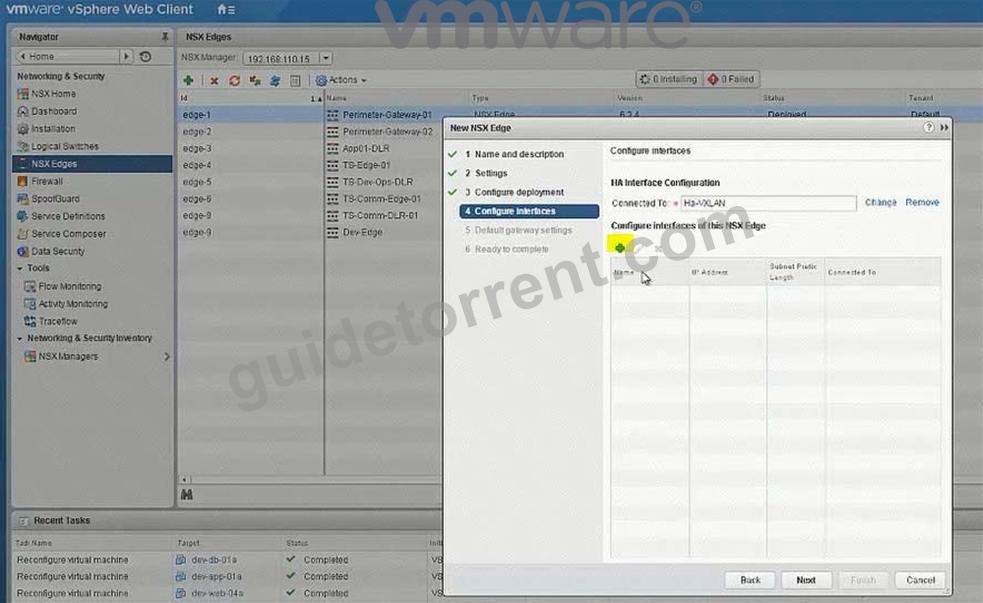
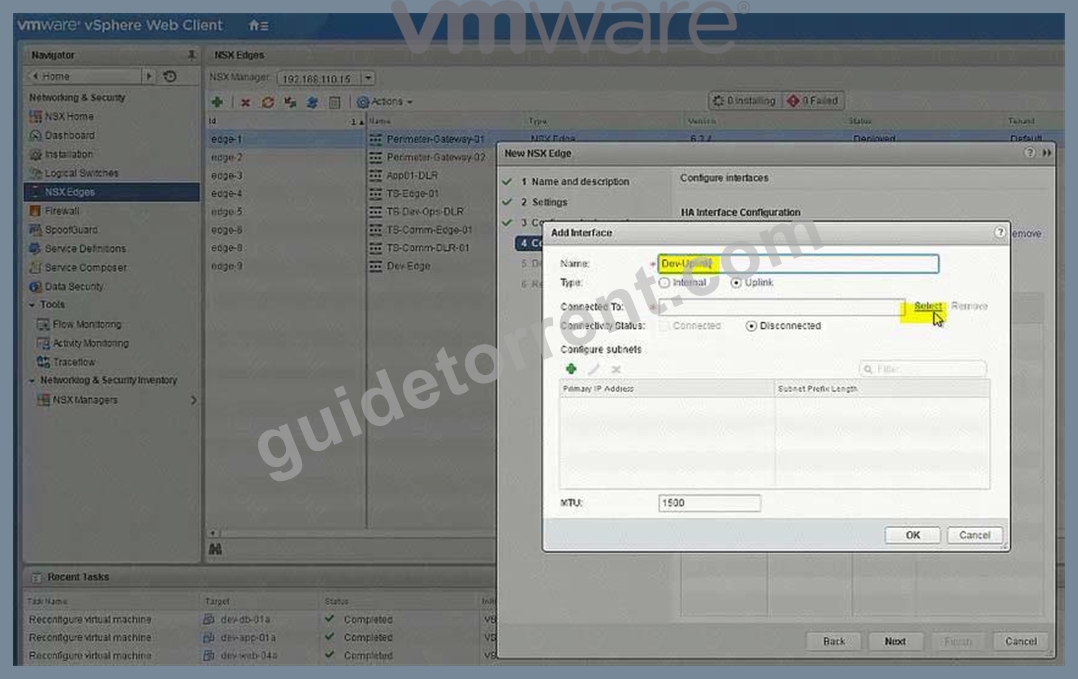
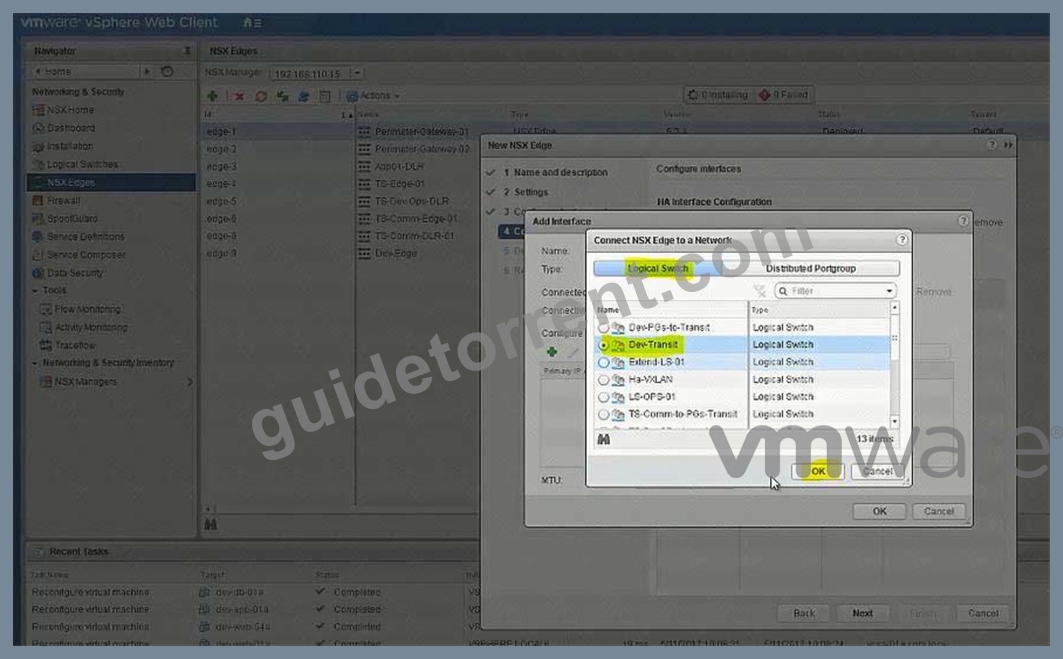
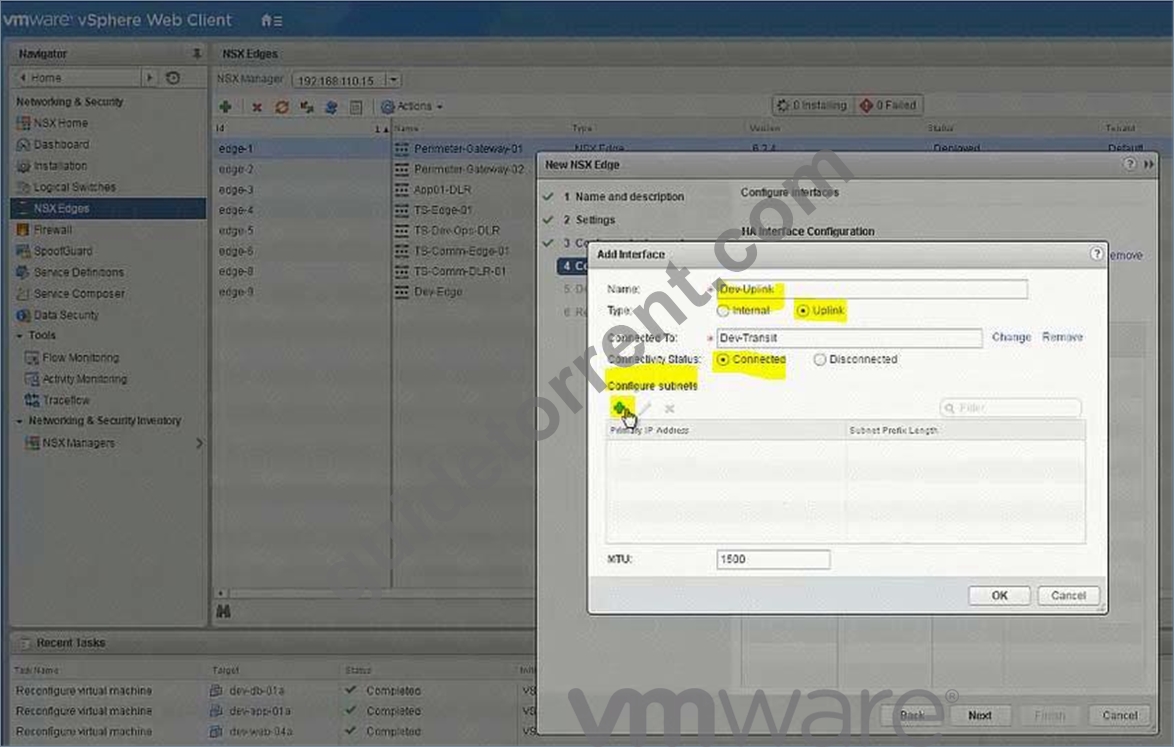
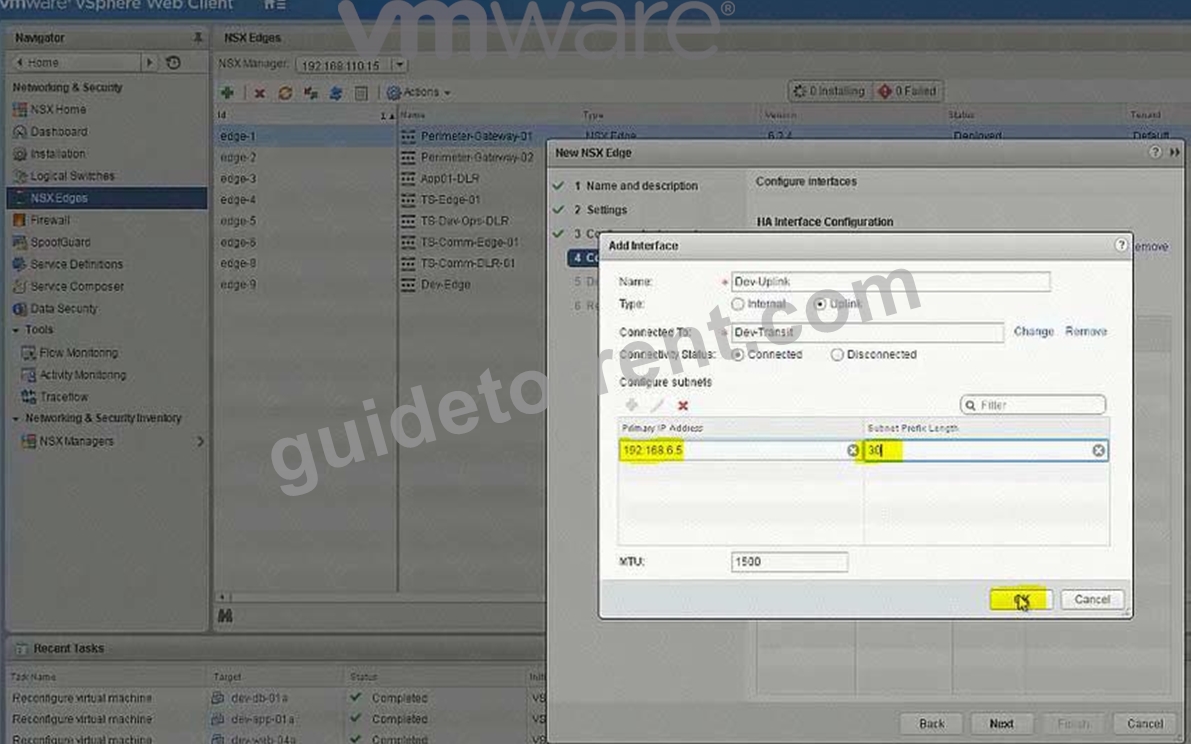
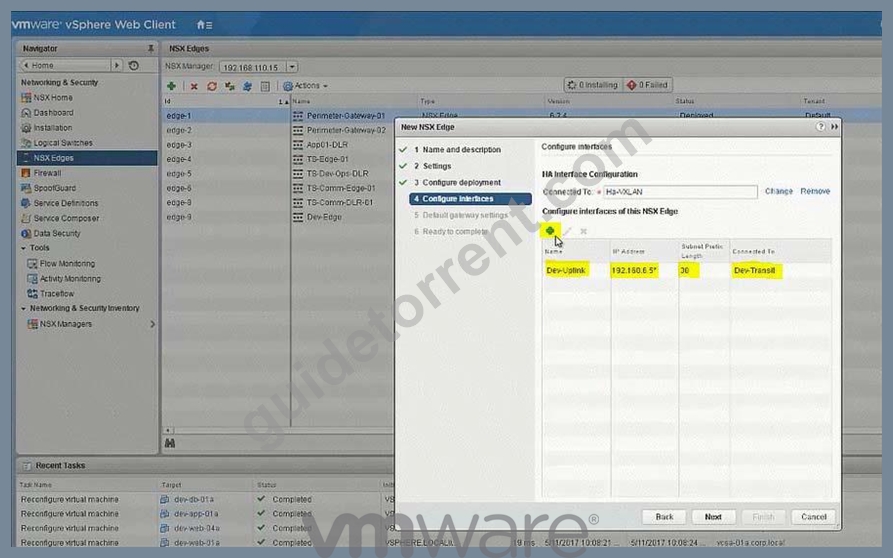
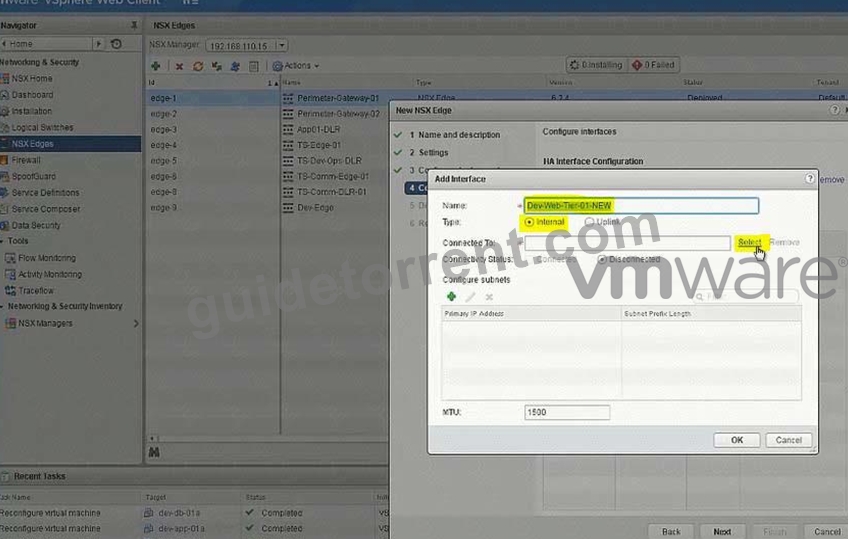
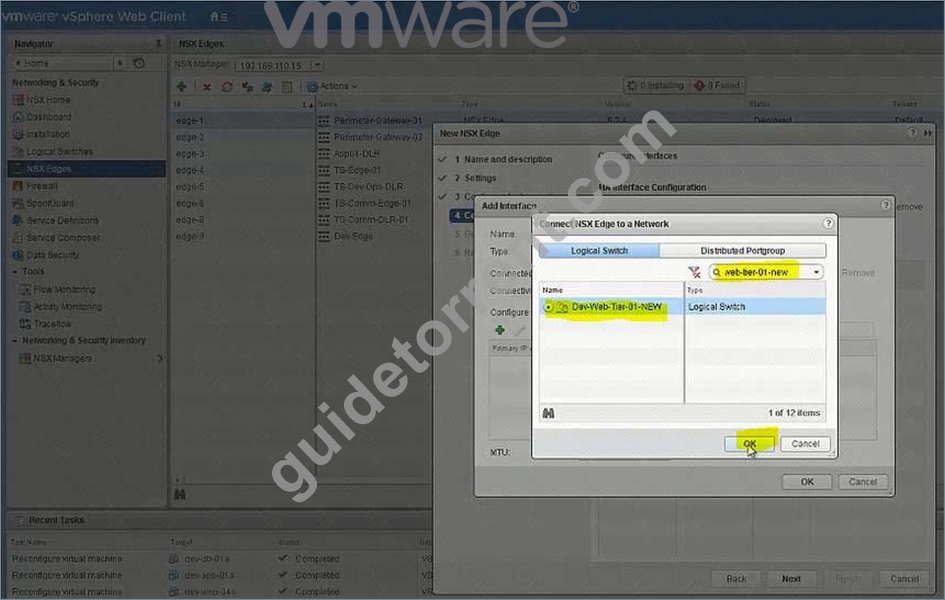
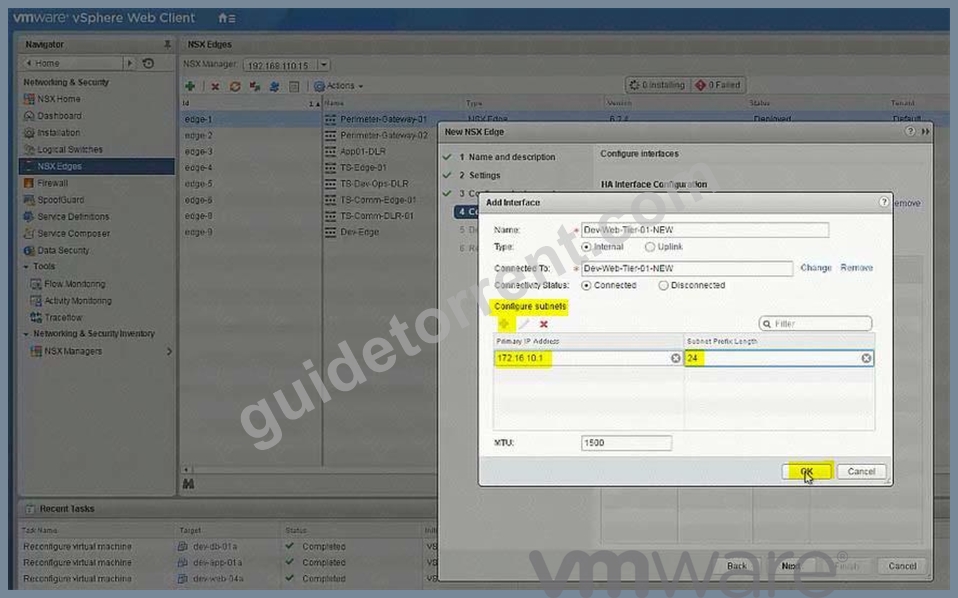
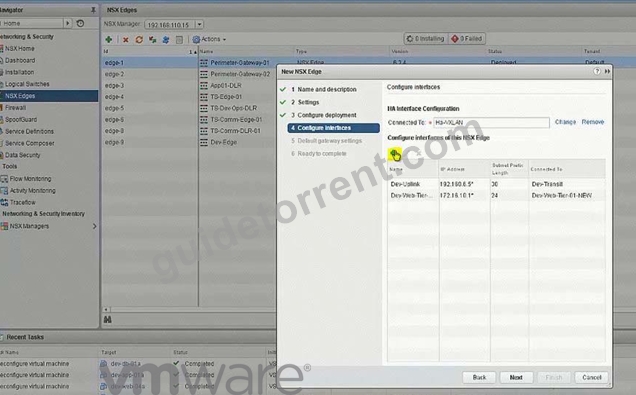
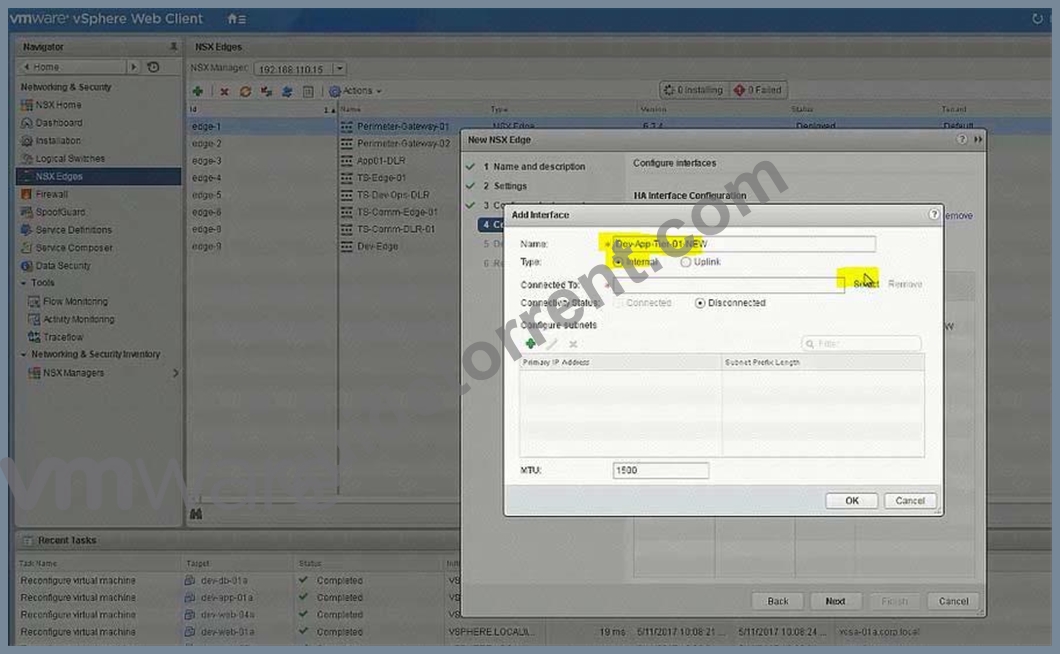
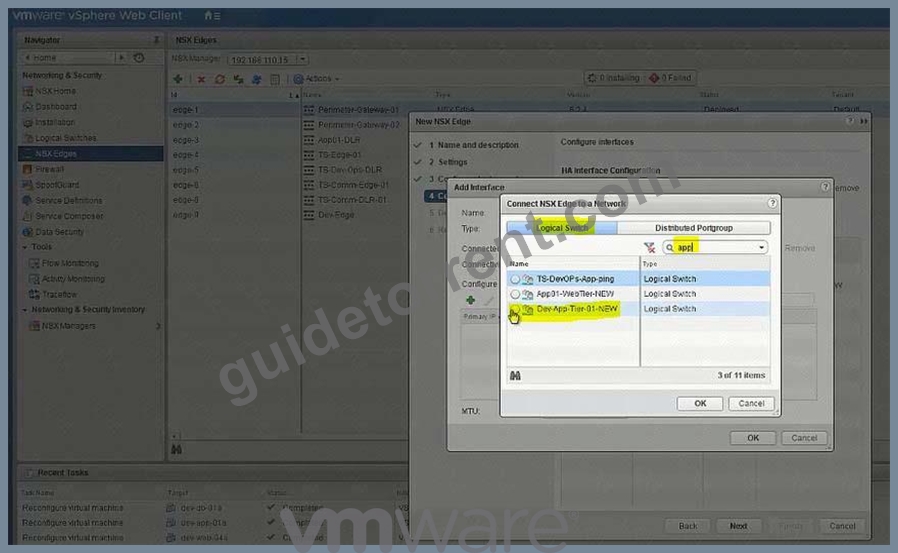
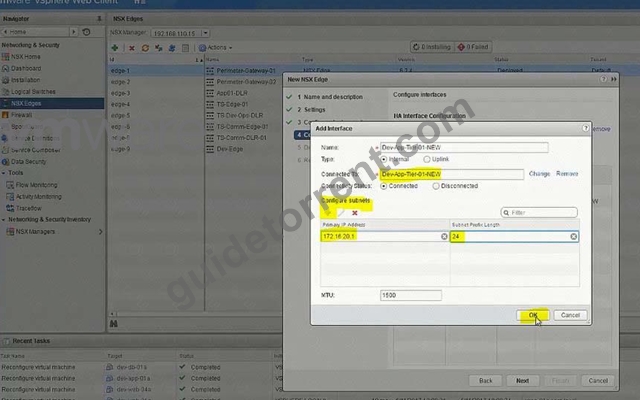
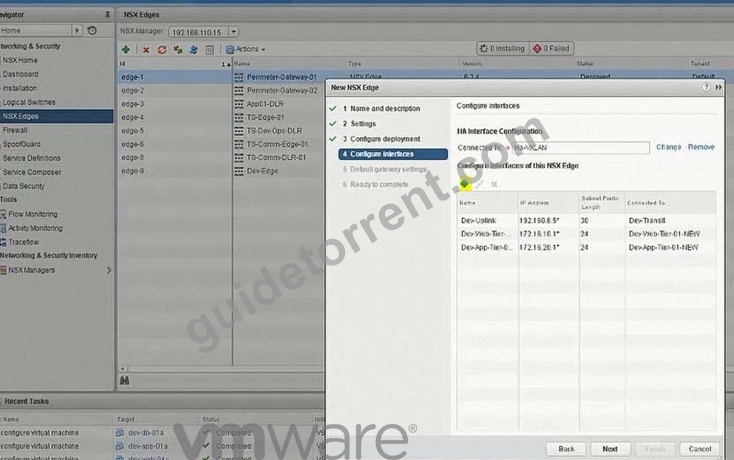
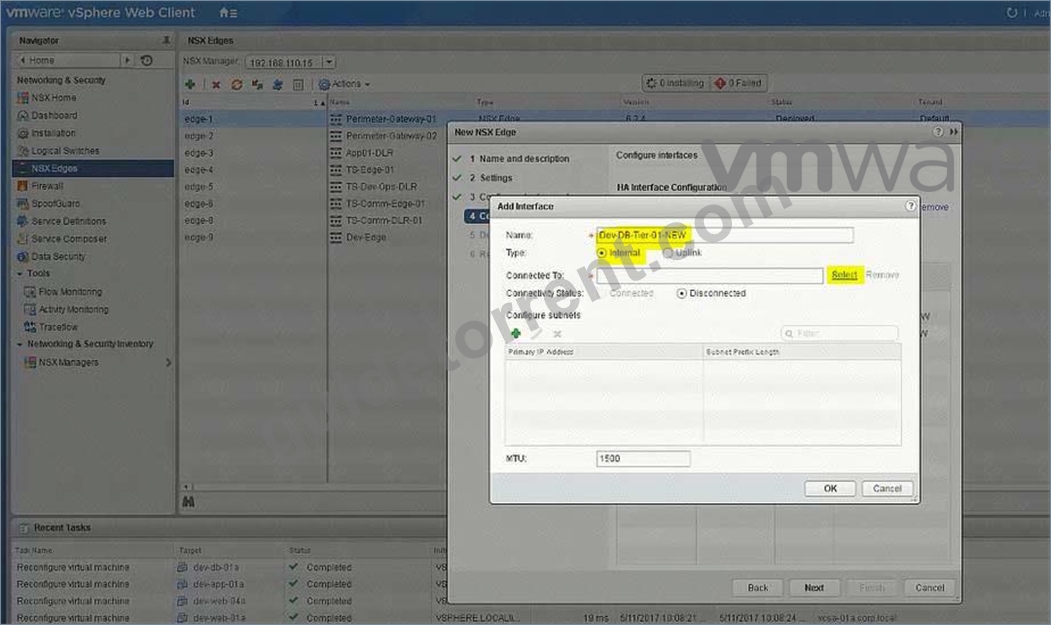
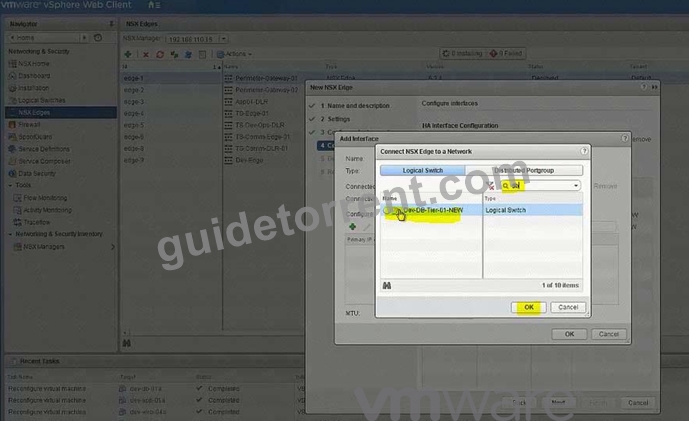
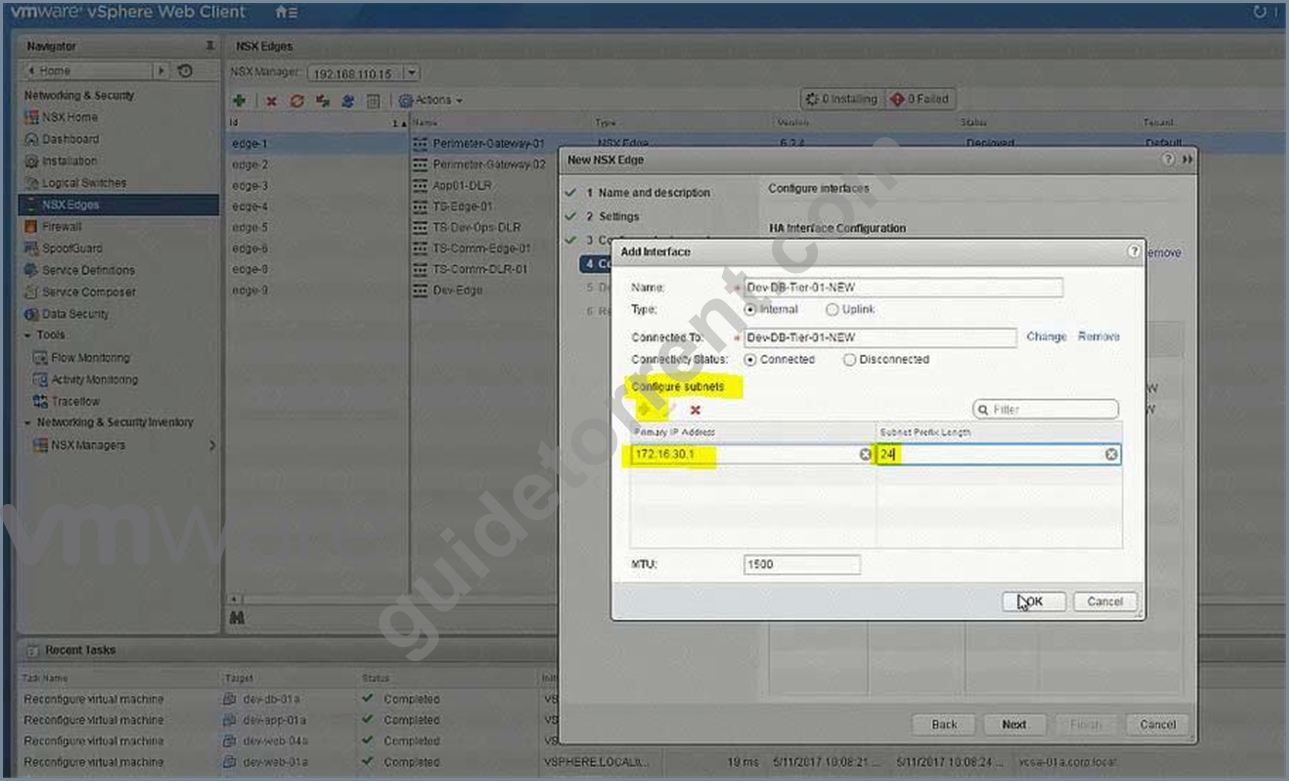
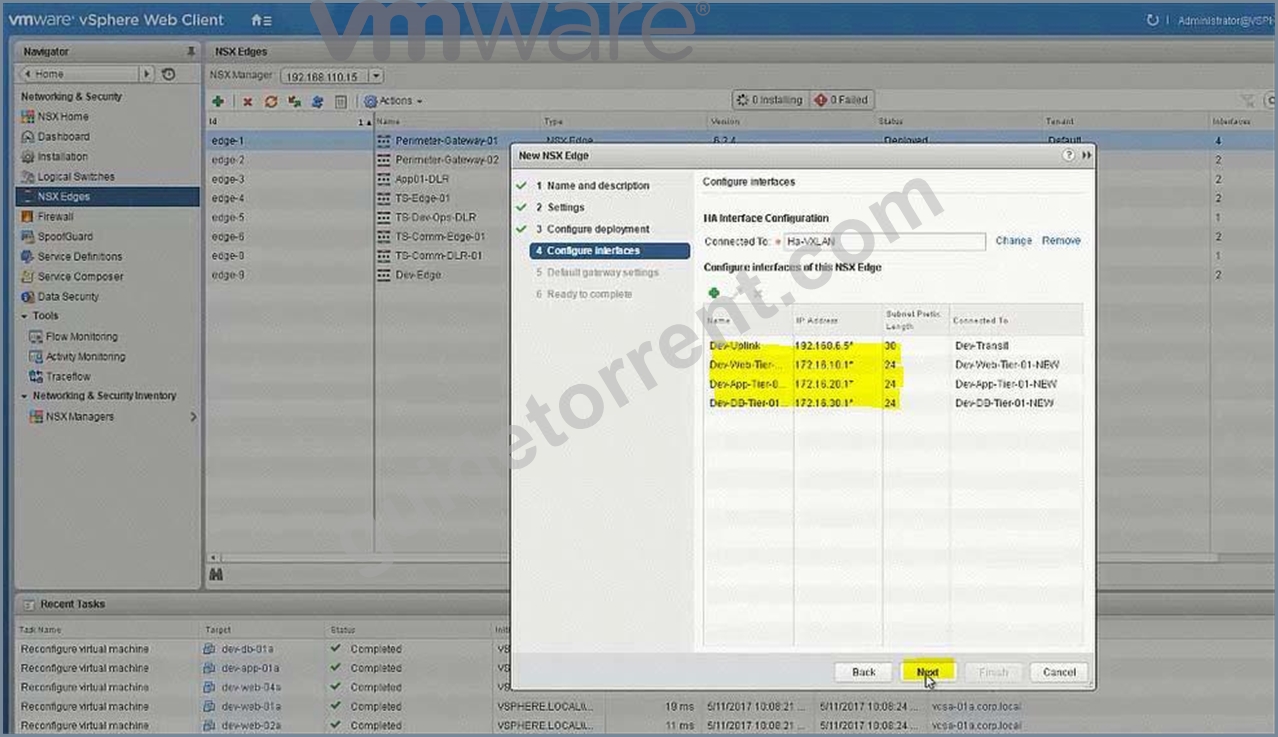
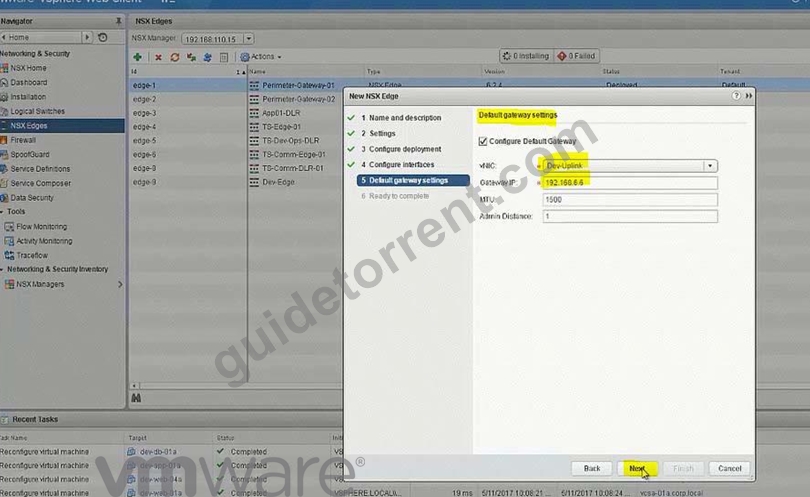
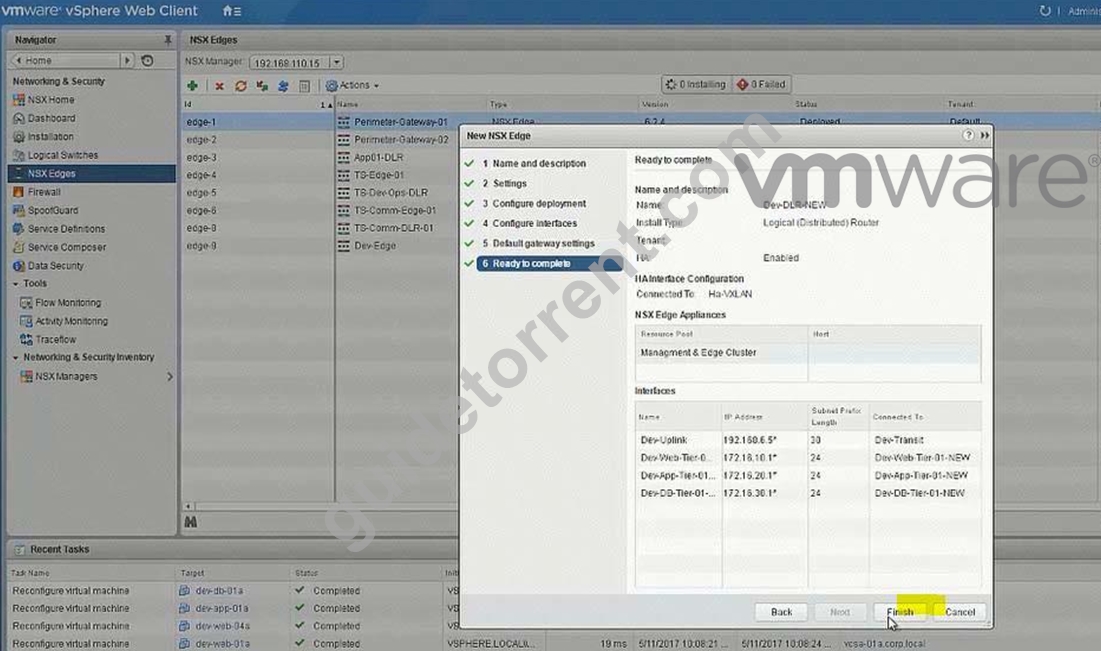
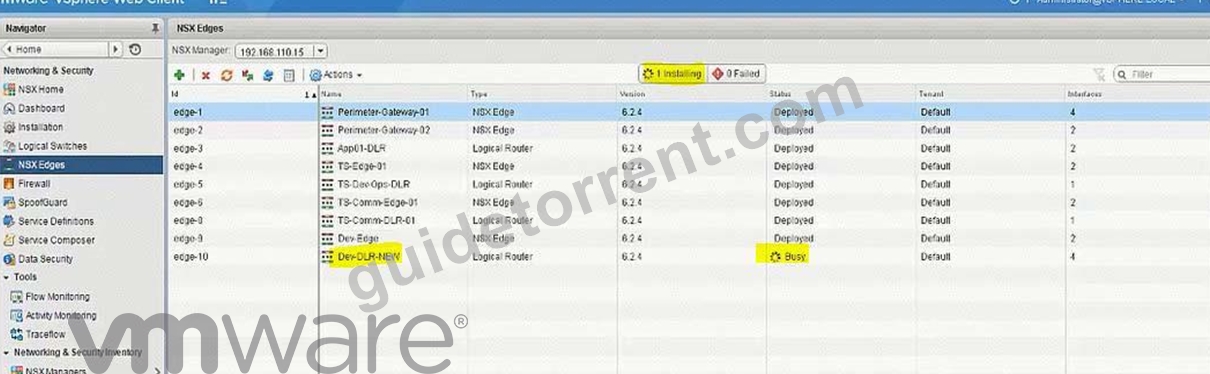
No need for below
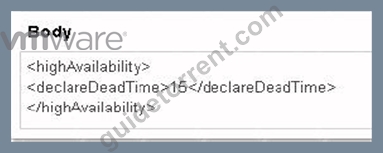
To change the control plane failover within 15 seconds use the RESTClient as shown below or the Postman application in Chrome.
Open Firefox
Open RESTClient from Firefox
Authentication
Basic Authenticaion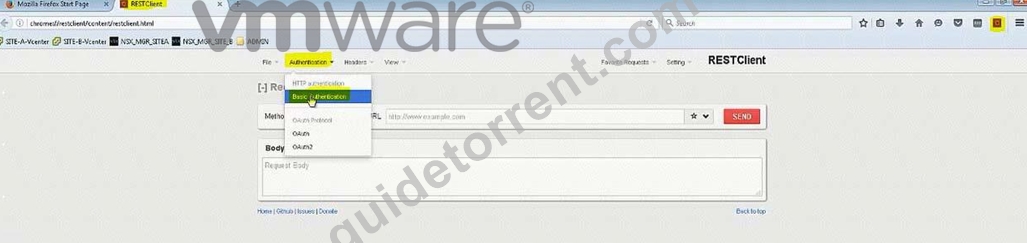
Admin
VMware1!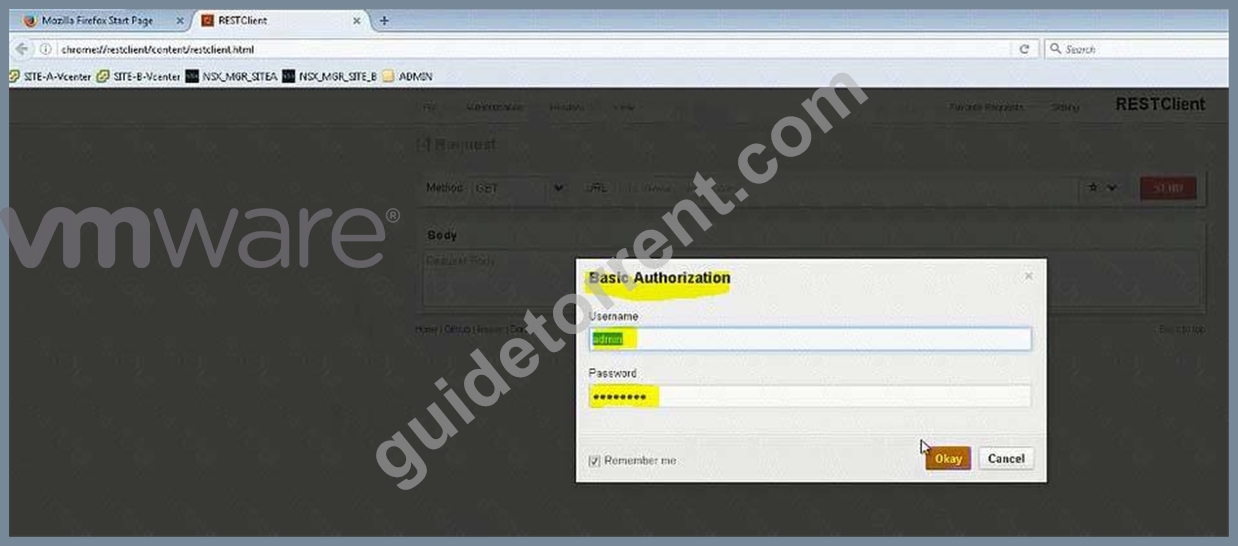
Headers
Custom Headers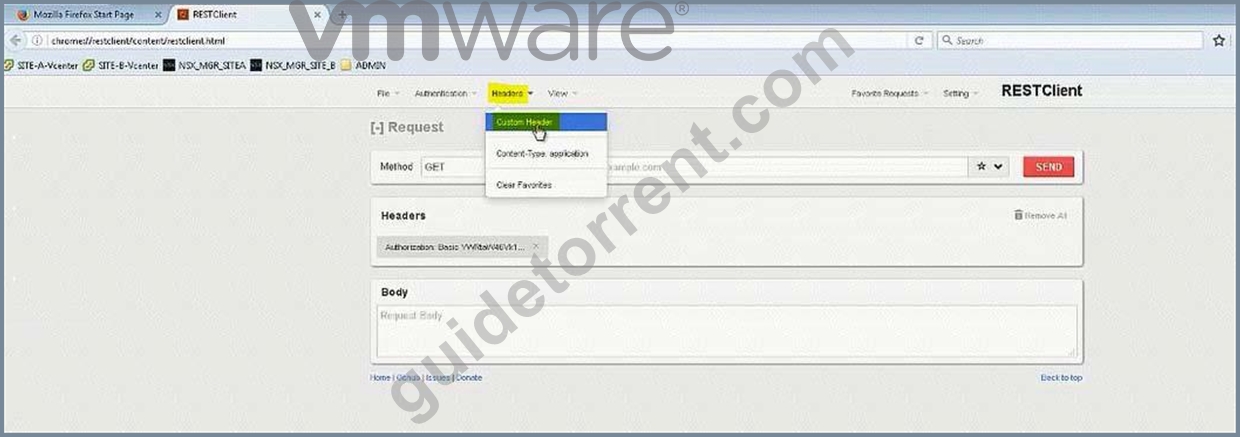
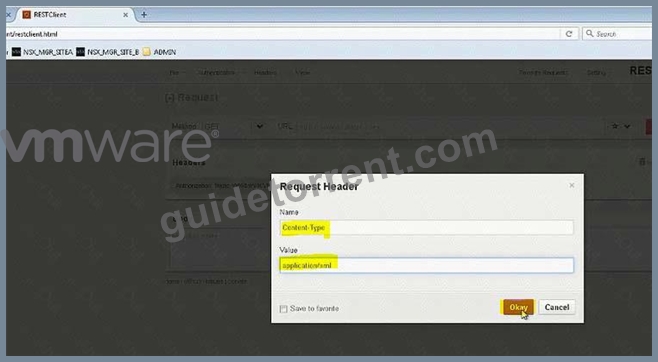
Content-Type
Application/xml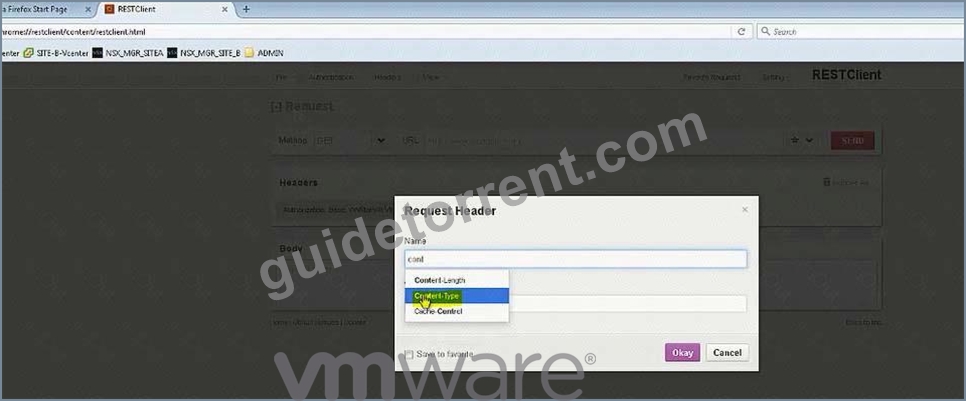
Note down the edge id of newly created DLR (in exam its edge-12)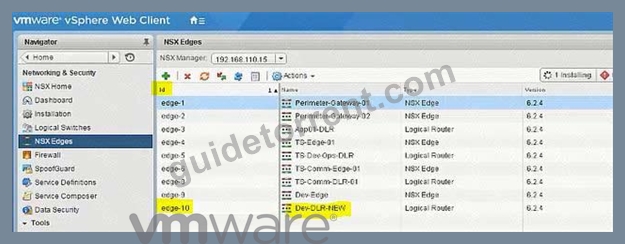
There will be a NSX API guide on desktop and look for "declaredeadtime".
Or memorize below string:
URL: https://192.168.110.15/api/4.0/edges/edge-10/highavailability/config Note: in exam its edge-12 but make sure!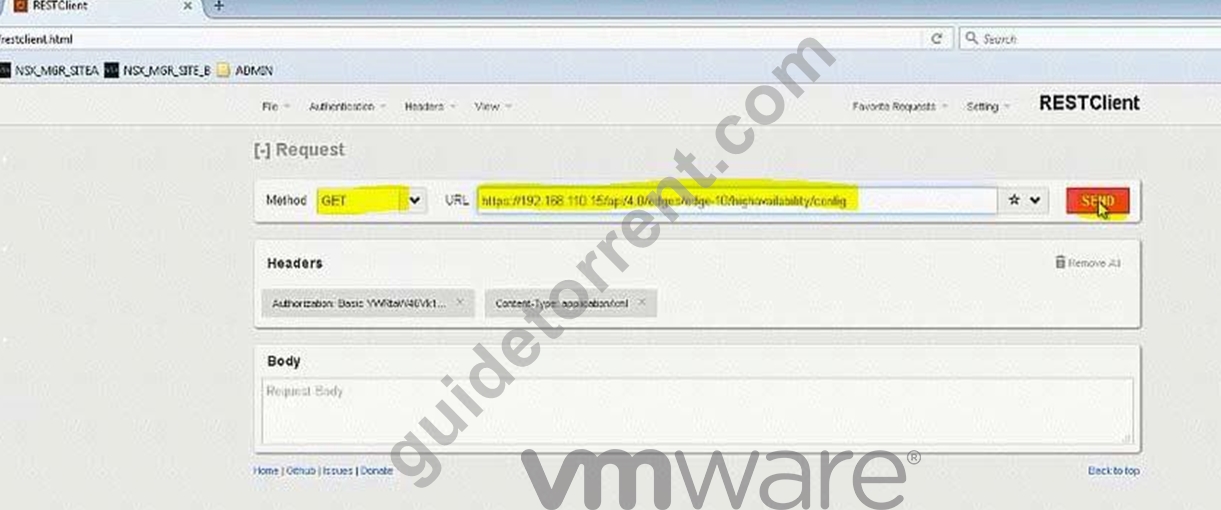
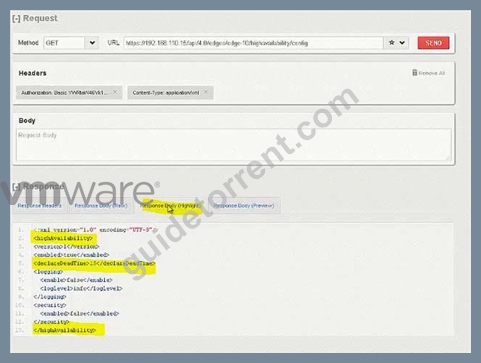
Change the value to 15
Body:
<highAvailability>
<declareDeadTime>15</declareDeadTime>
</highAvailability>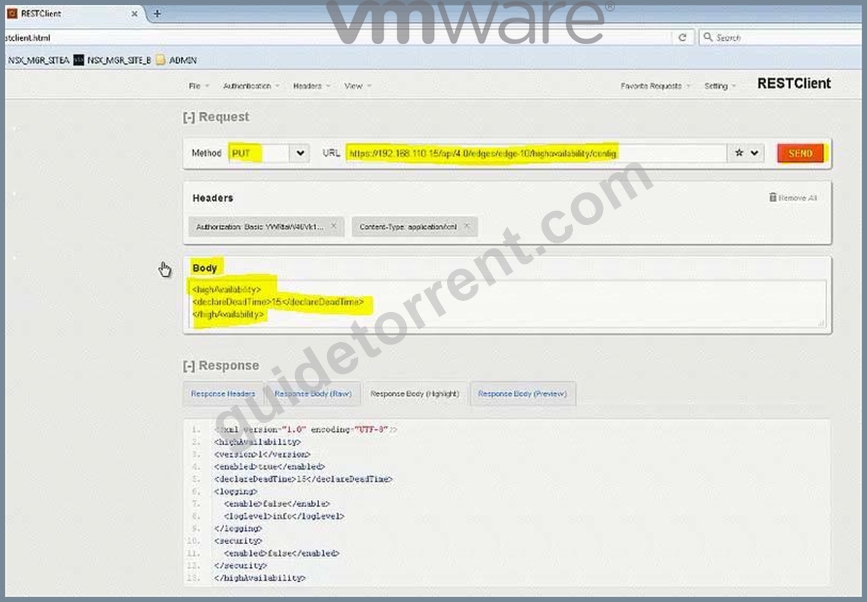
NEW QUESTION 13
Provide cross vCenter security functionality for the Universal Web Multi-Tiered network application.
Requirements:
vCenter: vcsa-01a.corp.local
Credentials: [email protected] / VMware1!
New Section Name: Universal-Rules-New
Networks:
Web-Tier: 172.17.10.0/24
App-Tier: 172.17.20.0/24
DB-Tier: 172.17.30.0/24
Secure east/west network communication for each of the three tiers allowing only.
Firewall Rule section Name: Universal-Rules-NEW
Web Tier: any source address incoming on TCP port 80 and 443
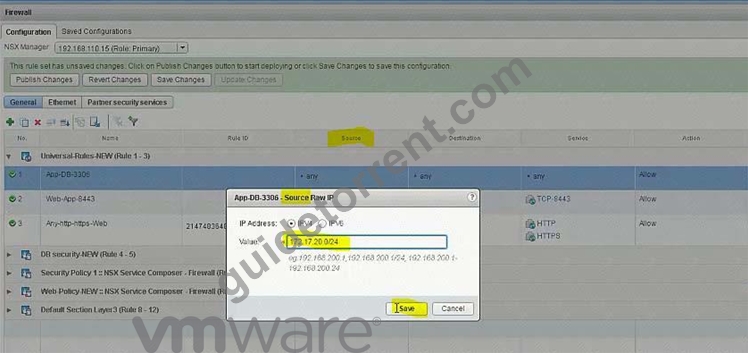
Application Tier: access from the web tier on the incoming TCP port 8443 Database Tier: access from the application tier on the incoming TCP port 3306 Traffic that does not meet the above requirements should be blocked.
NOTE:
This rule must only affect the universal tiers.
HOL LAB for Practice:
See the explanation part for complete solution.
Answer:
Explanation:
SOLUTION:
Add new Section under Firewall.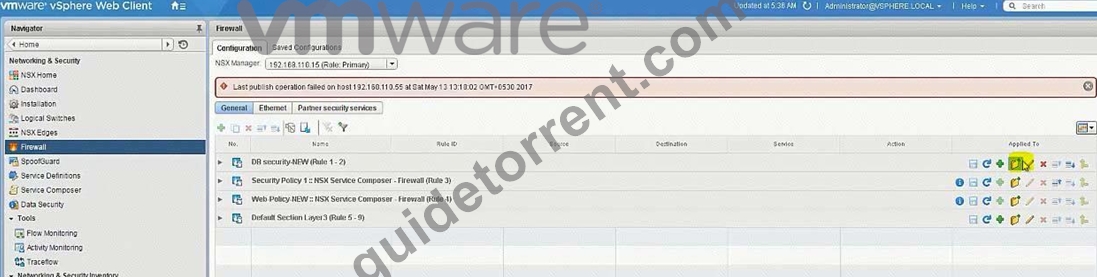
Universal-Rules-NEW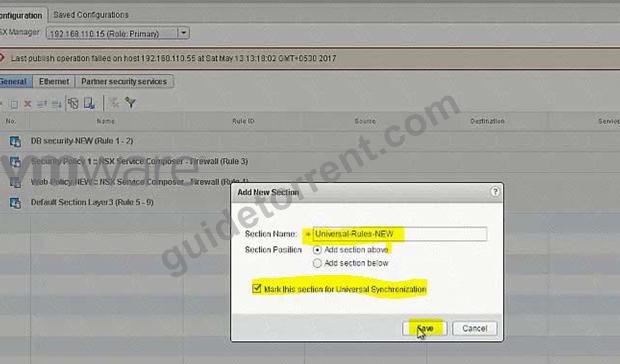
Add rules: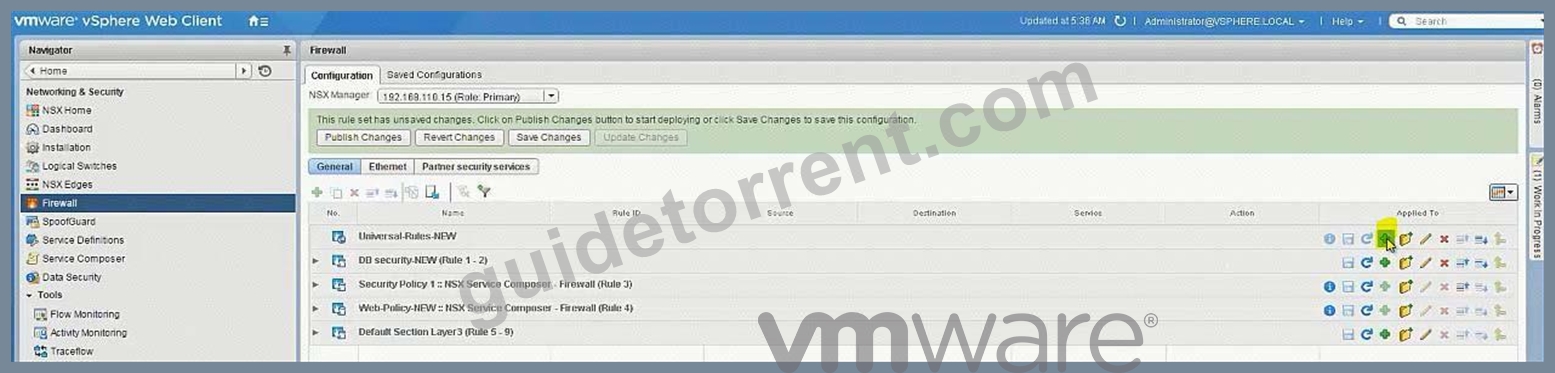
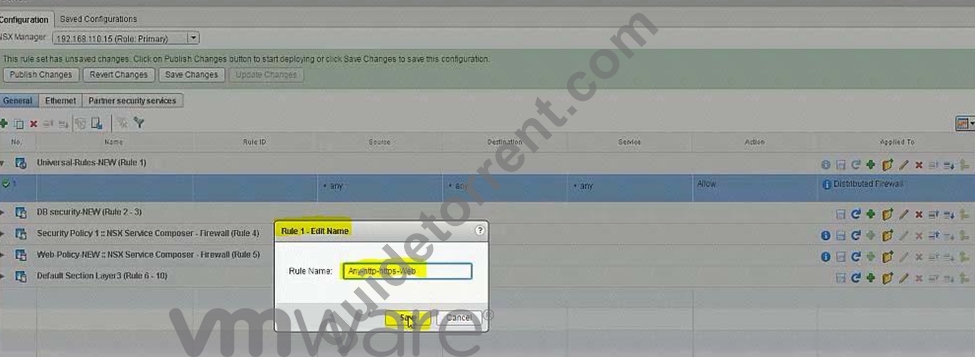
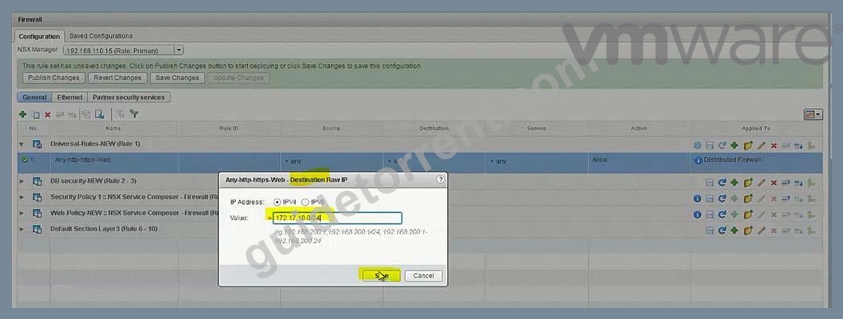
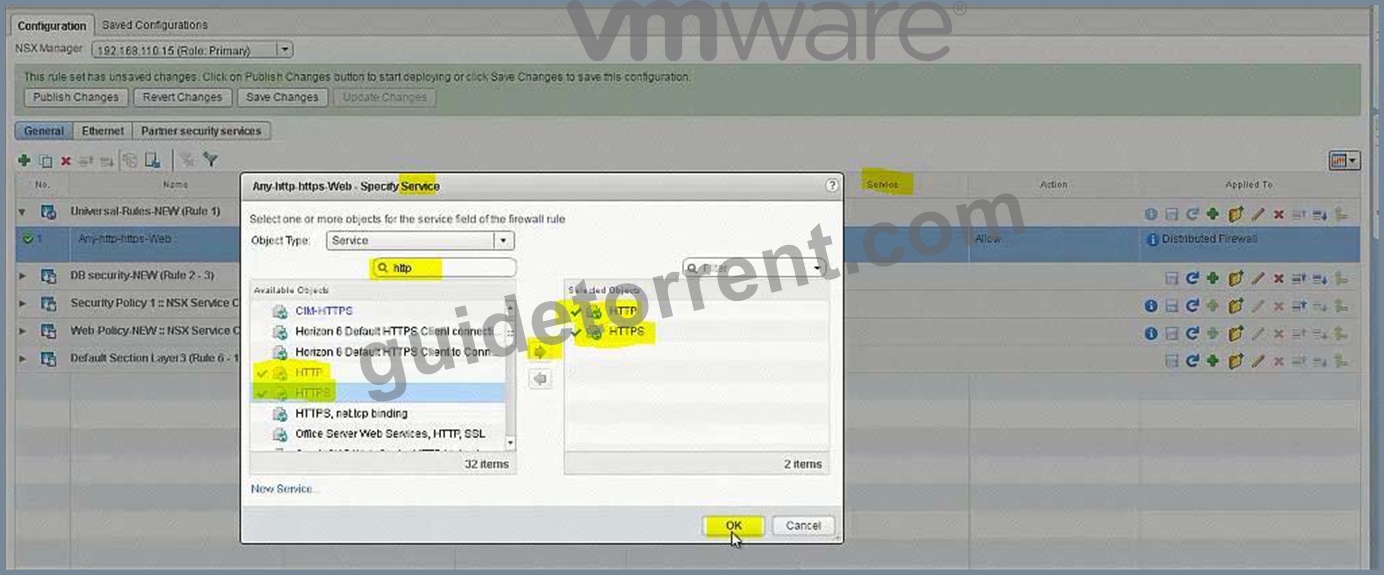
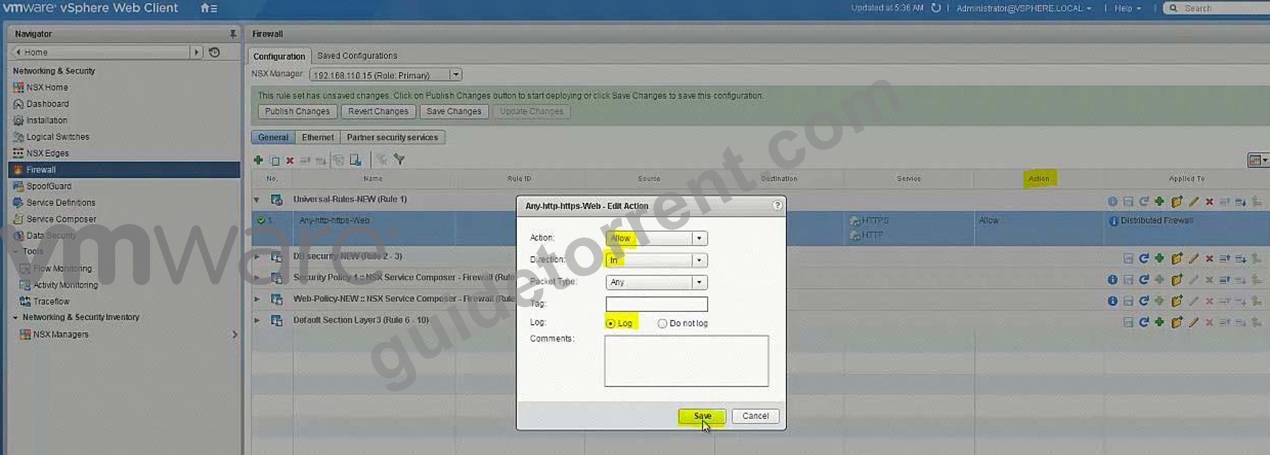
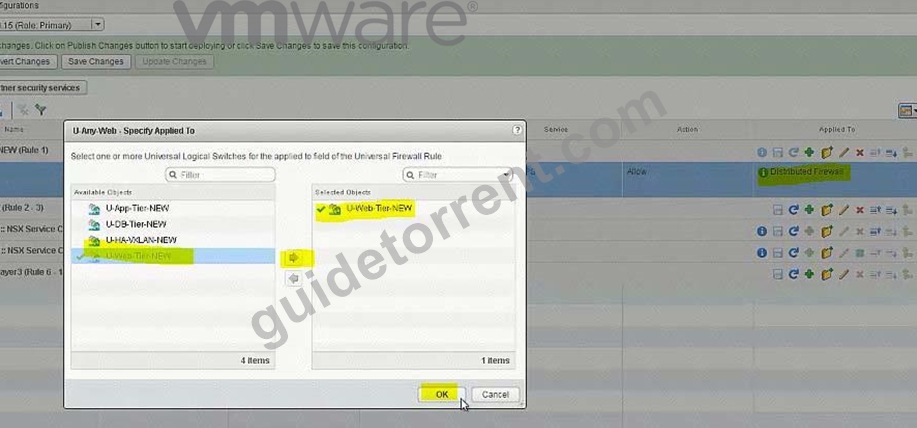
Add another Rule: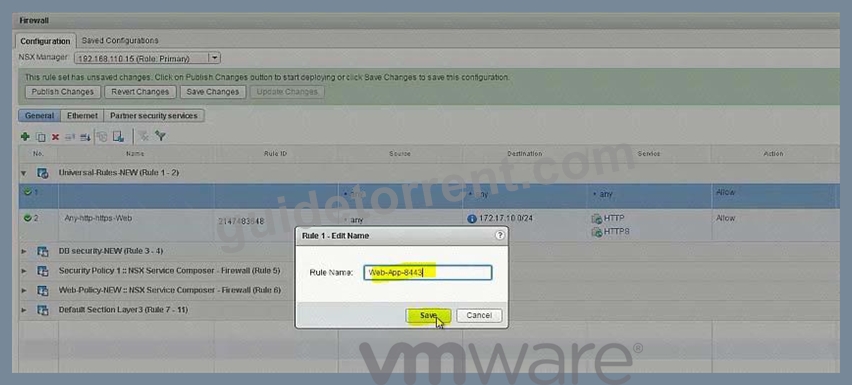
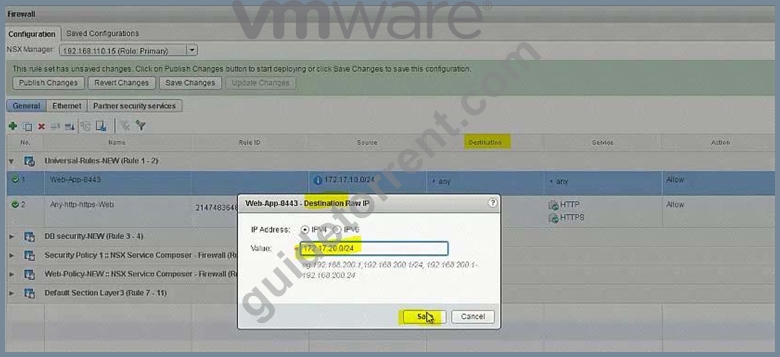
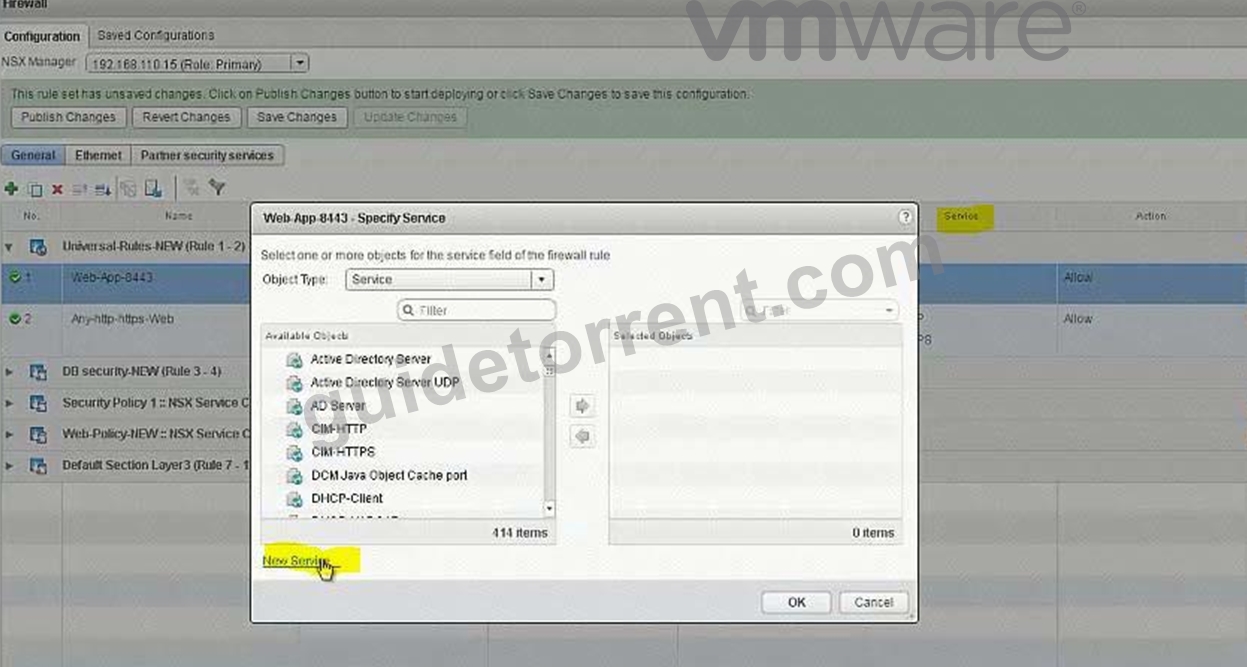
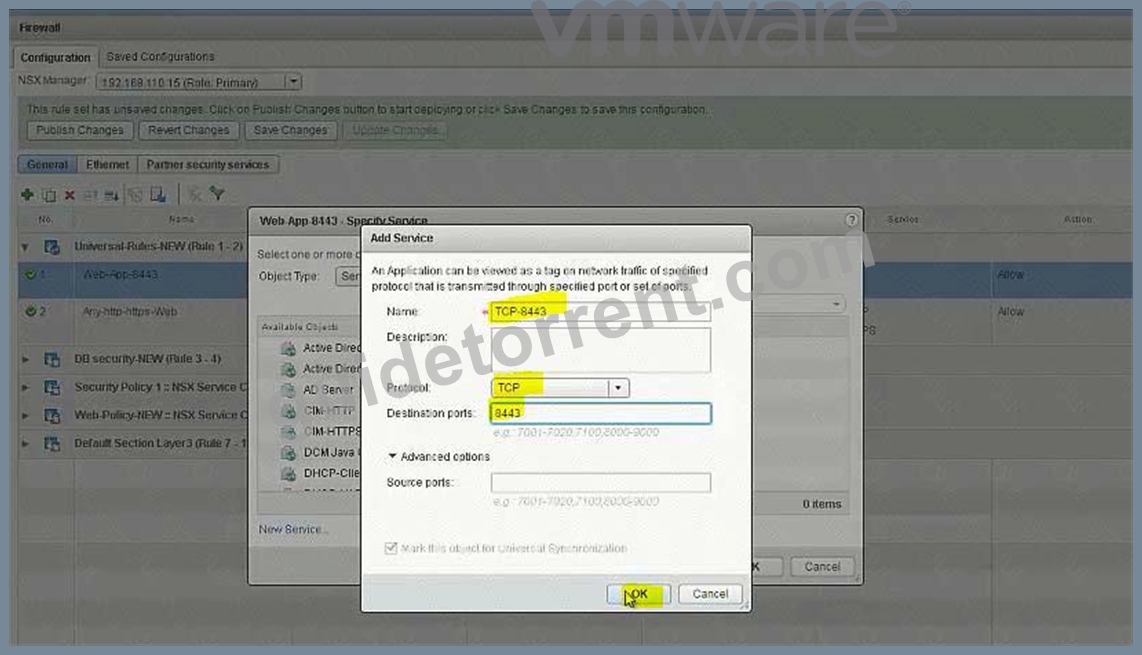
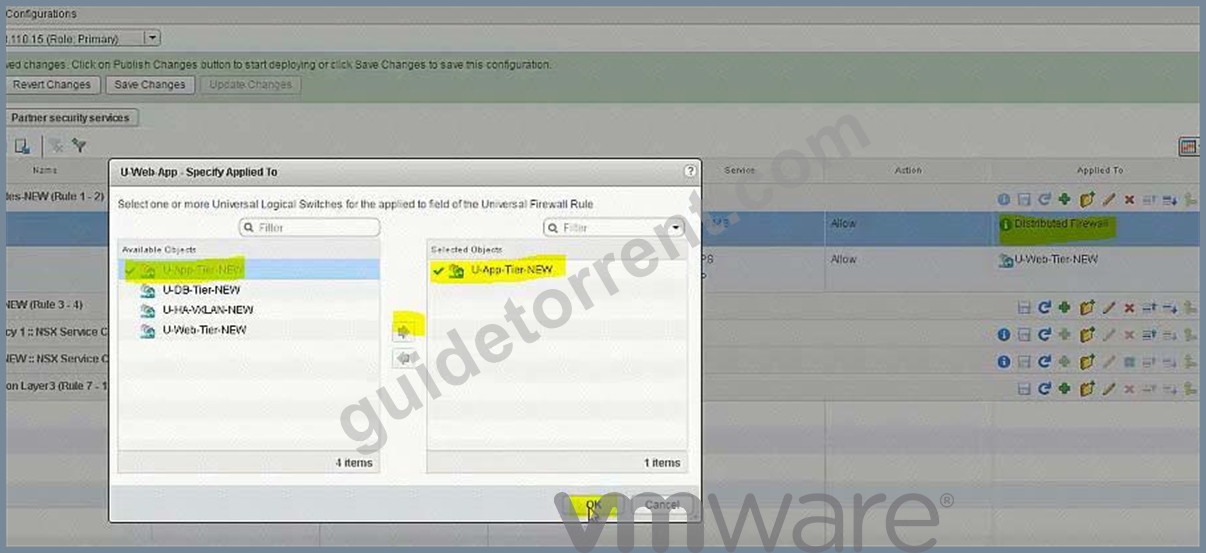
Add another Rule: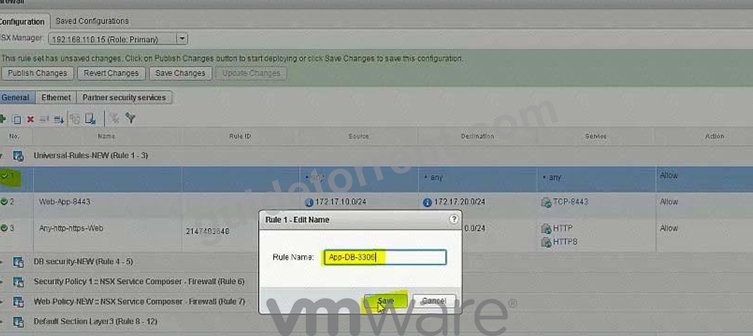
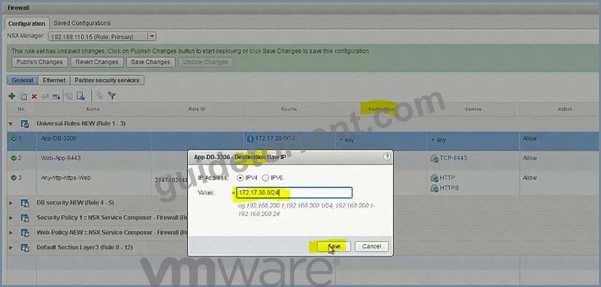
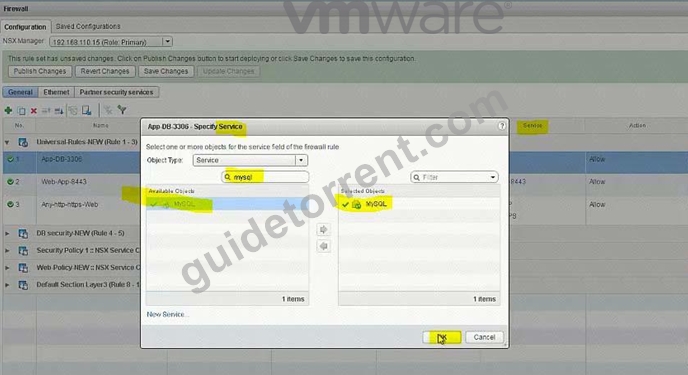
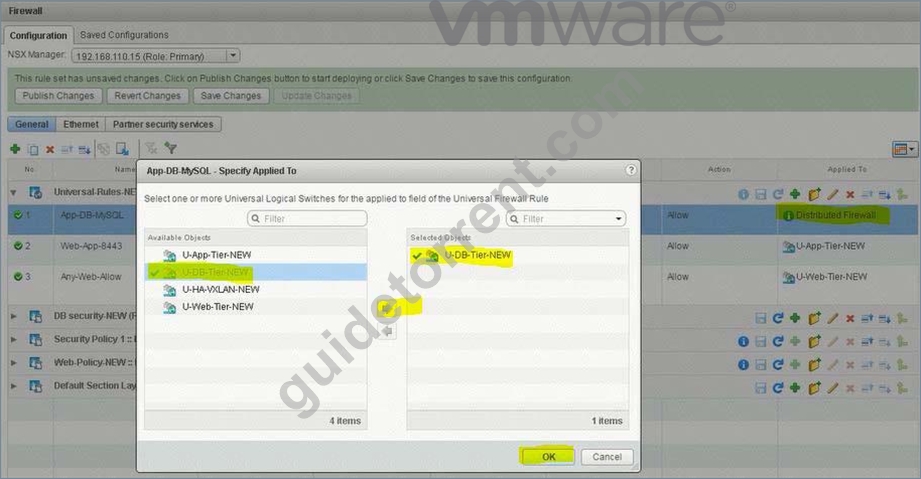
Add Deny Rule: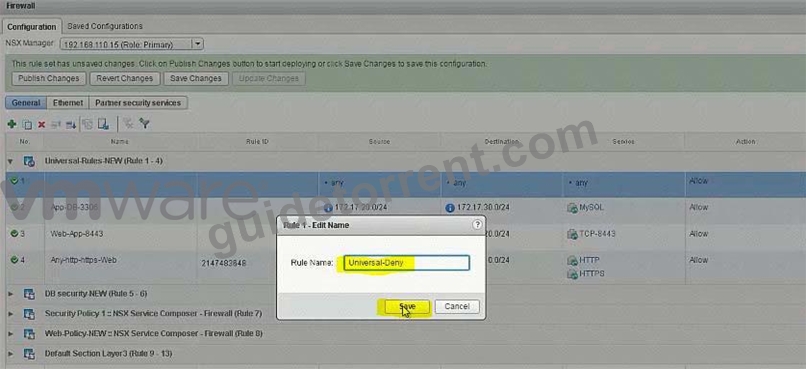
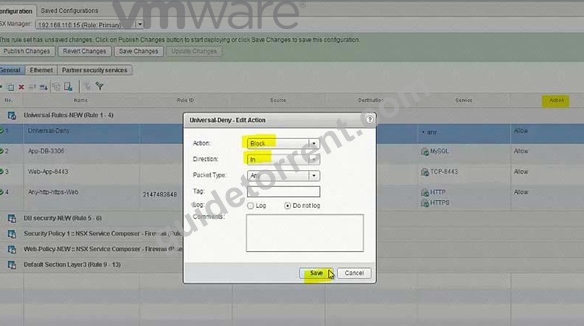
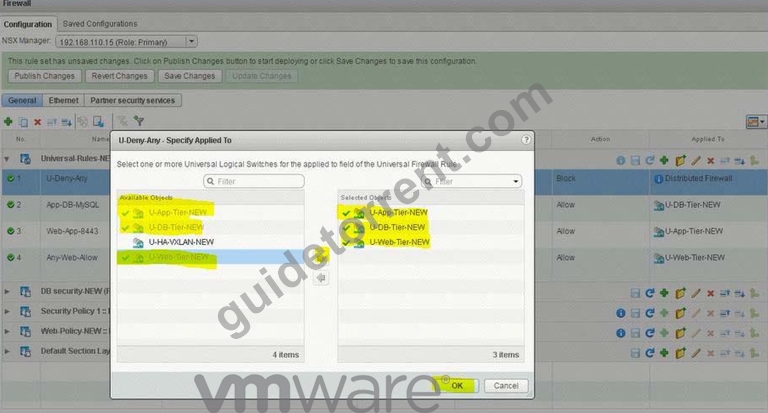
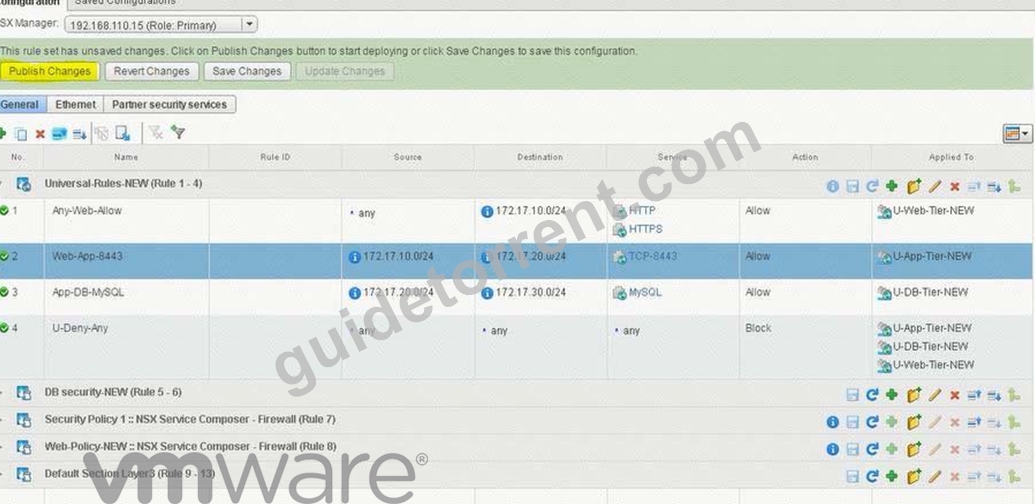
Lower down the Deny rule to the end in this section: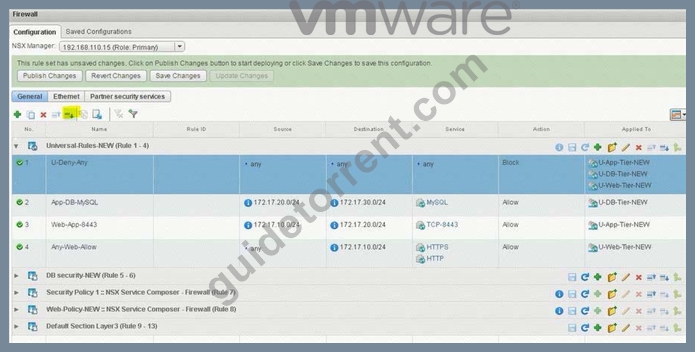
NEW QUESTION 14
Management requires you to build a new logical topology for a new application that will include a hardware search appliance (HAS). The new application must contain a web tier and database tier on separate IP domains. Use the existing App01-DLR to complete the task.
Requirements:
vCenter: vcsa-01.corp.local
Credentials: [email protected] / VMware1!
vDS: vds-mgt-edge-a
Existing DLR Name: App01-DLR
New object prefix - App01
New object suffic - New
Create a new distributed port group for this task named vds-HSA-NEW.
The HAS must reside on the same IP subnet as the database.
The new application must contain a web tier and database tier on separate domains to be used at a future date.
Once deployed the HAS will be connected to a network with VLAN ID 500.
The proper physical switch ports for the uplinks have already been trunked to include VLAN 500.
VLANs configured in the compute racks are isolated to a single rack.
Any objects/items created must be named with a prefix of App01 and a suffix containing their function with NEW (for example: App01-Function-NEW) NOTE:
The hardware appliance and application virtual machines have not been deployed. Attempts to connectivity to the appliance will not succeed.
HOL LAB for Practice:
Bridging and other questions 7, 8, 9 and LAB - HOL-1925-02 Module 1
See the explanation part for complete solution.
Answer:
Explanation:
SOLUTION:
Step 1: From SiteA vCenter web client -> Networking -> Data Center SiteA -> create a new distribution port group named vds-HAS-NEW with VLAN ID 500 in vds-mgmt-edge.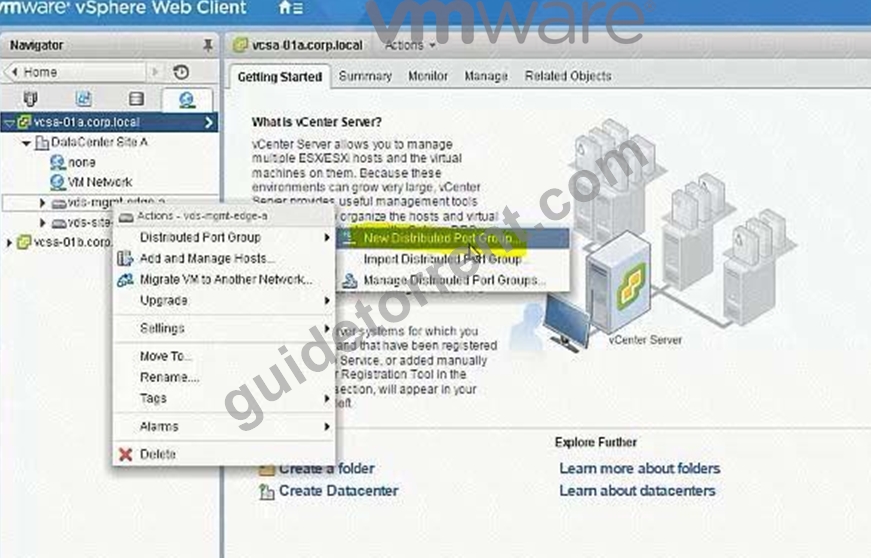
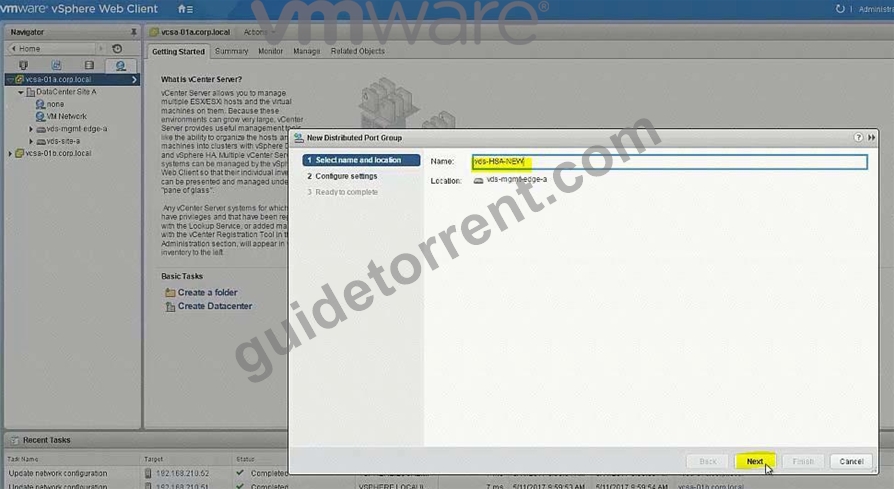
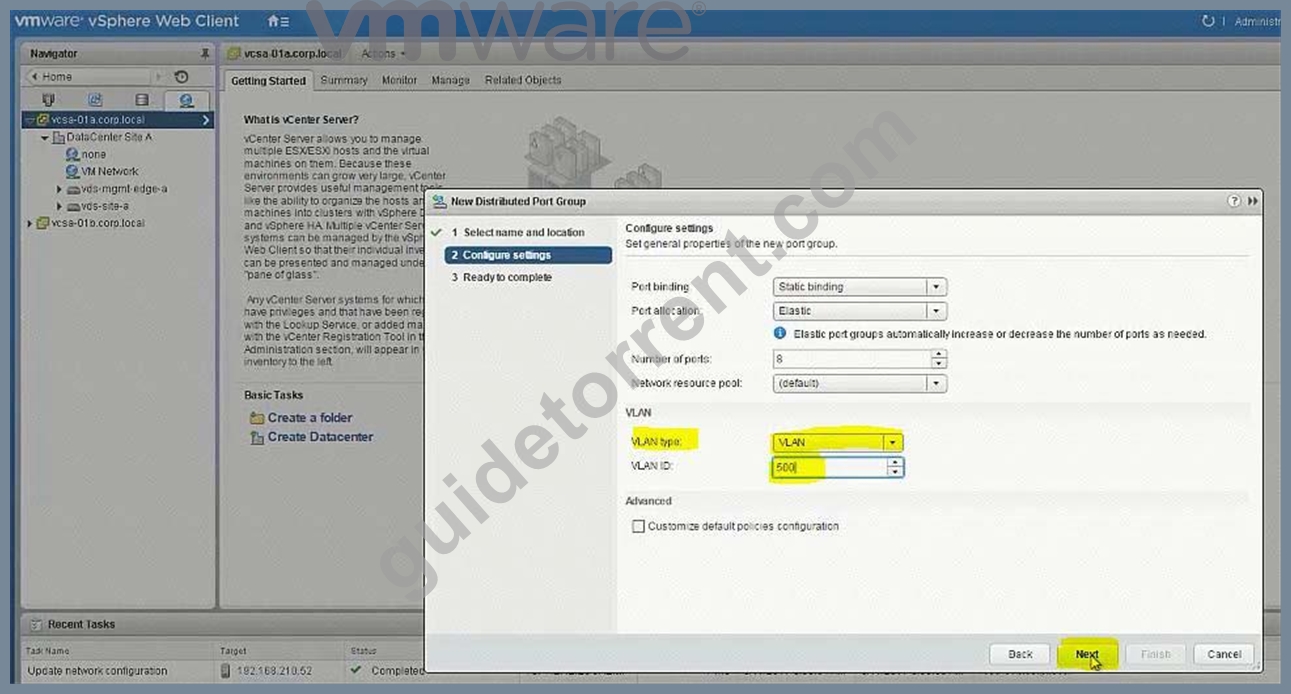
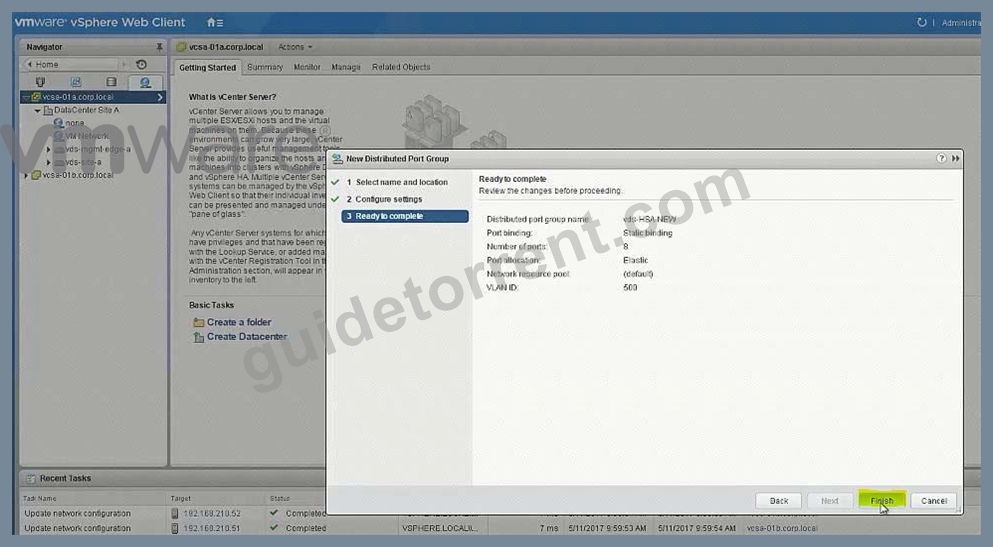
Create LS on 192.168.110.15 = App01-WebTier-NEW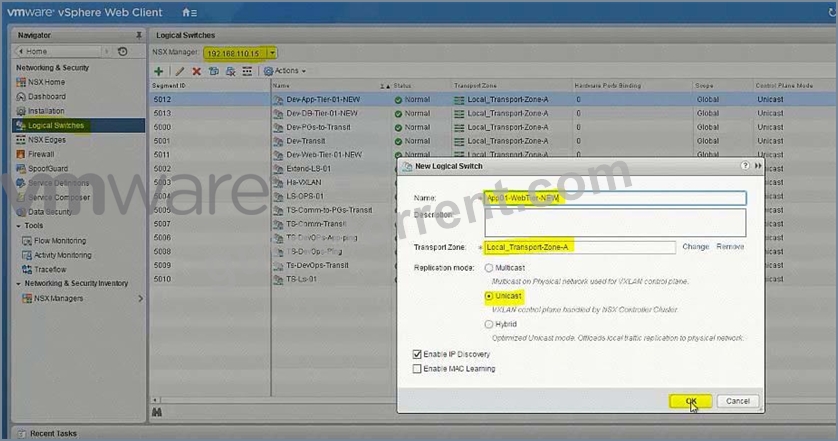
Create LS on 192.168.110.15 = App01-DBTier-NEW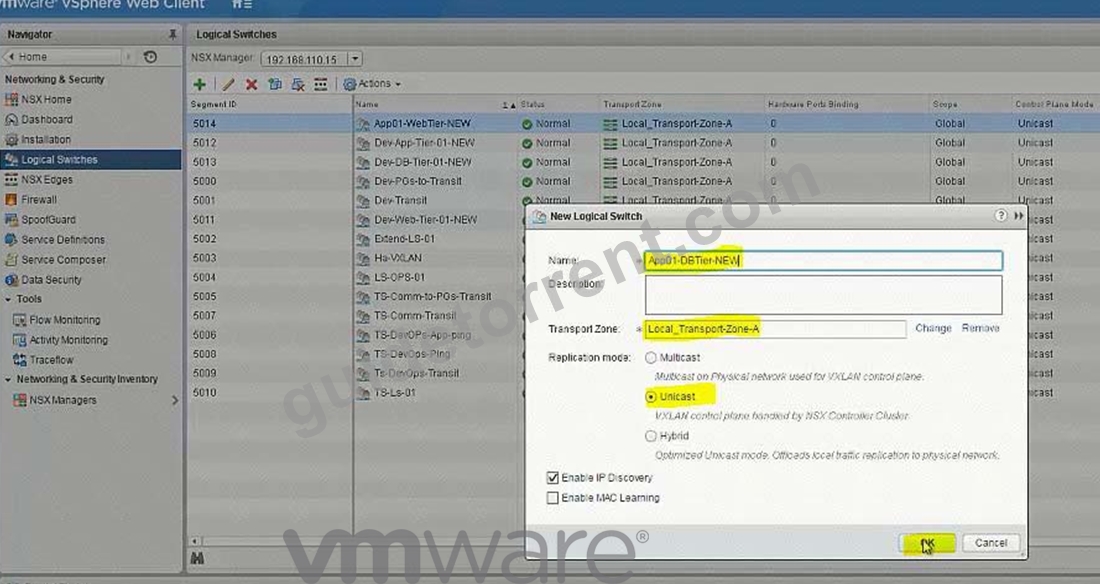
NSX Edges -> App01-DLR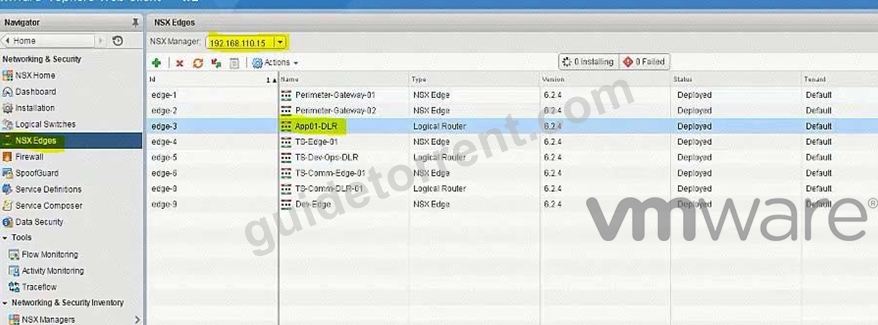
8) got NsX Edge and select App01-DLR. select Manage, select settings and click on + Sign (9) Enter interface name App01-Web-New, select type internal. select App01-Webtier-New LS Enter ip address 192.168.1.1/24. repeat the same steps for App01-DBtier-New but take ip addres
192.168.2.1 /24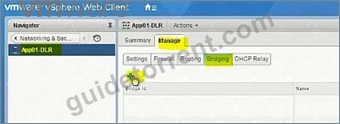
Name: App01-Bridge-NEW
Logical Switch: App01-DBTier-NEW
Distributed Port Group: vds-HAS-NEW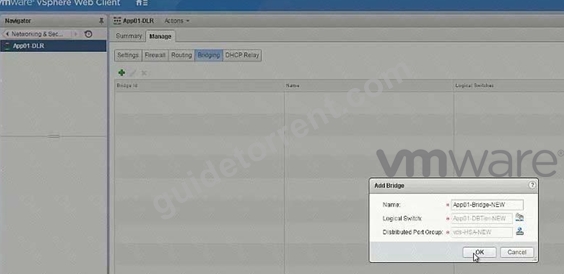
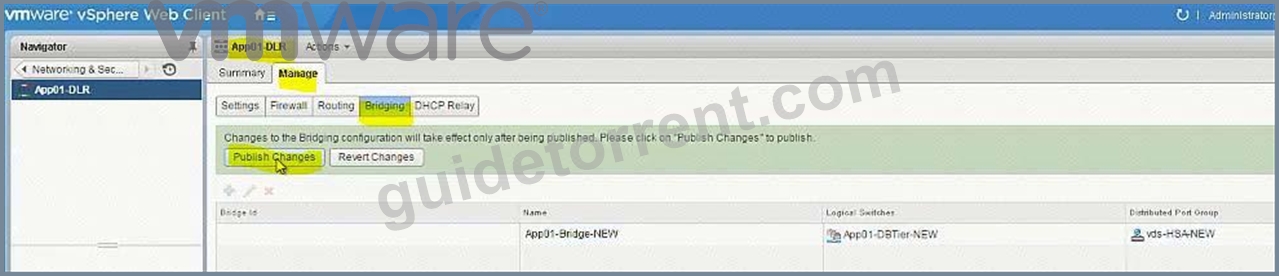
(11) be sure under App01-DB-New the bridging is enable.
NEW QUESTION 15
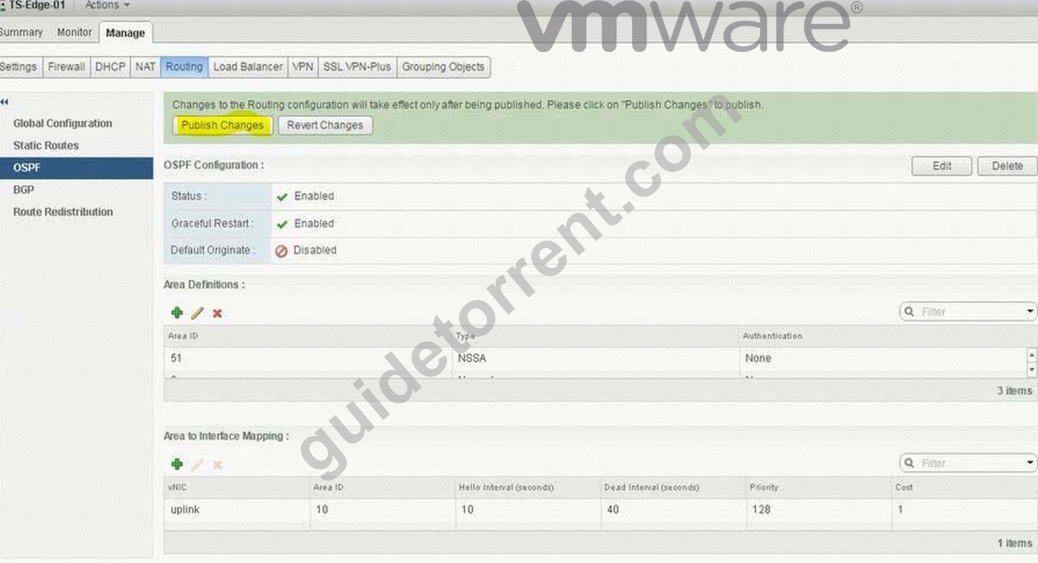
Routing through TS-Edge-01 is not working. The service provider (SP) has confirmed their configuration is correct.
Requirements:
vCenter: vcsa01a.corp.local
Credential: [email protected] / VMware1!
Edge: TS-Edge-01
Credential: admin / VMware1!VMware1!
Problem Edge: TS-Edge01
Local IP Address: 192.168.100.202
SP provided configuration:
Area ID: 10
Type: Normal
Authentication: None
Ensure the OSPF session is established.
Ensure all learned OSPF routes appear.
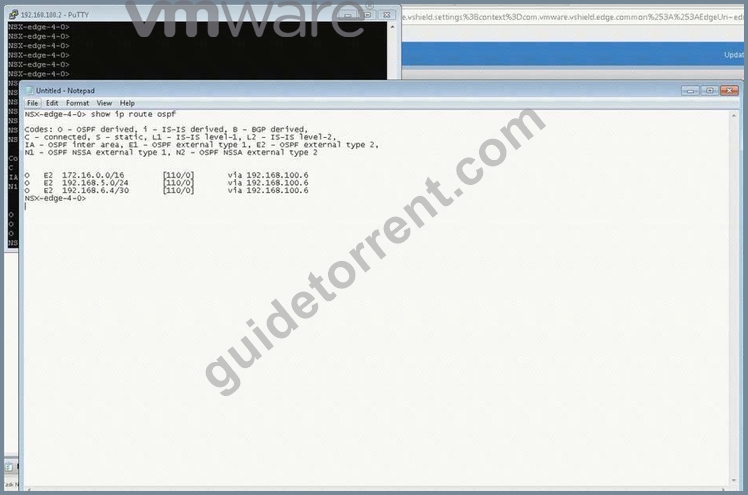
Copy OSPF routing table information and output to file on ControlCenter Desktop named TS-Edge-01_OSPF.txt NOTE:
Do not use static route or configure Default Gateway on any Edge.
HOL LAB for Practice:
See the explanation part for complete solution.
Answer:
Explanation:
SOLUTION:
(1) select Home. select Network & Security. select NsX Edge. select Nsx Manager-a.
select TS-EDGE-01. select manage tab and select settings.
select interface. check ip address and mask of the vnic.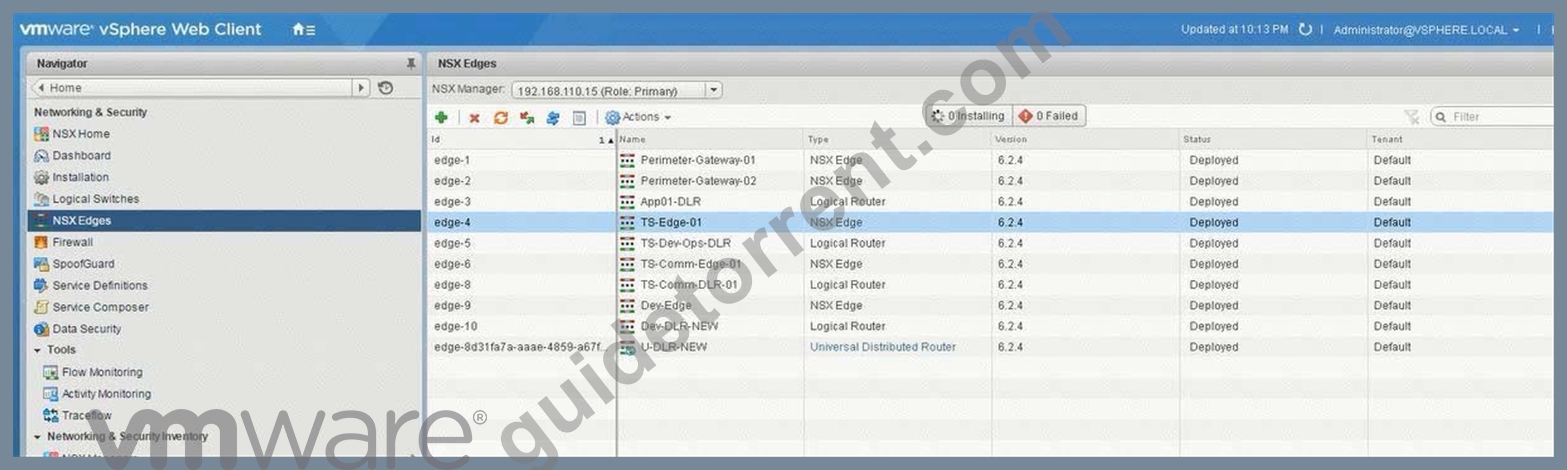
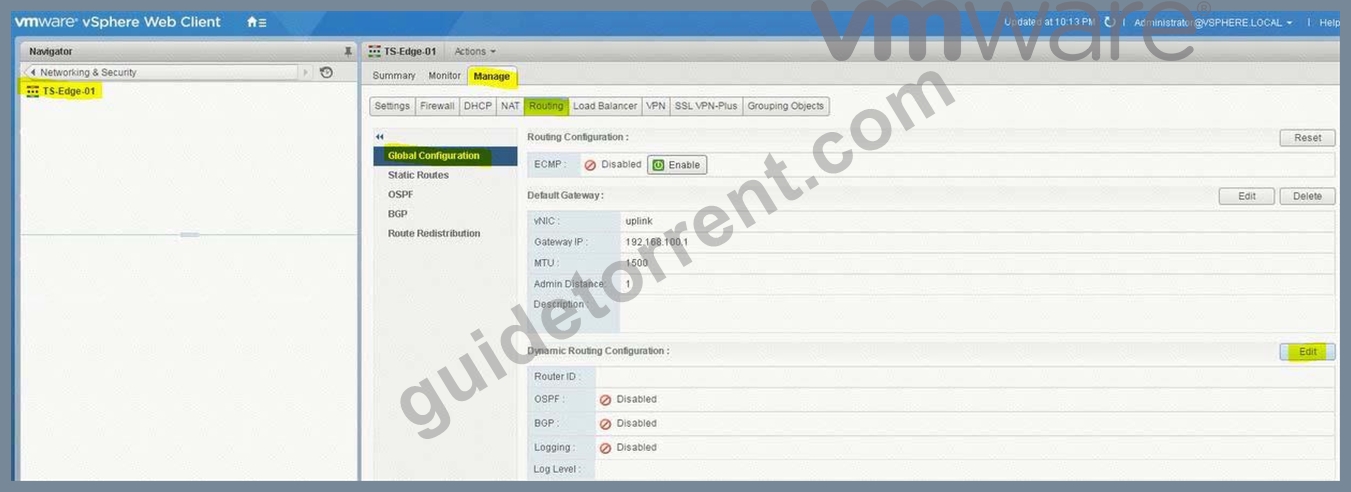
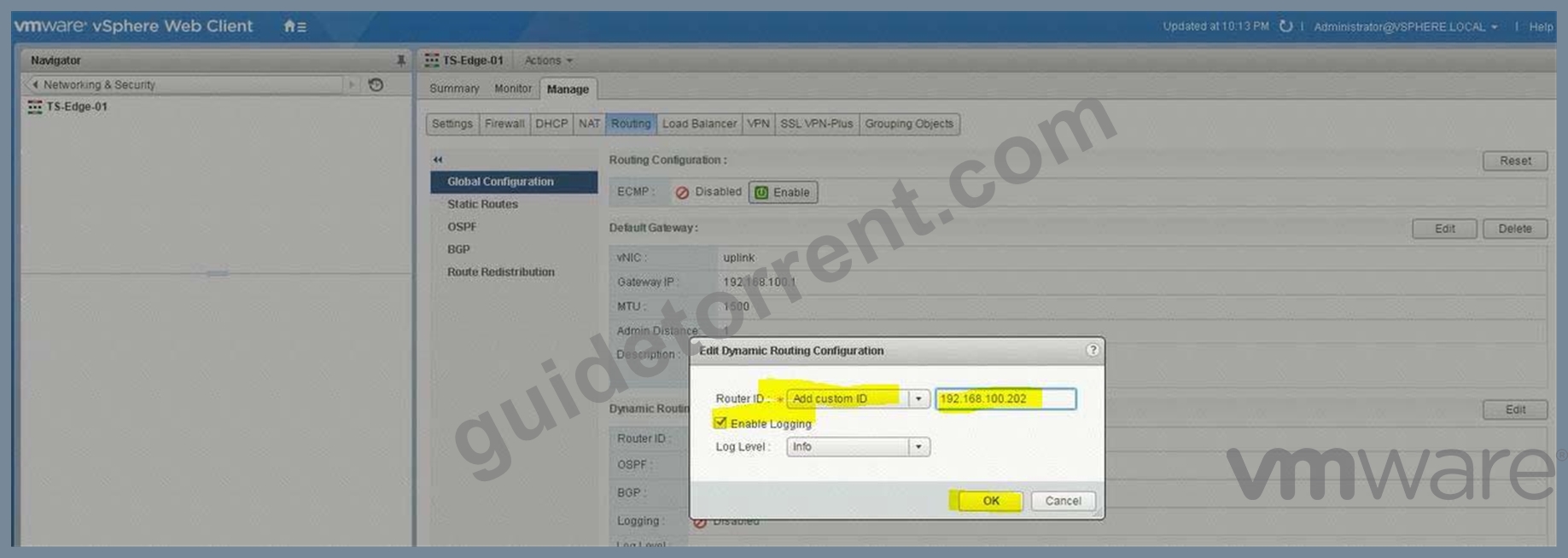
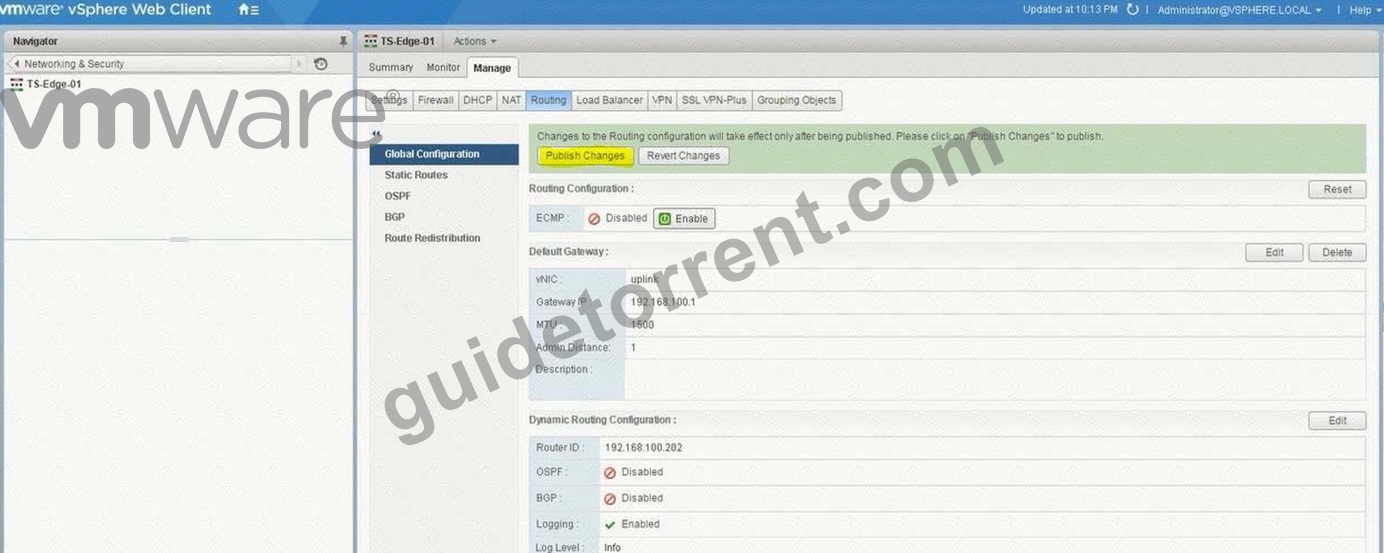
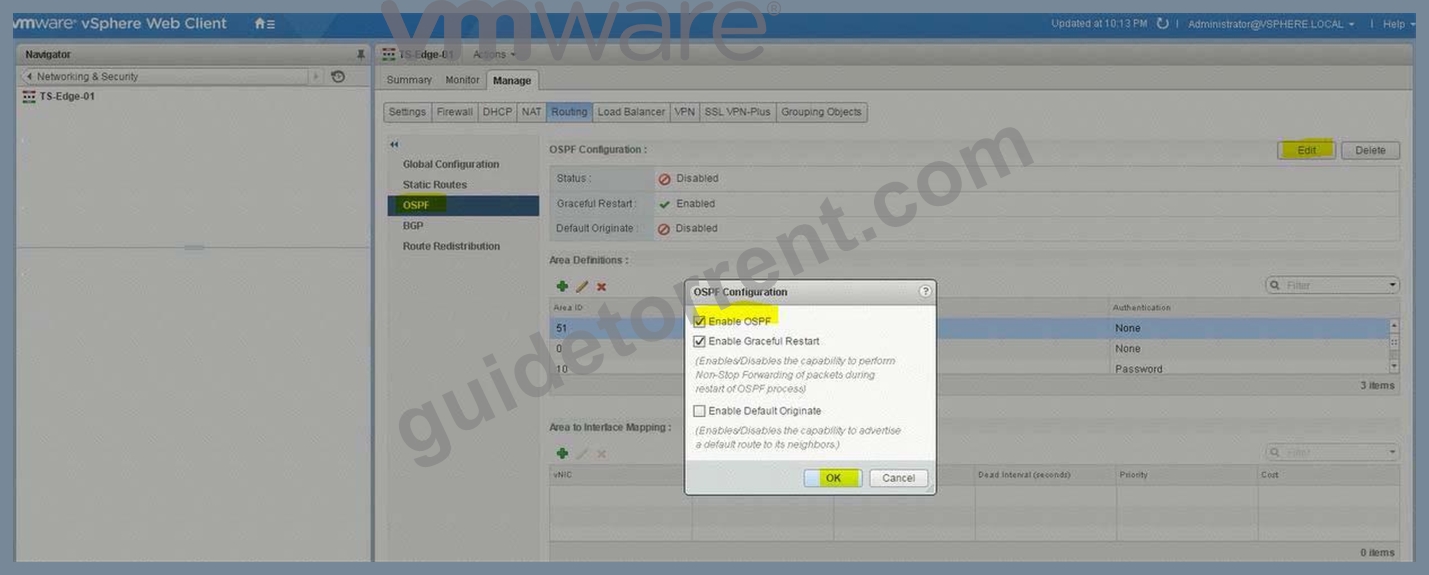
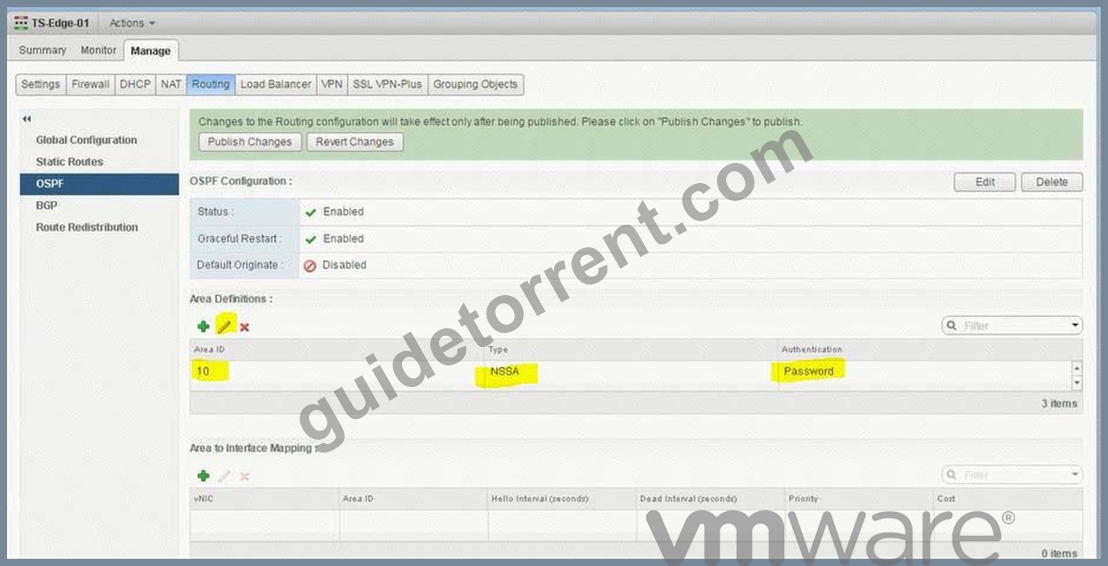
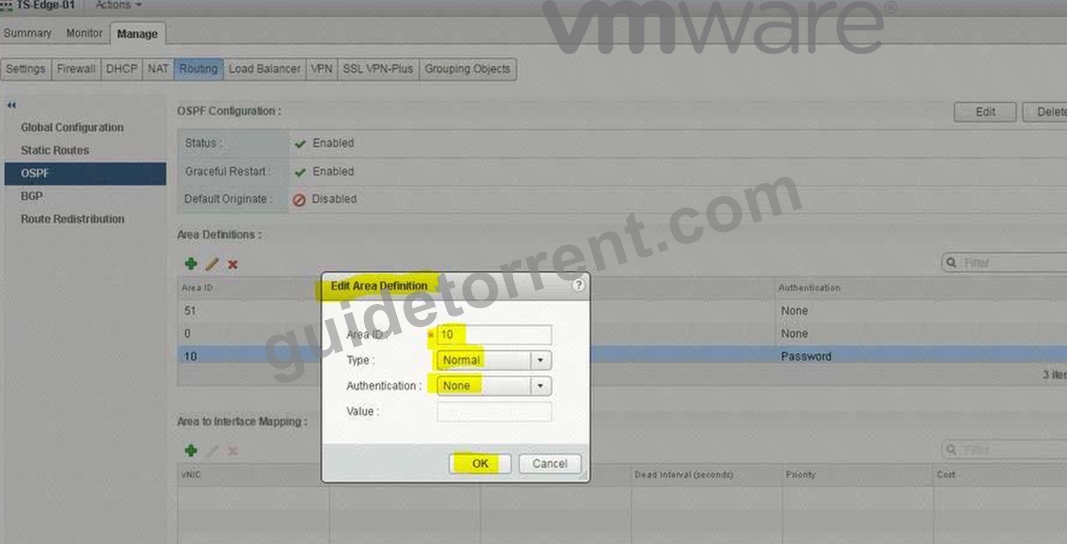
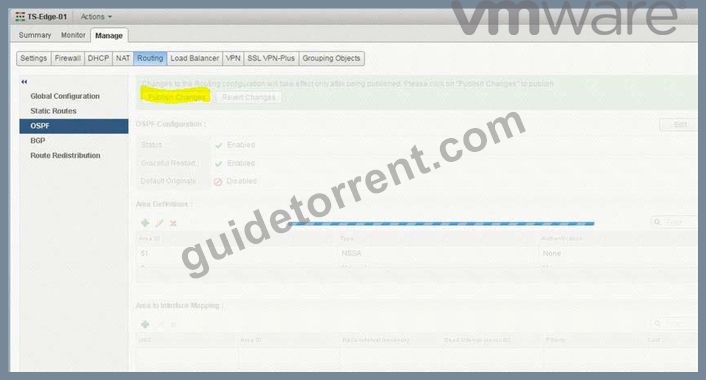
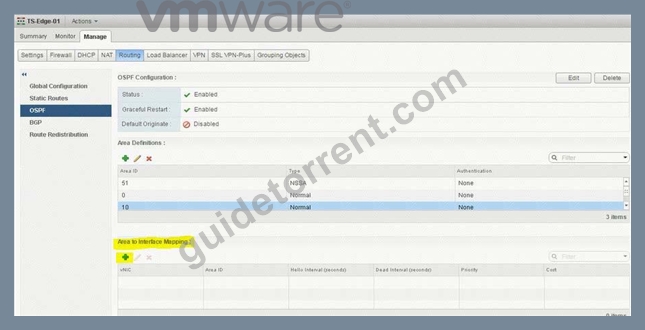
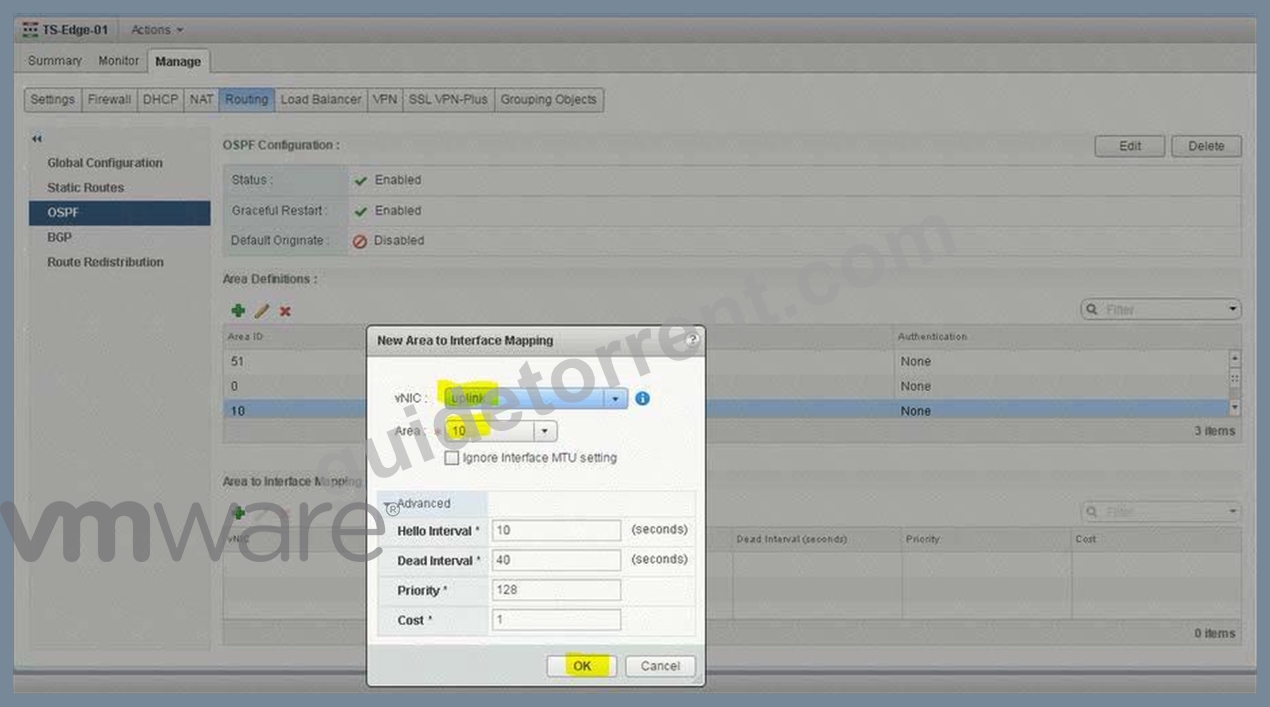
open putty. enter ip address 192.168.100.202.
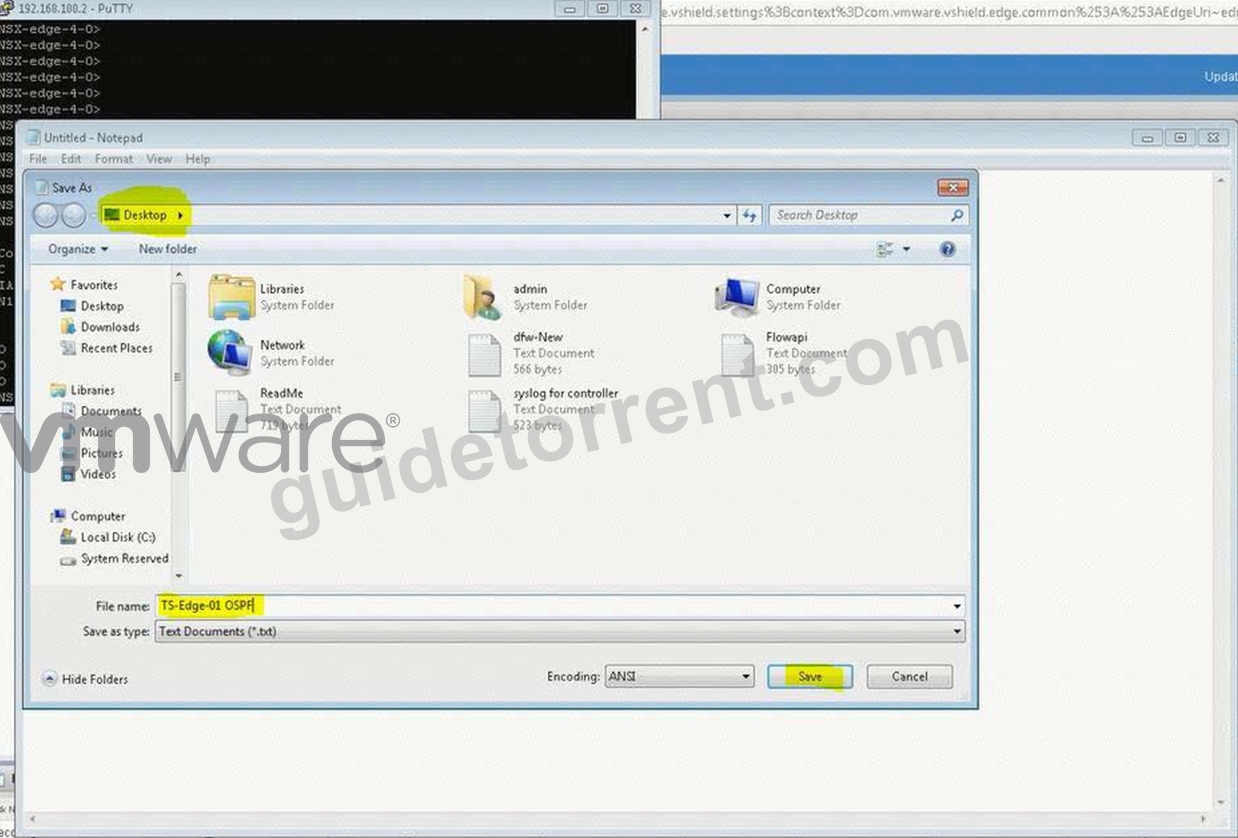
enter command show ip route ospf. copy the ouput and save in a text file name TS-Edge-01.txt.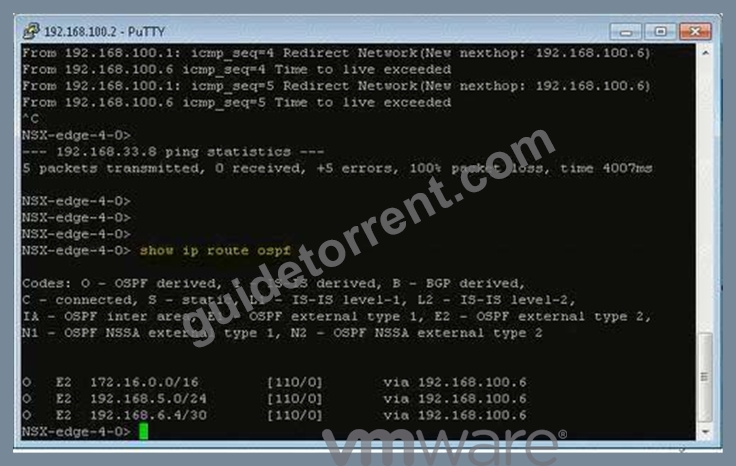
Copy and save OSPF route table in notepad.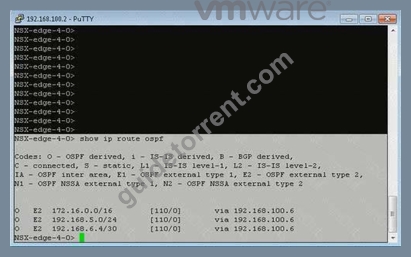
NEW QUESTION 16
The security team has requested that [email protected] have the ability to fully manage NSX Manager (192.168.210.15) for Site B.
Requirements:
vCenter: vcsa-01b.corp.local
Credentials: [email protected] / VMware1!
Ensure [email protected] has the ability to fully manage NSX Manager in SiteB.
NOTE:
You may have to log out of the web client and back in for 192.168.210.15 to show in web client.
HOL LAB for Practice:
See the explanation part for complete solution.
Answer:
Explanation:
SOLUTION:
NSX Manager in SiteB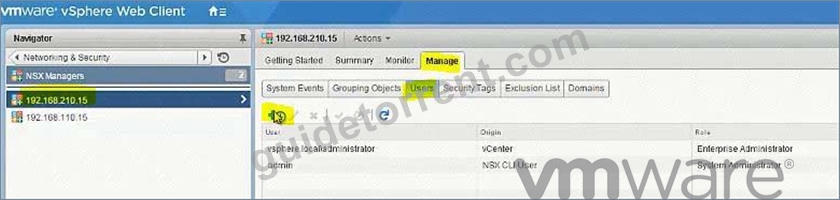
[email protected]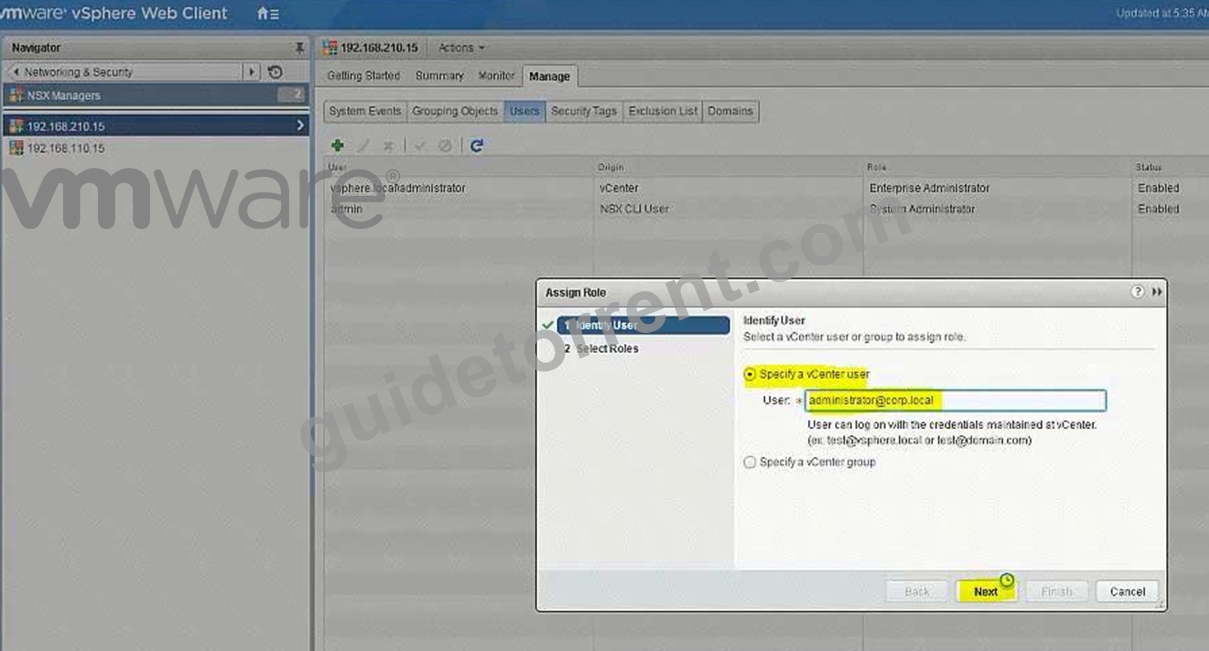
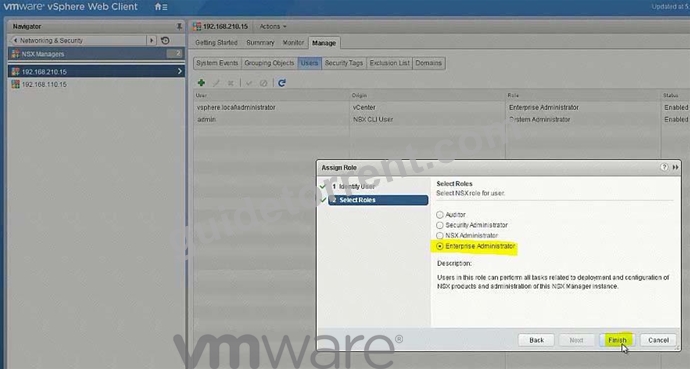
go to Nsx manager - b. select Manage Vcenter registration. check if lookup service is configured if not configured it will the details.
lookup service ip = Nsx Manager - a IP Address
Lookup service port = 7444
Lookup service= https://192.168.110.15:7444/lookupservice/sdk
SSO administrator = [email protected]
password = VMware1!
click on ok. click on yes.
NOTE: it will show u connected. if not connected. logout and login again
NEW QUESTION 17
Build a multi-tier network capable of supporting application virtual machines deployed across multiple vCenter instances.
Requirements:
vCenter: vcsa-01a.corp.local
Credentials: [email protected] / VMware1!
Resource Pools: Management and Edge Cluster 1A
The underlying physical network does not support multicast.
All new items created must have a prefix of "U" followed by their function name and a suffix of "New".
i.e. U-App-Tier-NEW.
Create a LS for HA management interface calle U-HA-VXLAN=NEW but do not enable HA on any of the edge devices deployed.
Deploy logical switches using separate subnets for the three tier application shared by both NSX Manager instances.
Deploy the required east-west routing component used across multiple vCenter instances for the multi-tier network.
Utilize a default gateway up to the Perimeter-Gateway02 (tenant router) from the east/west router.
Utilize a static route from the tenant router to reach the three tiers of the application.
Subnets for the tiers:
172.7.10.0/24 for the Web Tier.
172.17.20.1/24 for the App Tier.
172.17.30.0/24 for the Database Teir.
Use the first available IP address for the router on each of the tiers.
Subnet for the Transit VXLAN uplink from the application tier routing to the tenant router.
192.168.190.0/29
Uplink IP address of the application tier should be the first available IP address.
Downlink from the tenant router will use the second available IP addresses.
The password for new edge device(s) must be VMware1!VMware1!
Add all virtual machines with a prefix "universal-" to their respective segments.
Ensure all LIFs are reachable from ControlCenter.
HOL LAB for Practice:
See the explanation part for complete solution.
Answer:
Explanation:
SOLUTION:
universal transport zone
logical switches
U-HA-VXLAN-NEW
U-Transit-NEW
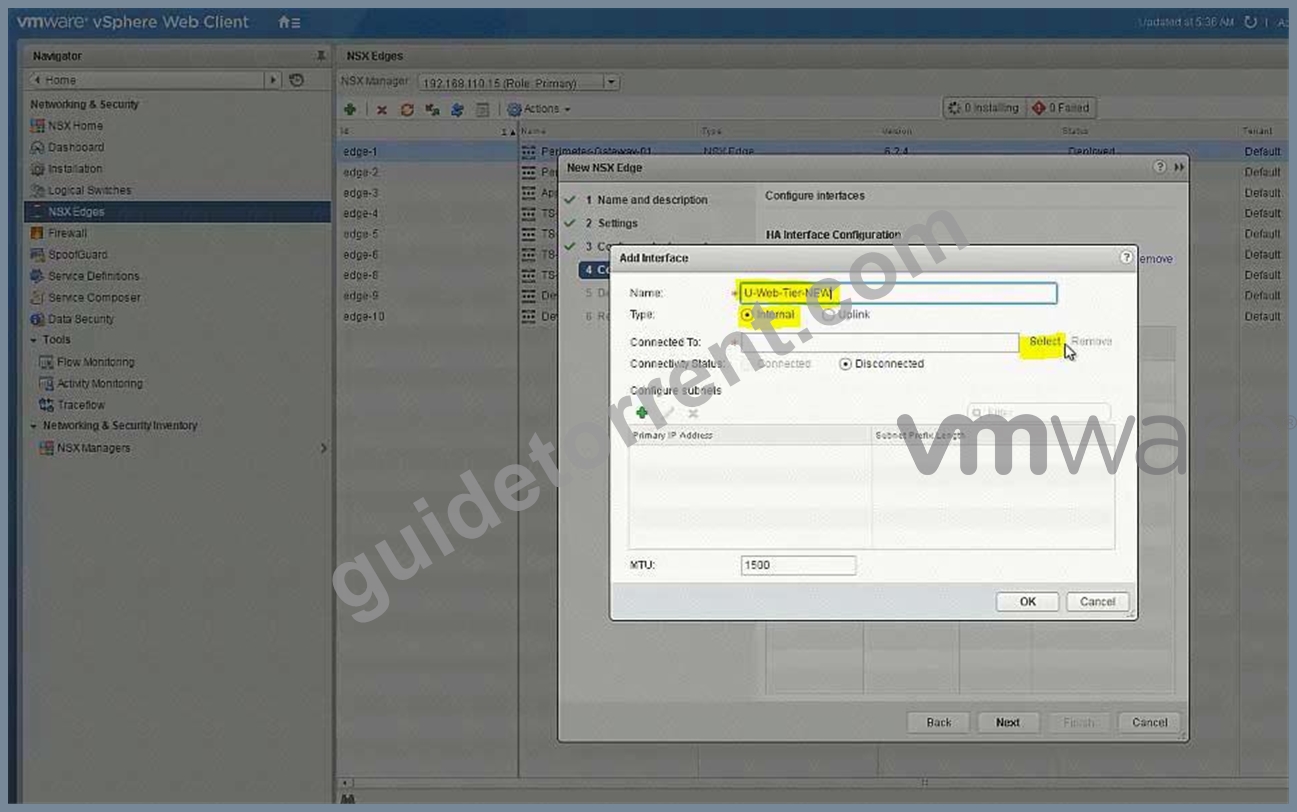
U-Web-Tier-NEW
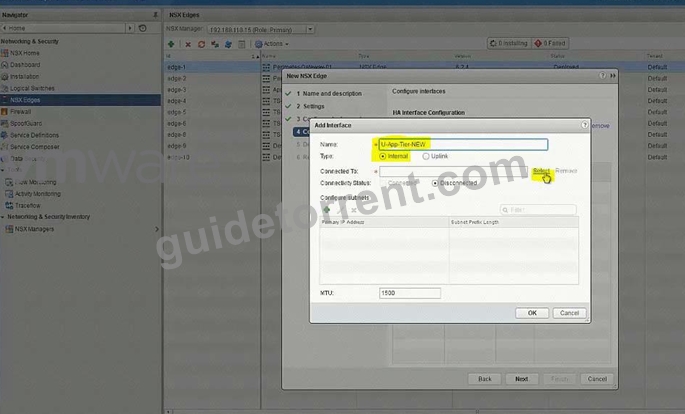
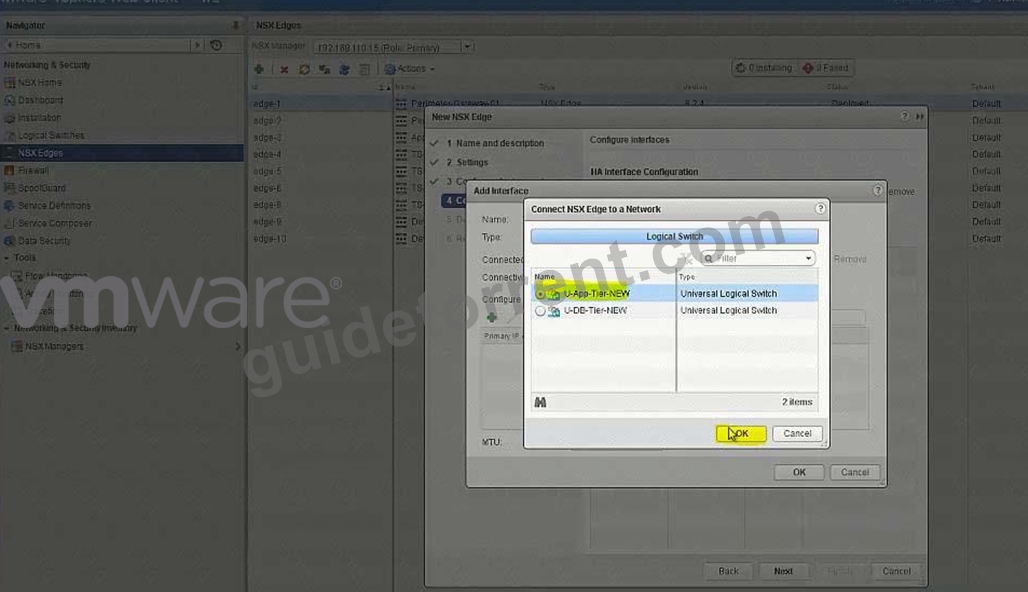
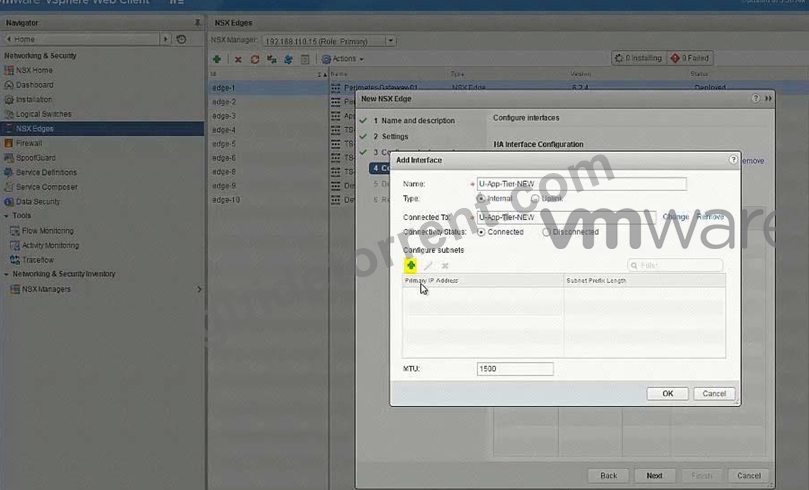
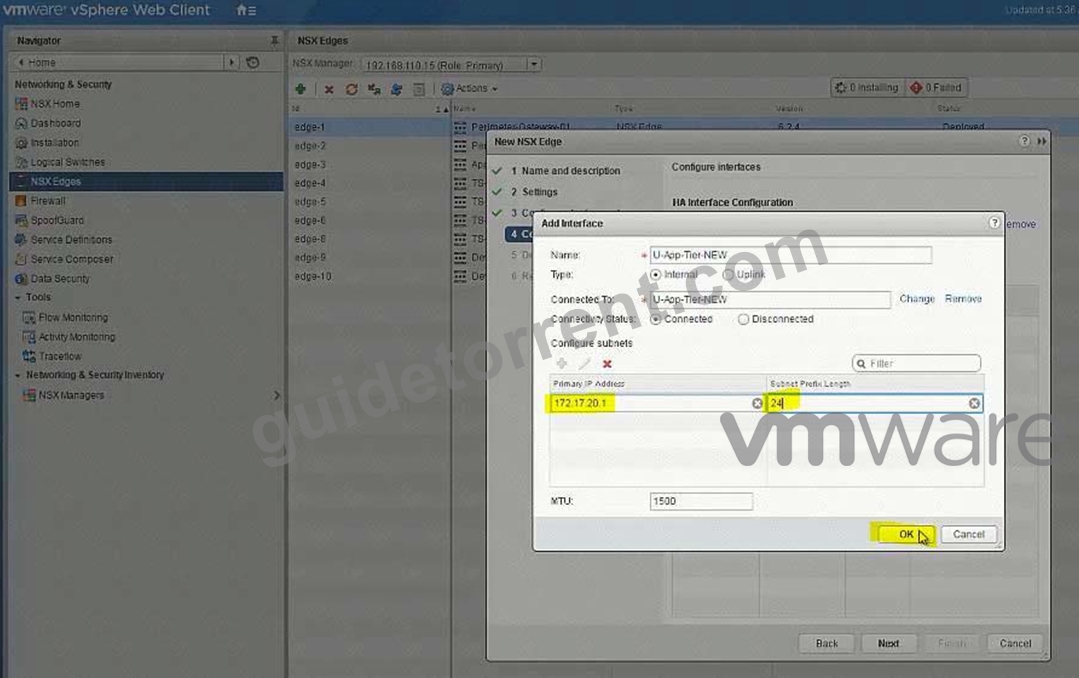
U-App-Tier-New
U-DB-Tier-New
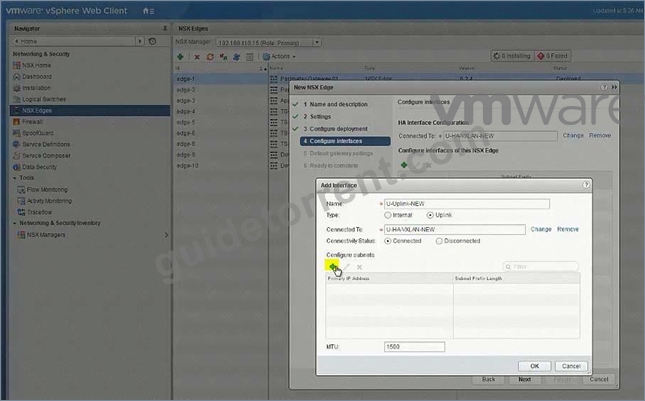
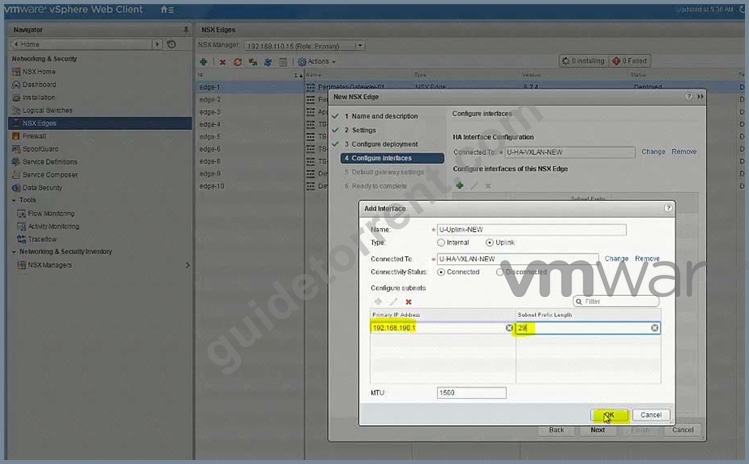
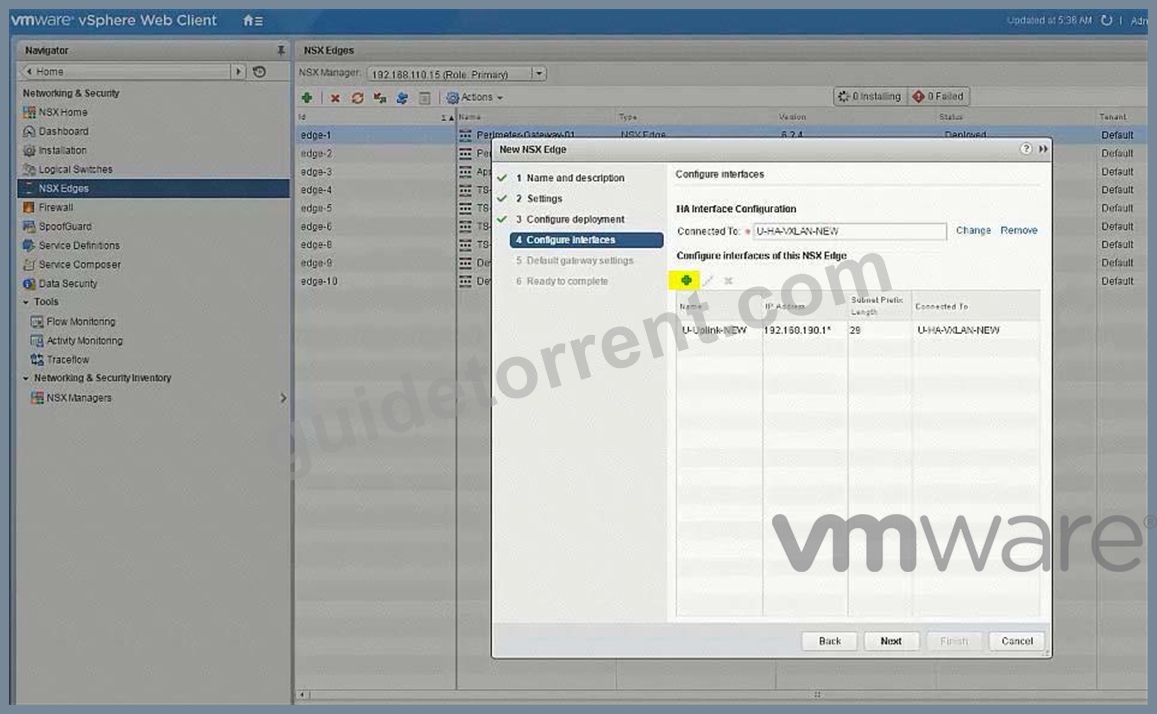
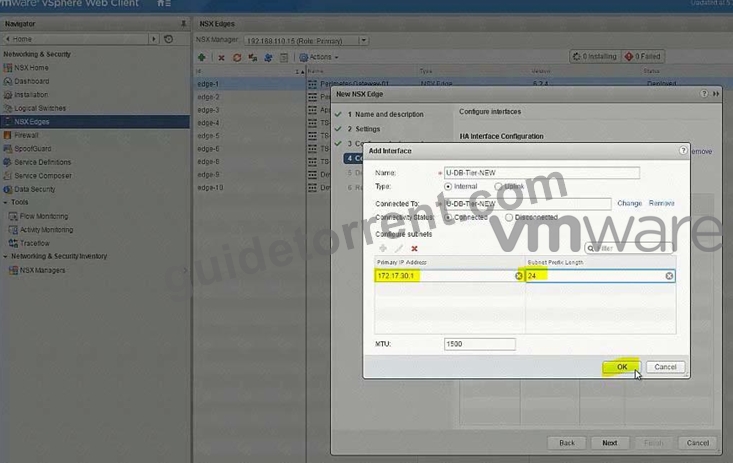
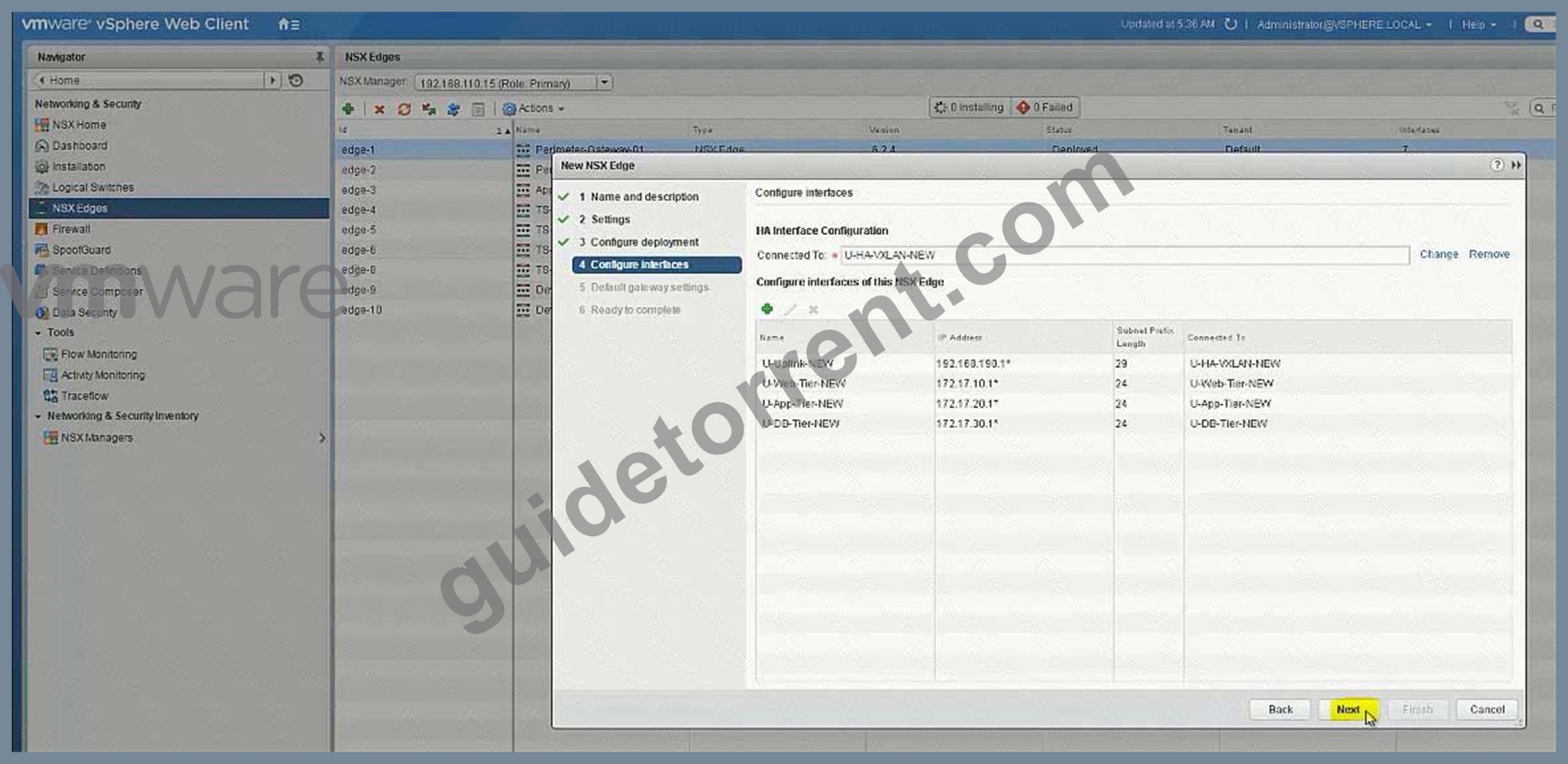
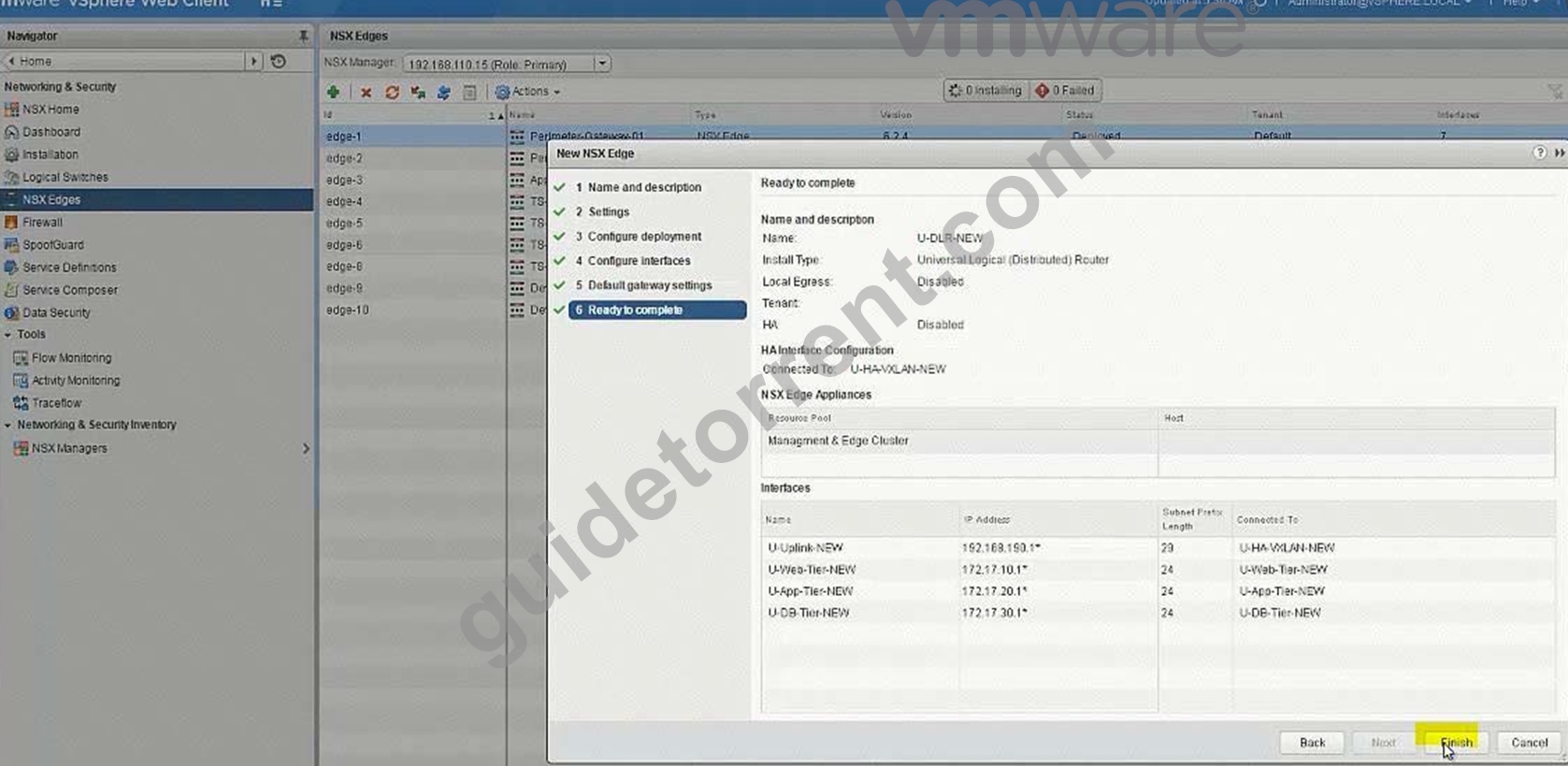
New DLR U-DLR-NEW
HA Interface - U-HA-VXLAN-NEW
Interface below
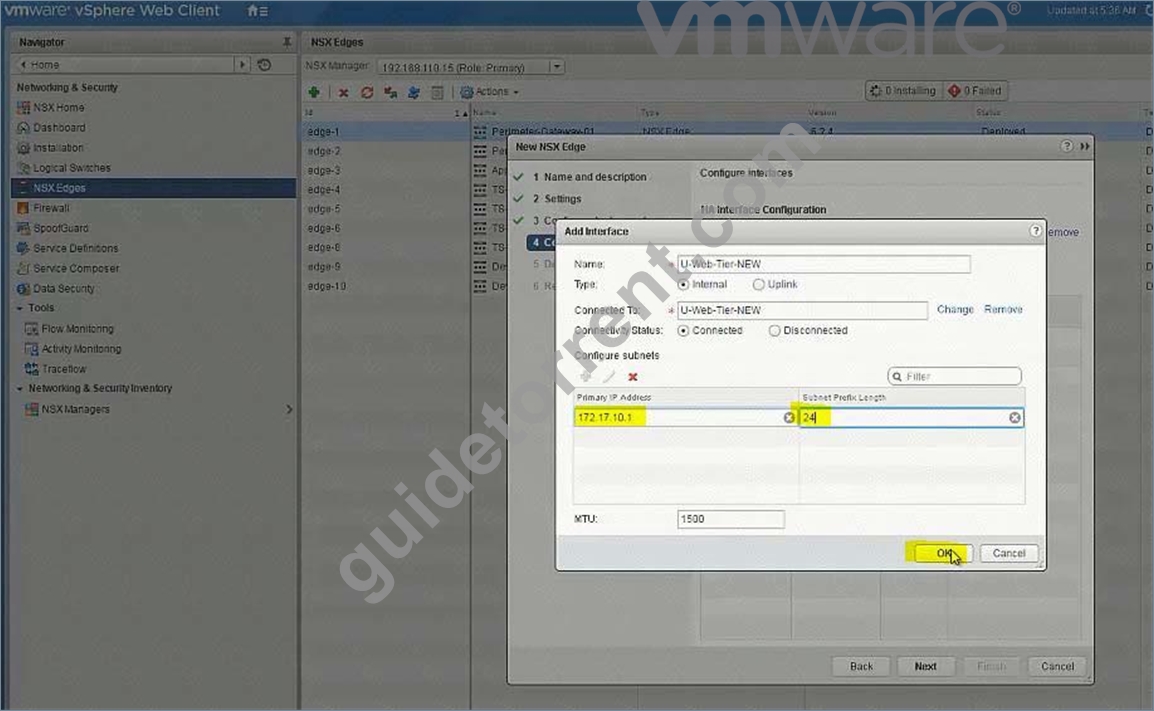
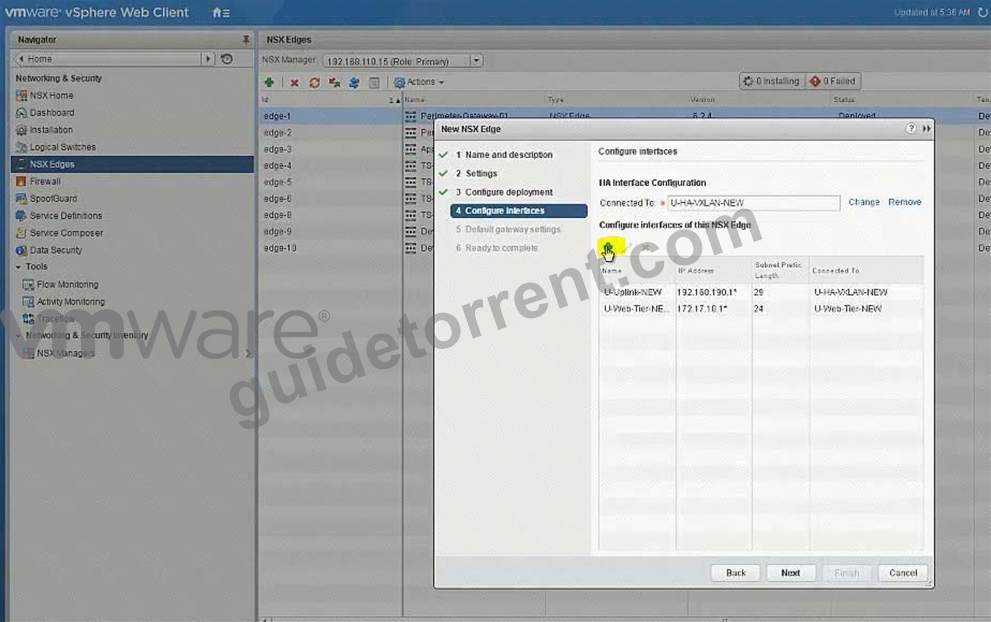
- U-Transit-NEW uplink 192.168.190.1
- U-Web-Tier-NEW internal 172.17.10.1
- U-App-Tier-NEW internal 172.17.20.1
- U-Db-Tier-NEW internal 172.17.30.1
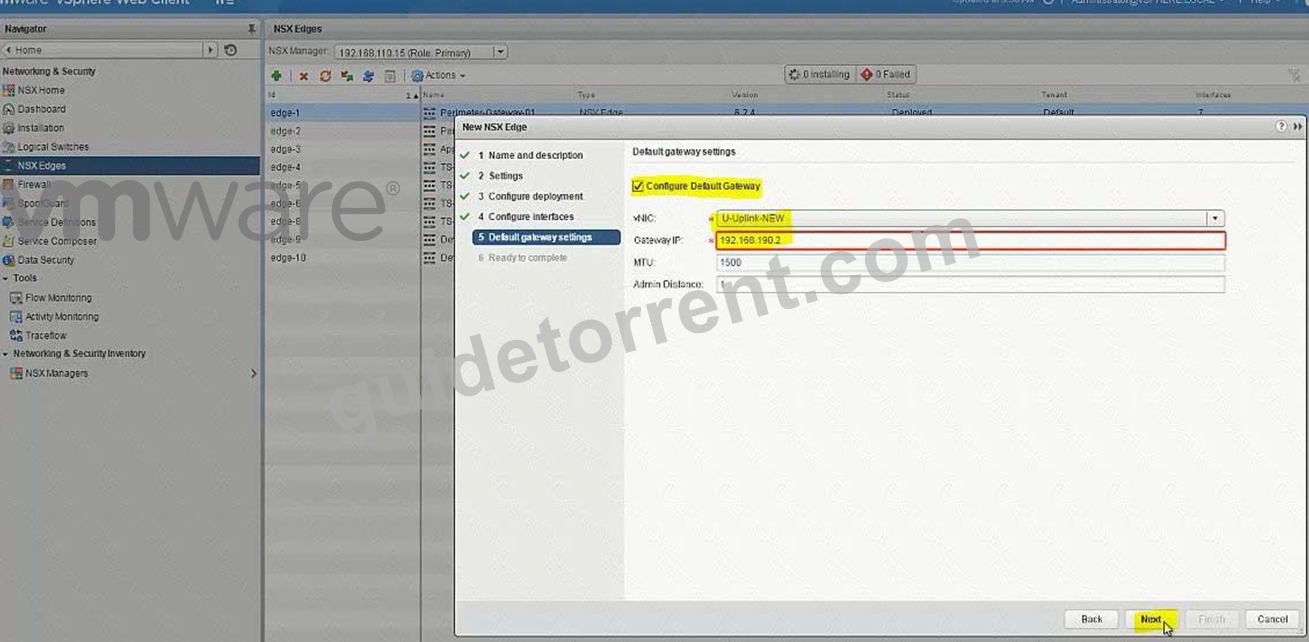
Gateway
-U-Transit-NEW
Ip 192.168.190.2
PGW02 vnic4 U-Transit-NEW 192.168.190.2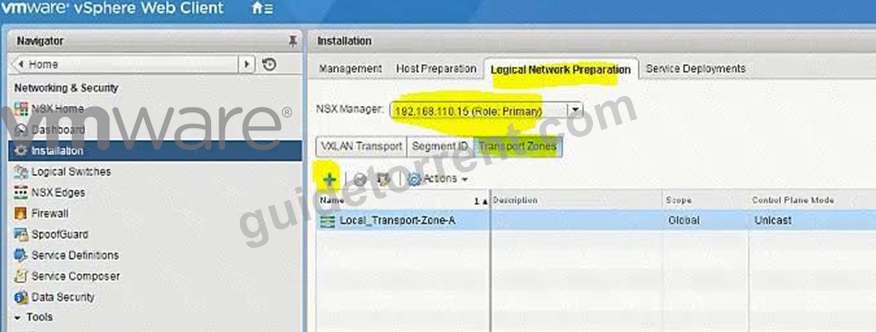
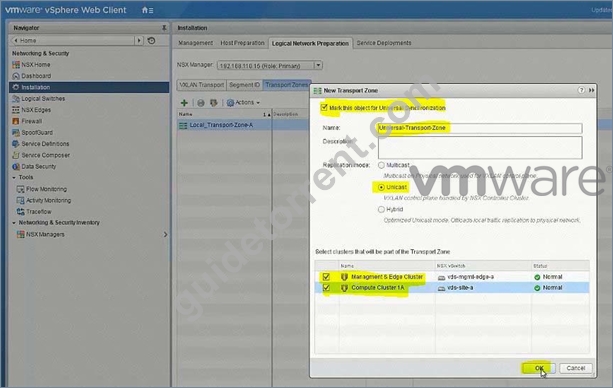
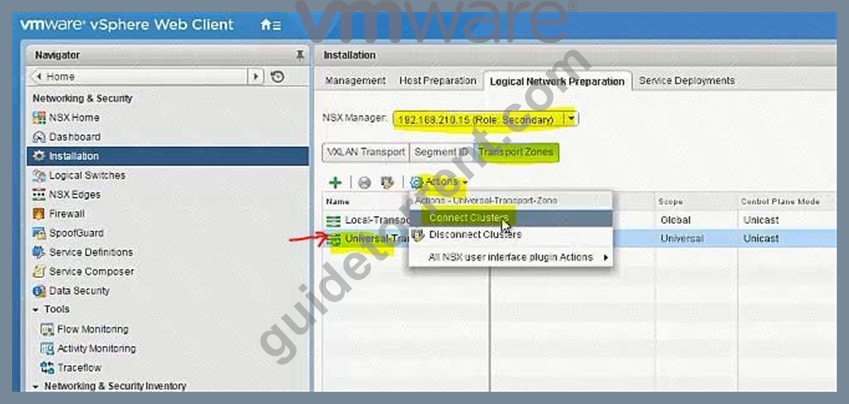
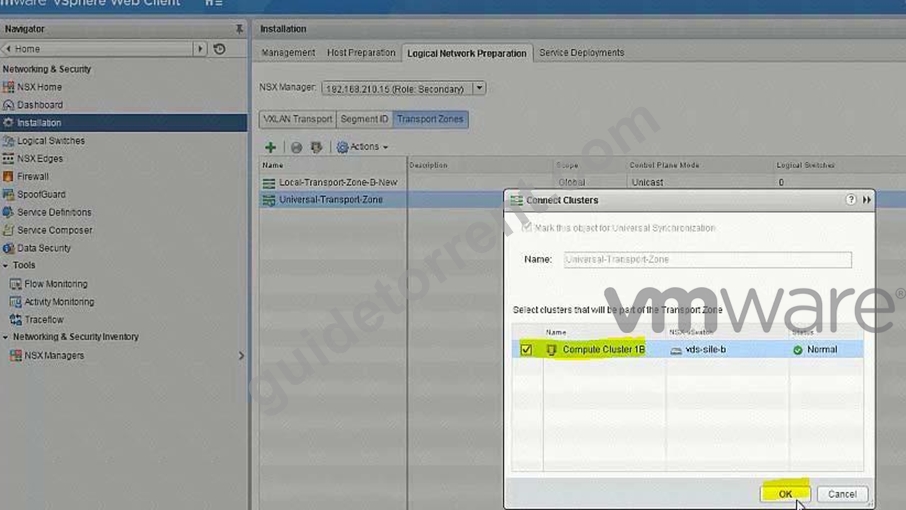
Create 5 logical switches
U-Transit-NEW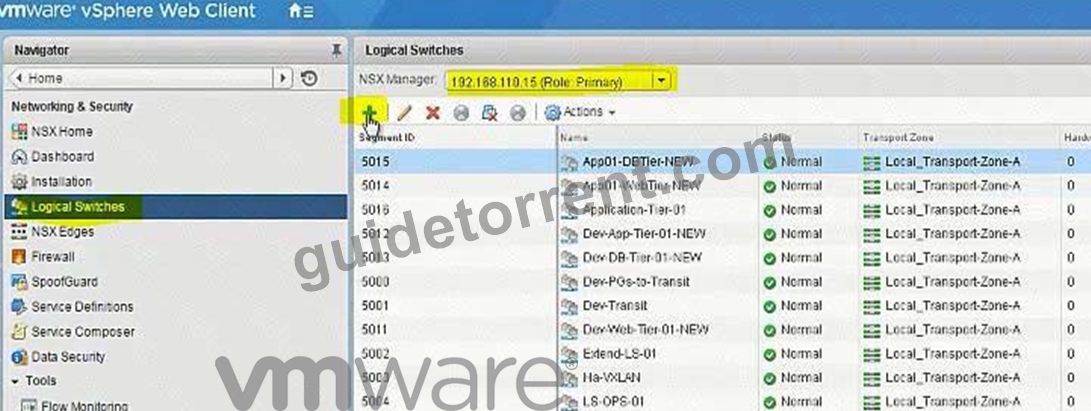
U-Web-Tier-NEW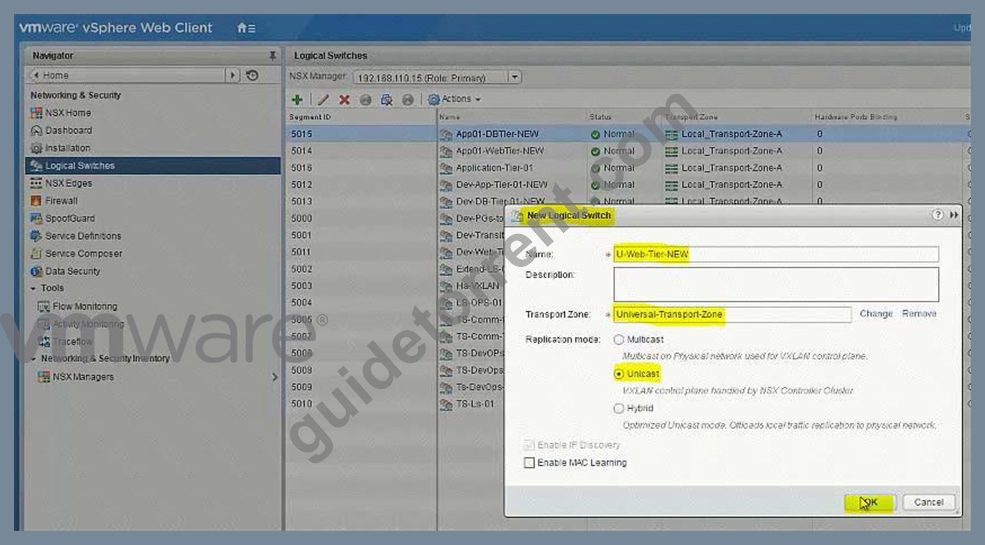
U-App-Tier-NEW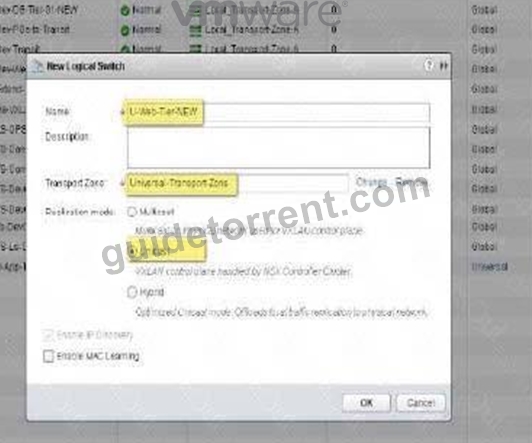
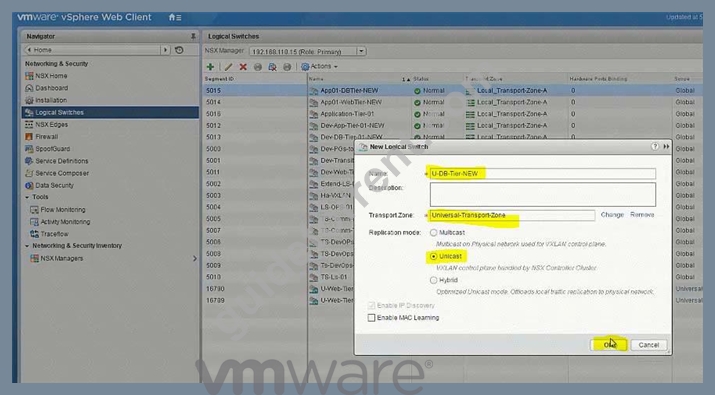
U-DB-Tier-NEW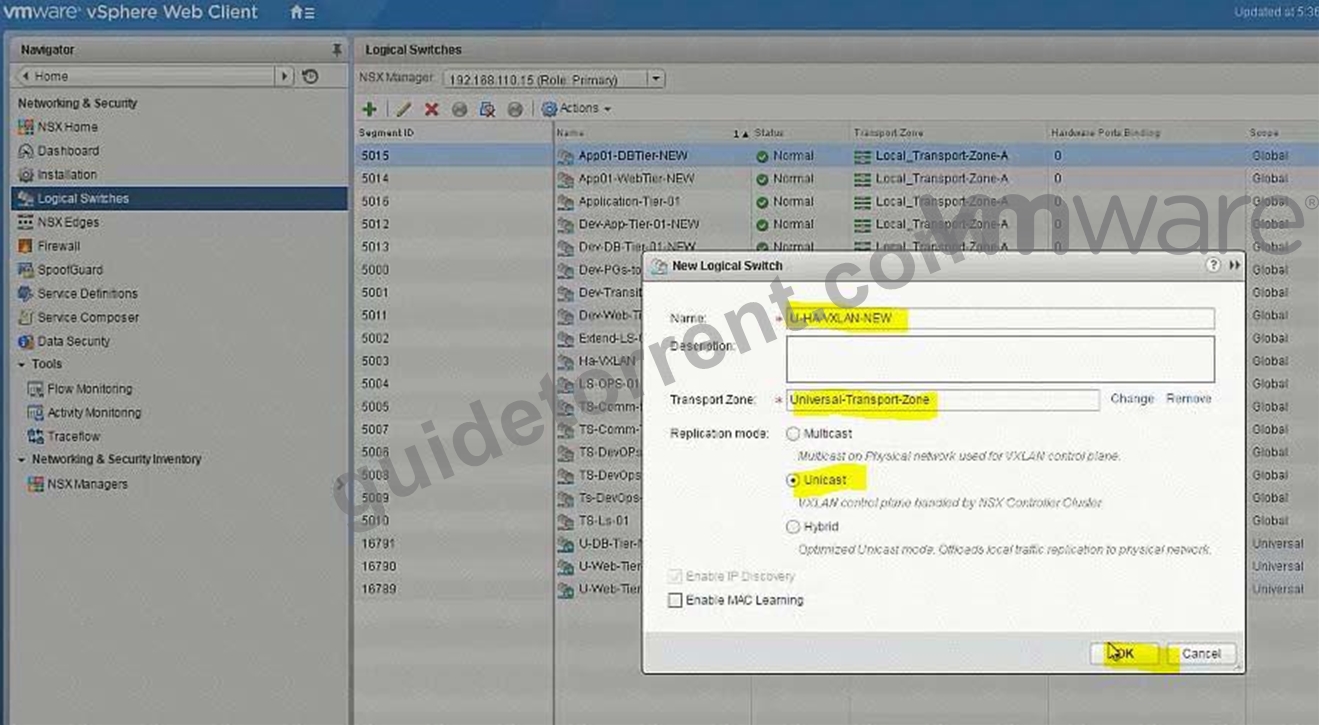
Add VMs to relevant newly created Logical Switches.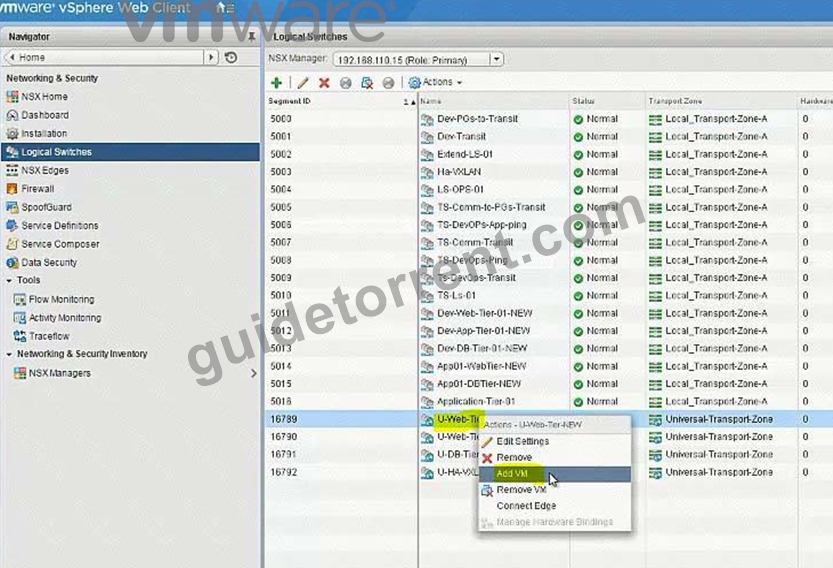
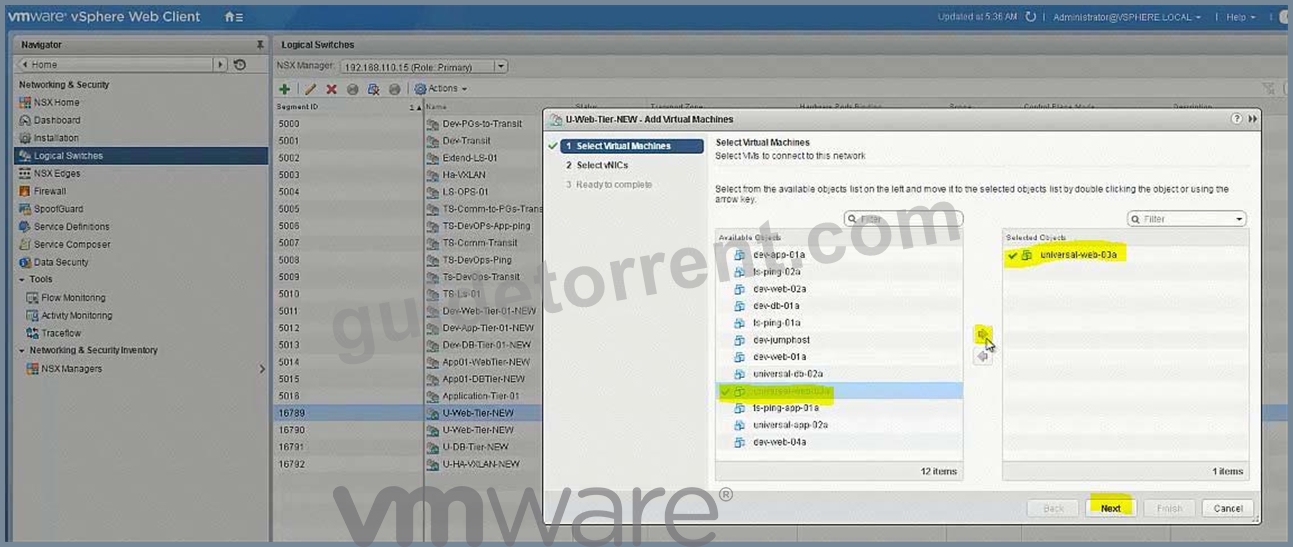
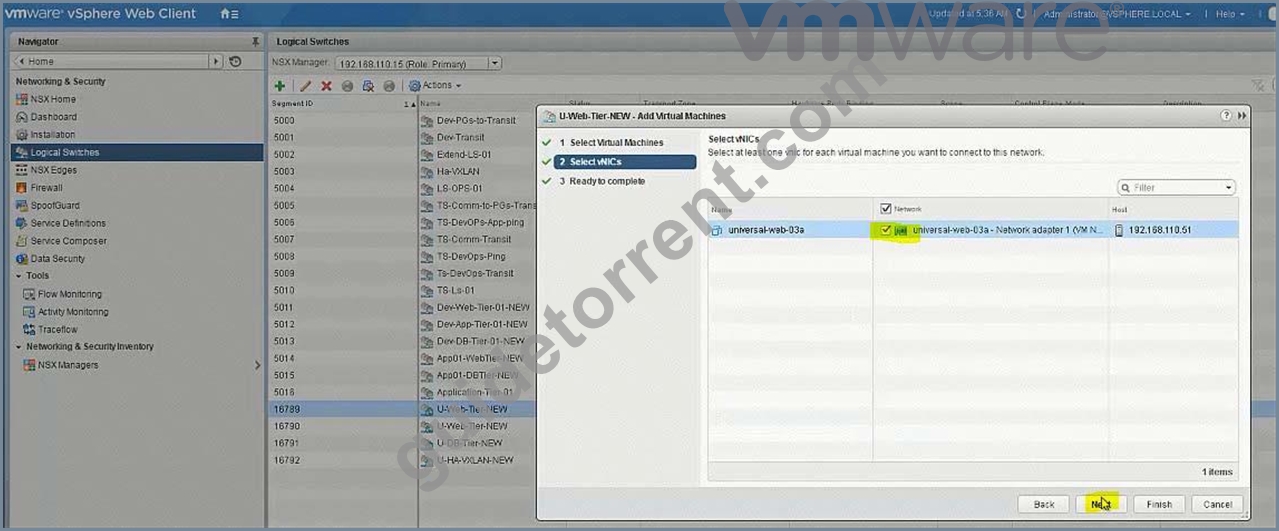
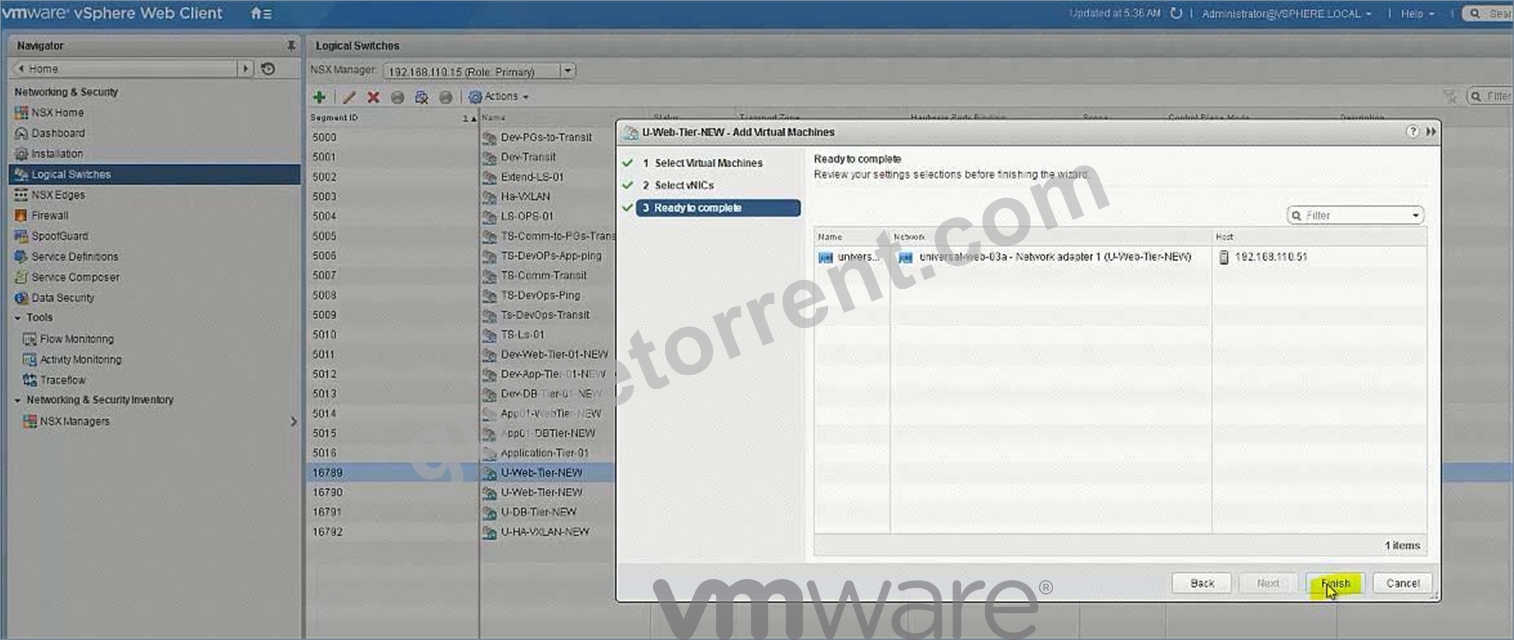
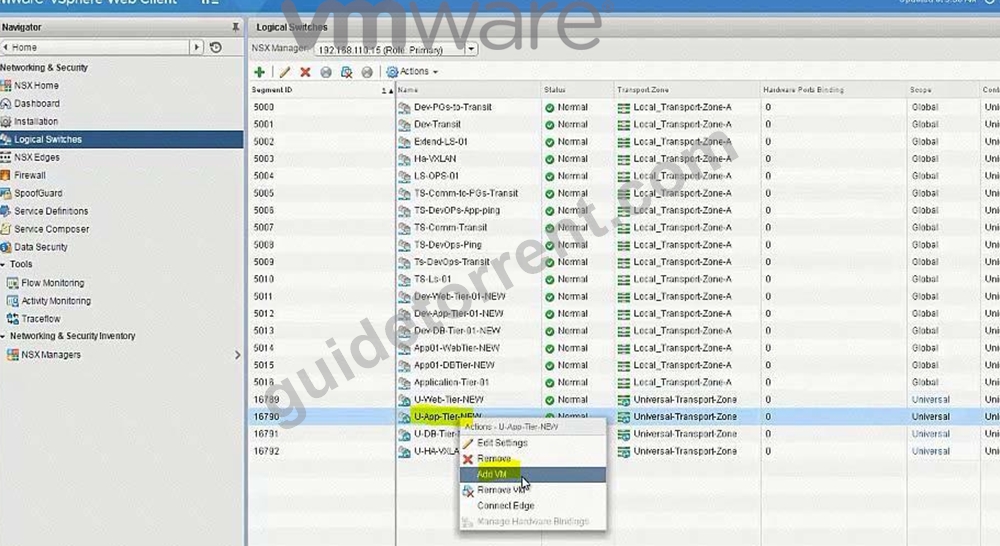
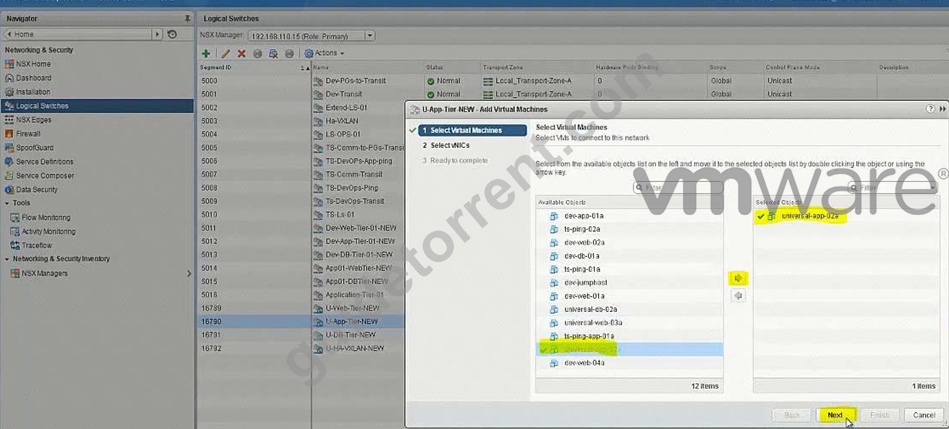
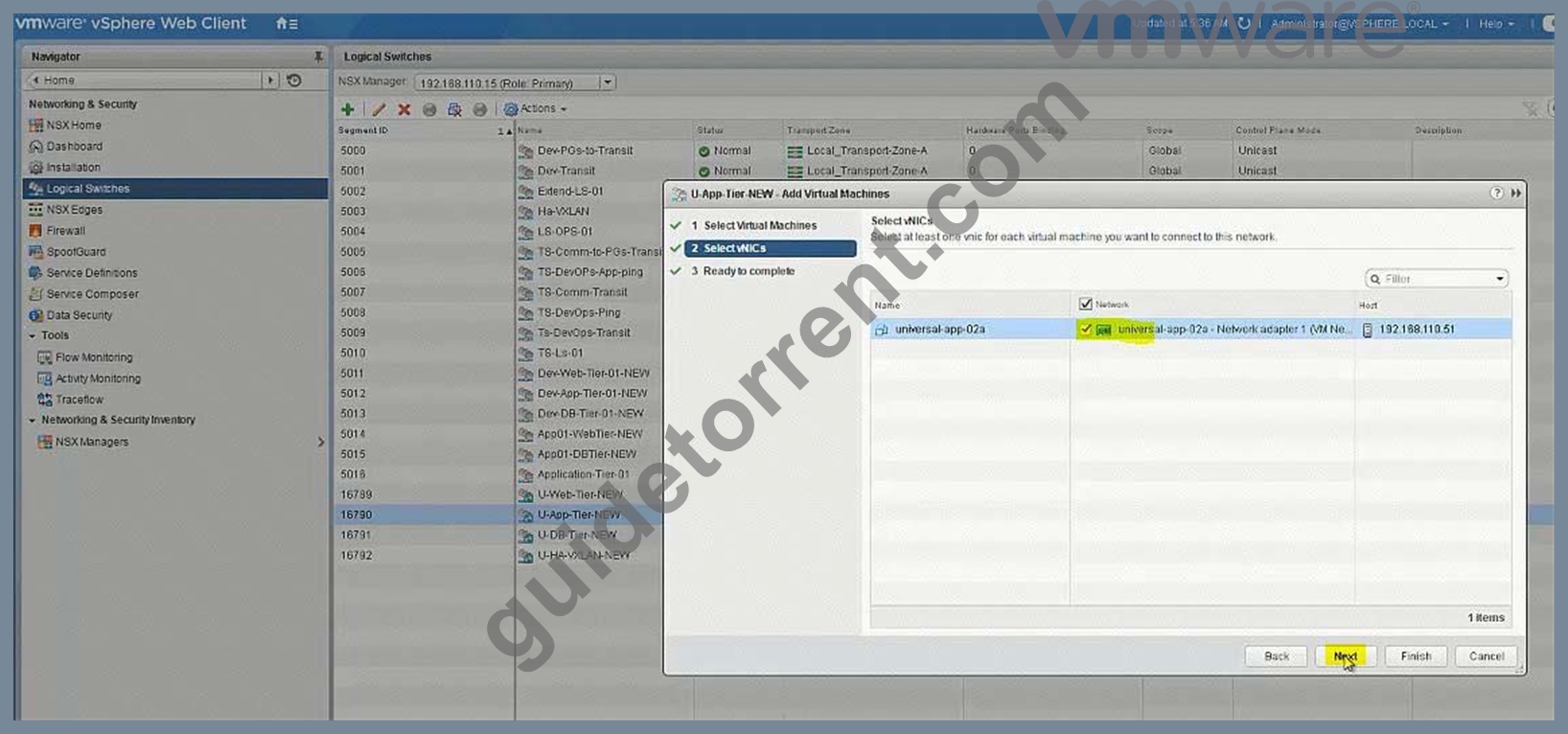
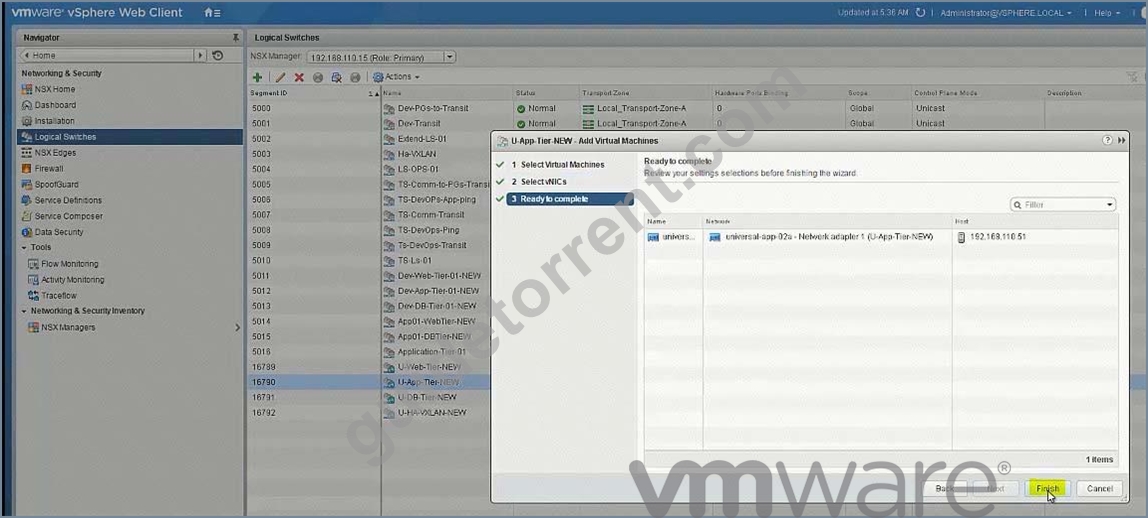
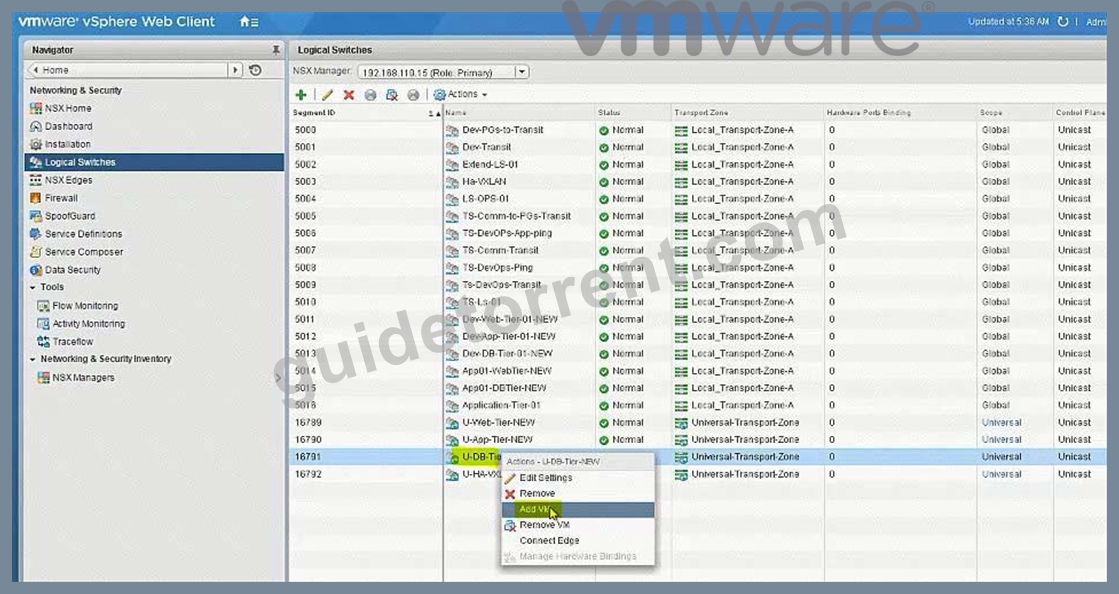
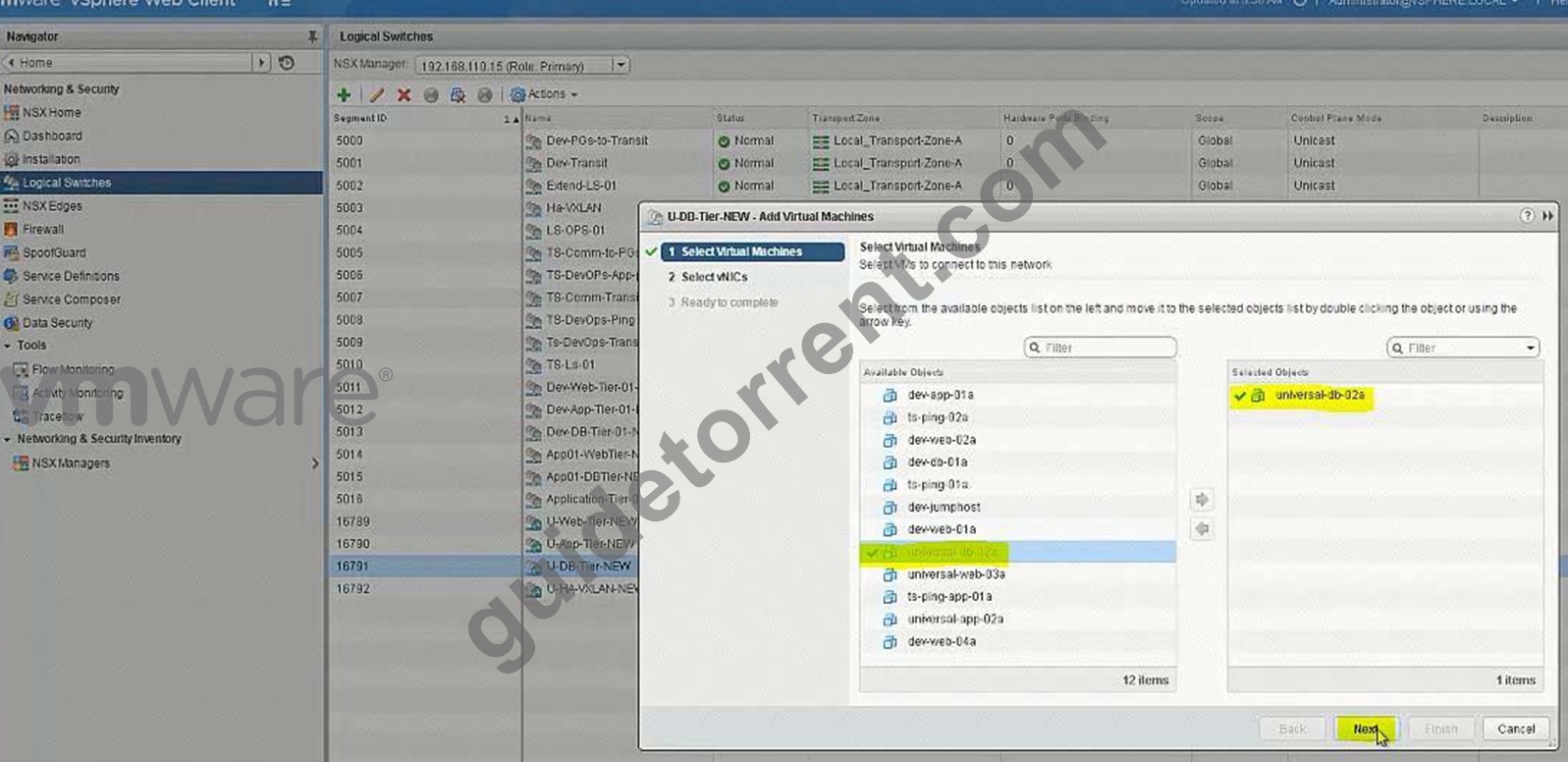
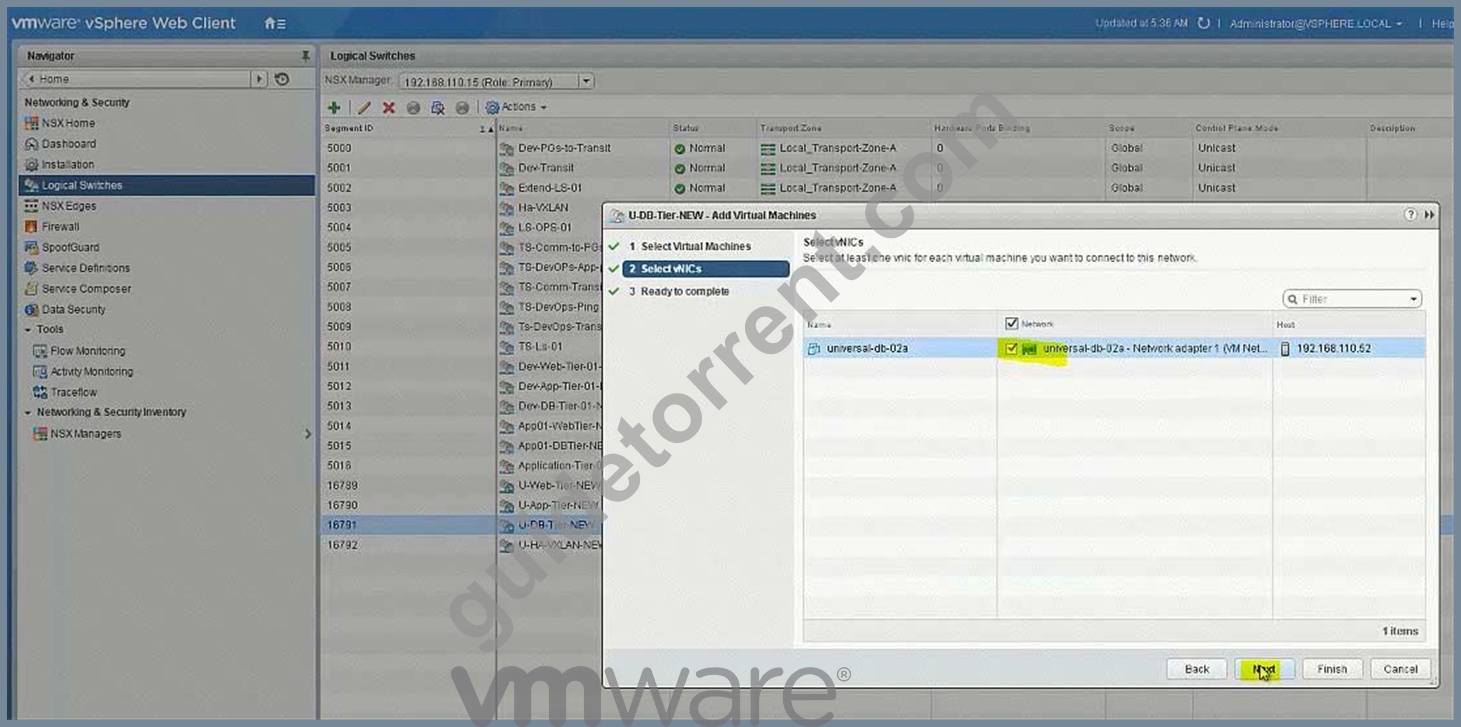
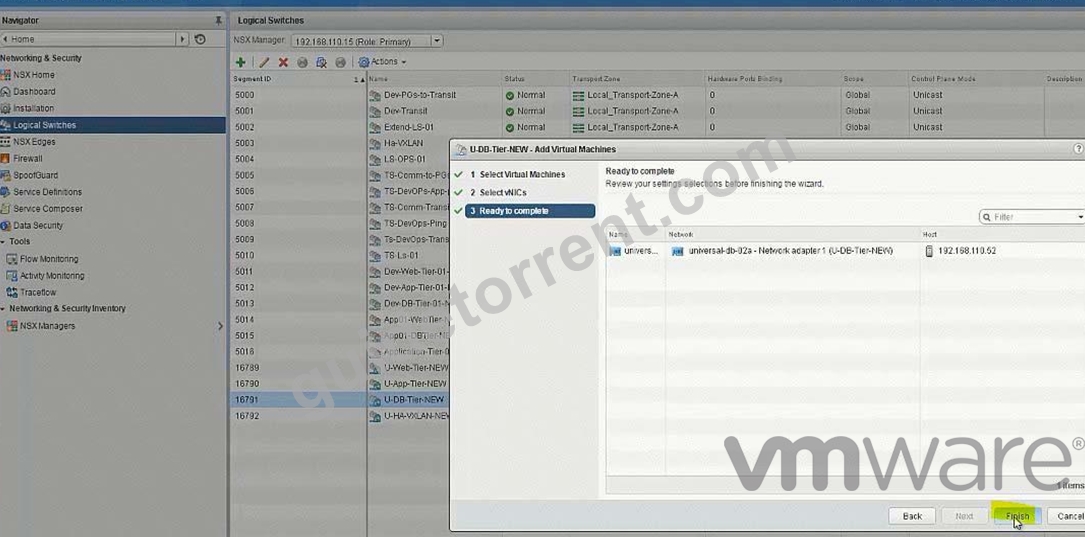
No need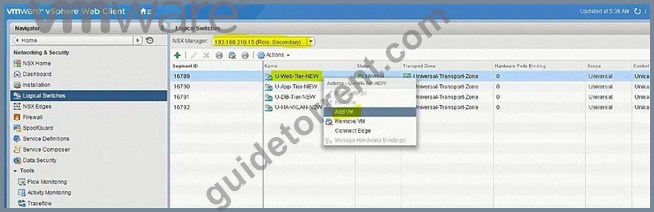
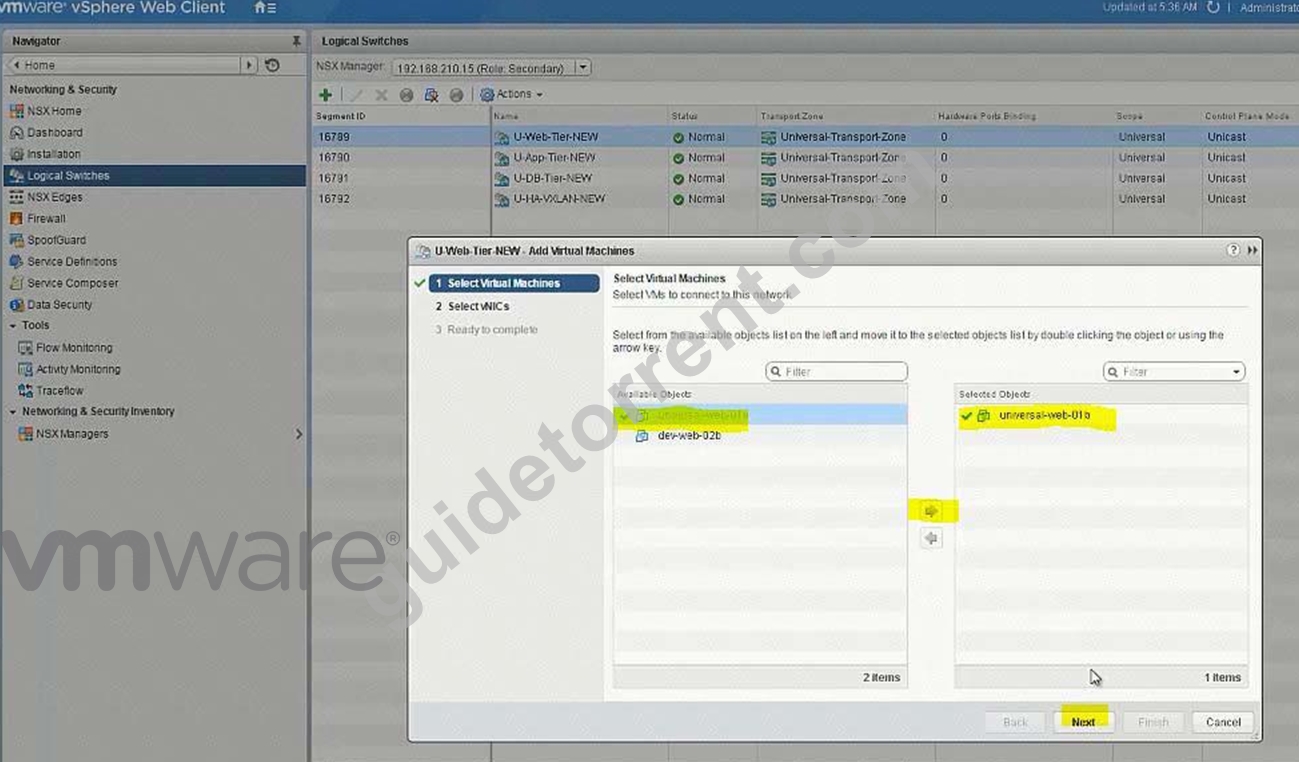
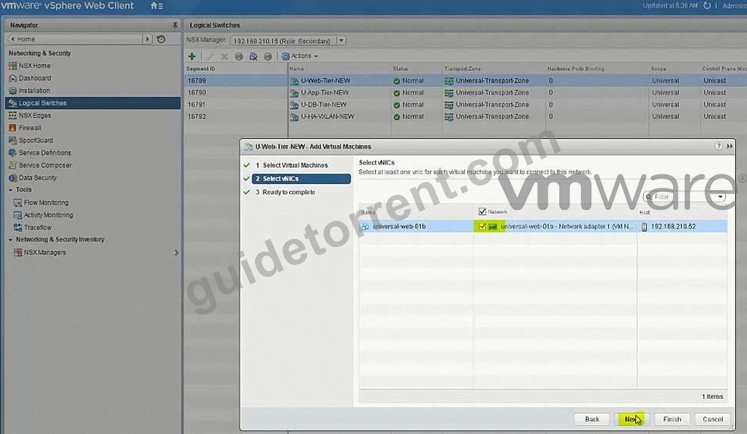
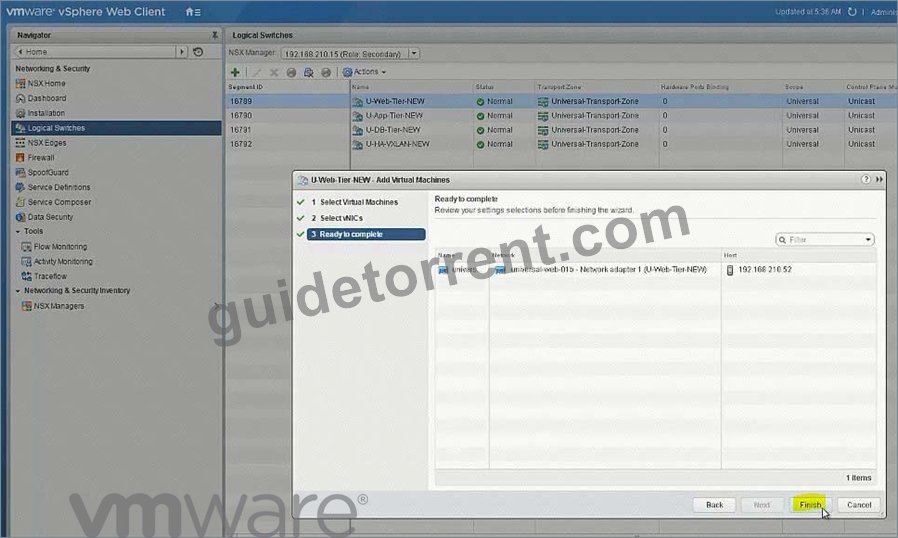
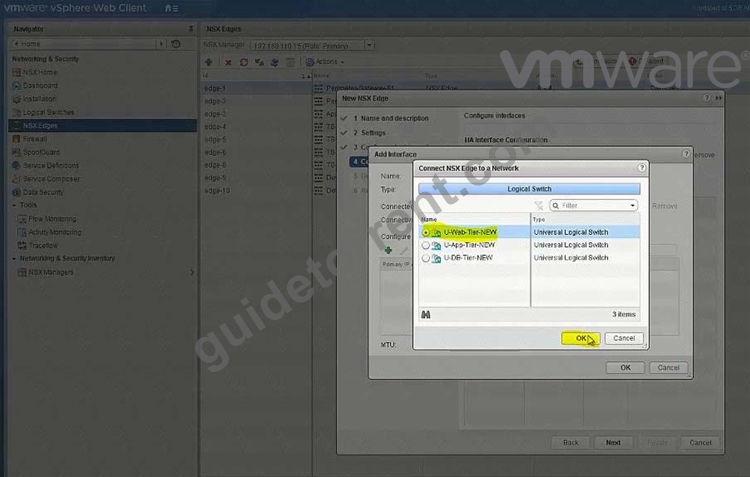
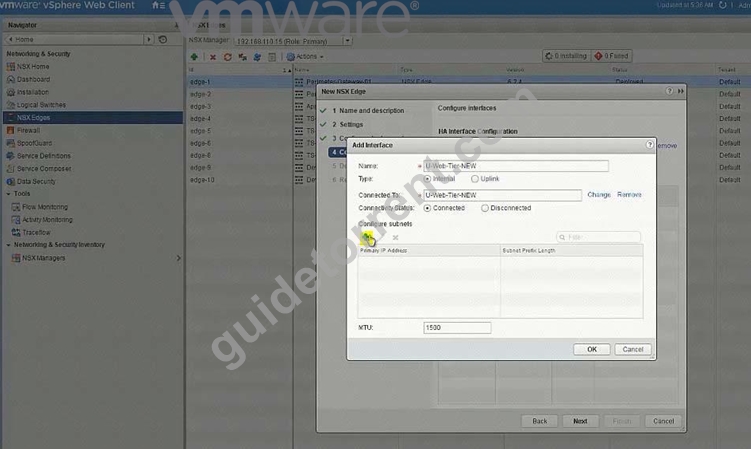
Create new Universal Logical (Distributed) Router: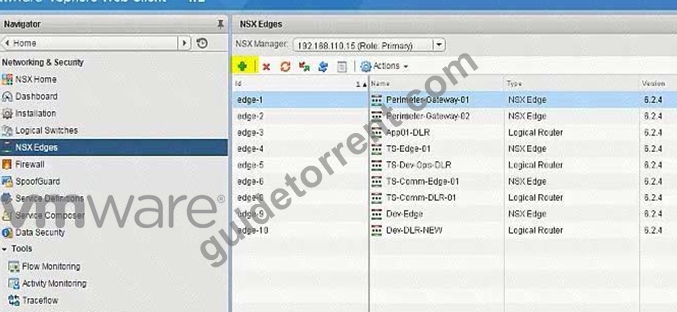
U-DLR-NEW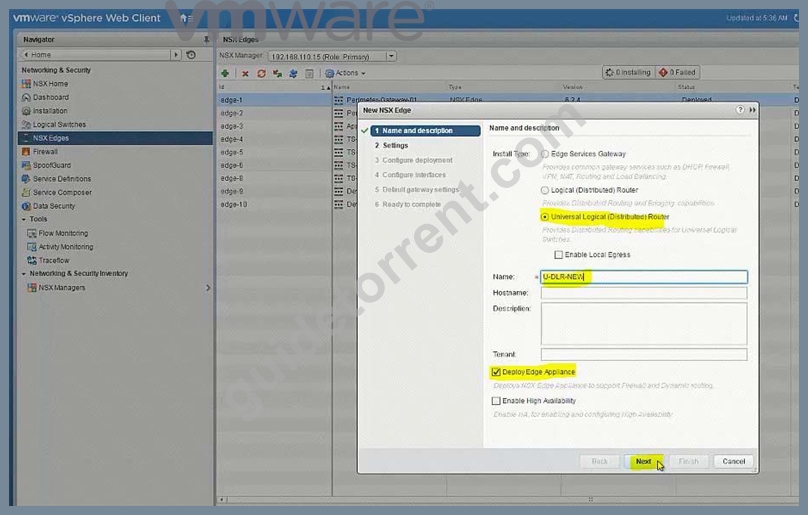
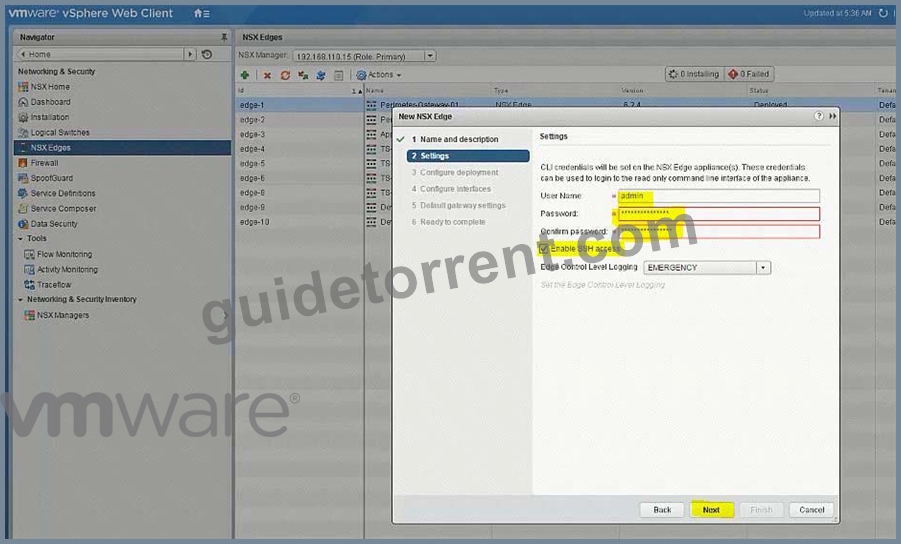
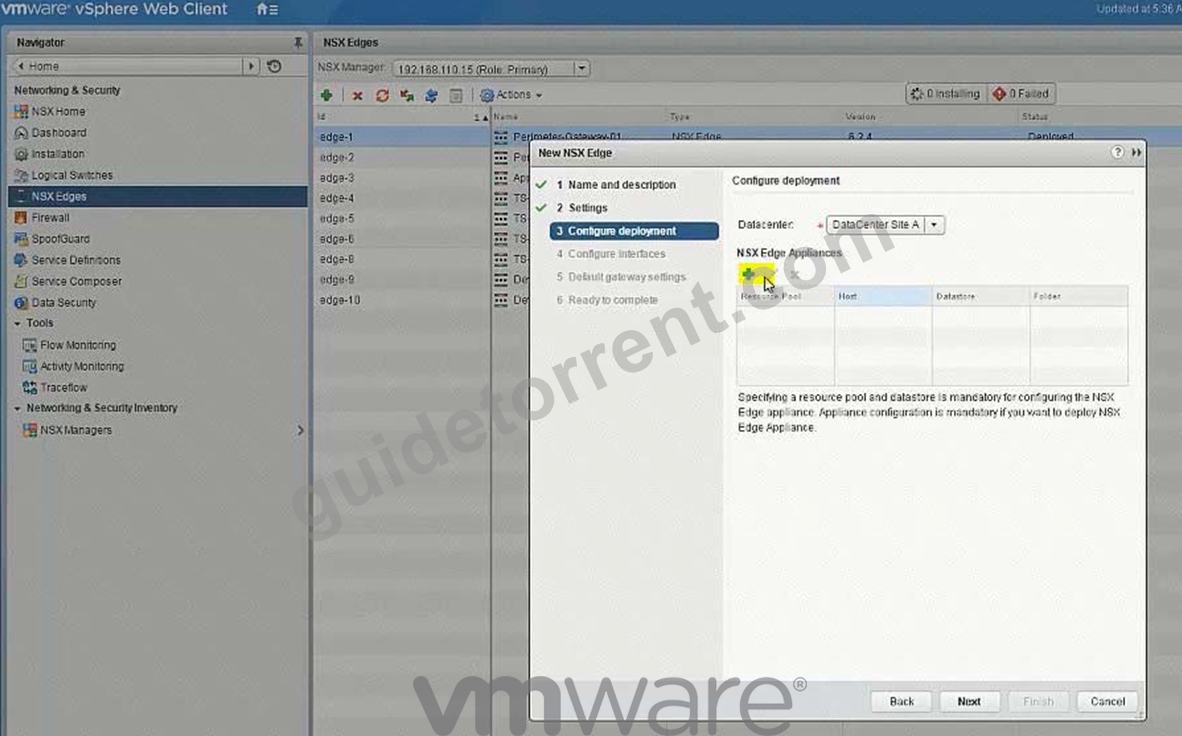
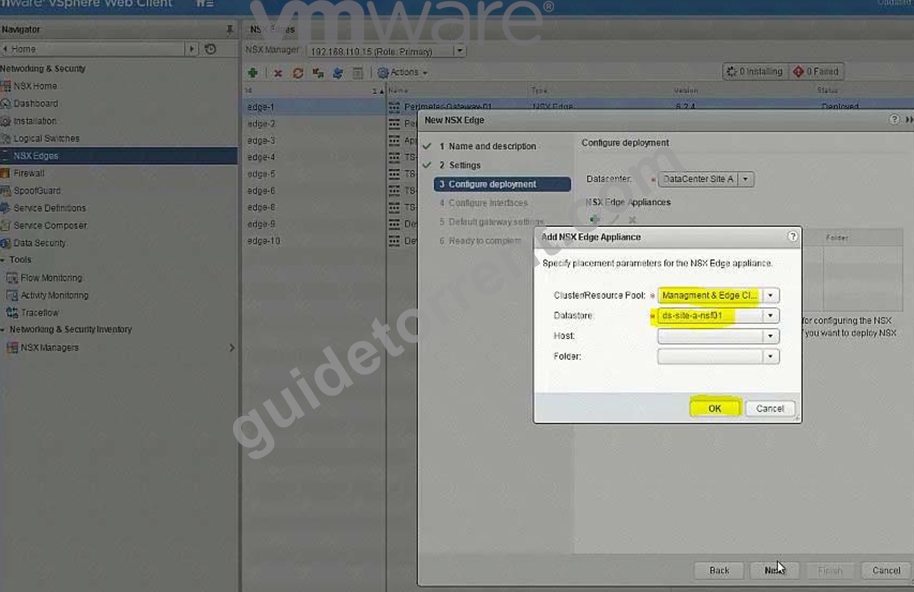
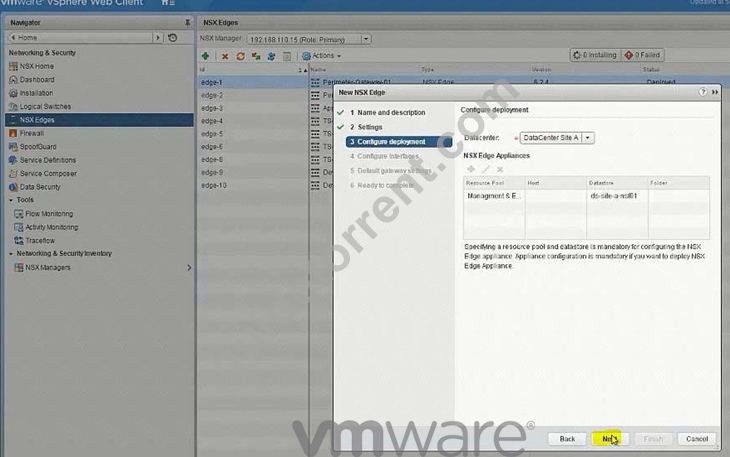
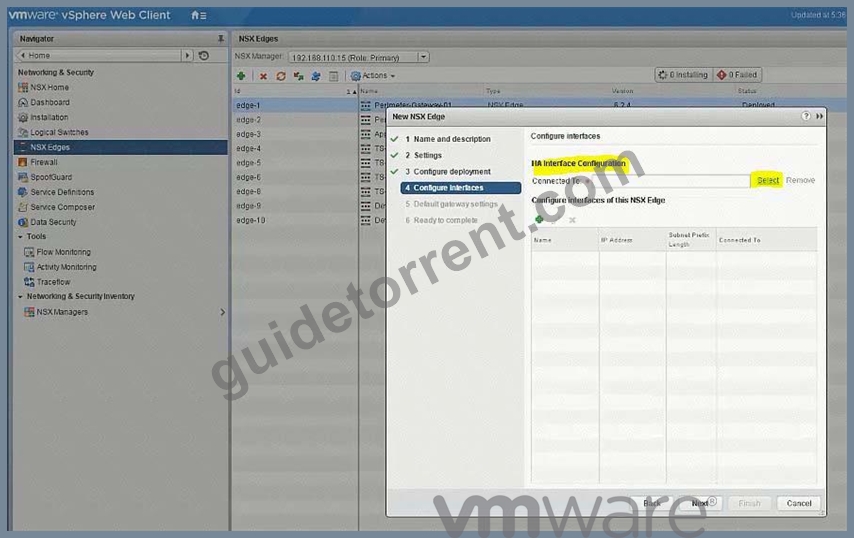
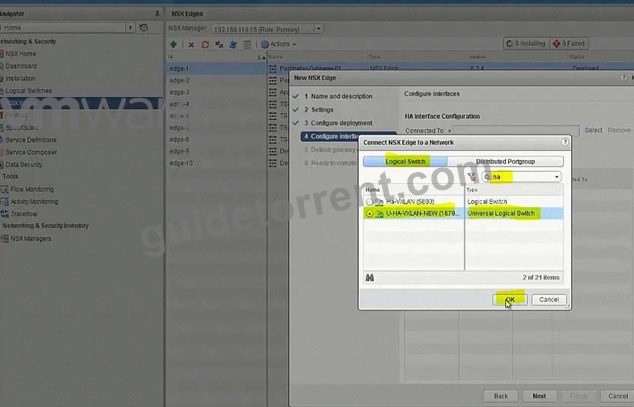
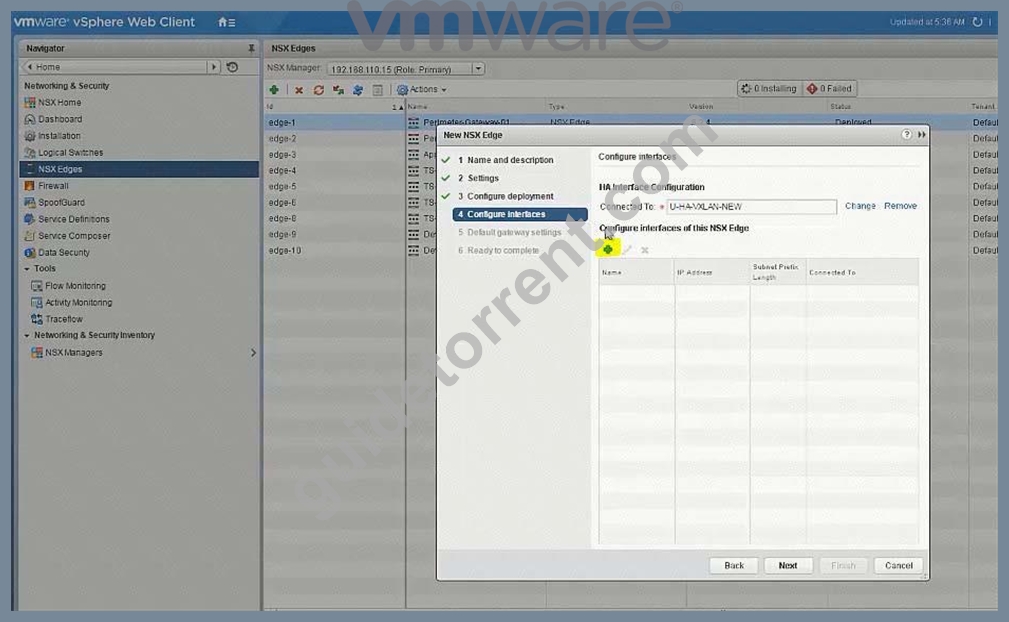
U-Uplink-NEW(U-Transit-NEW)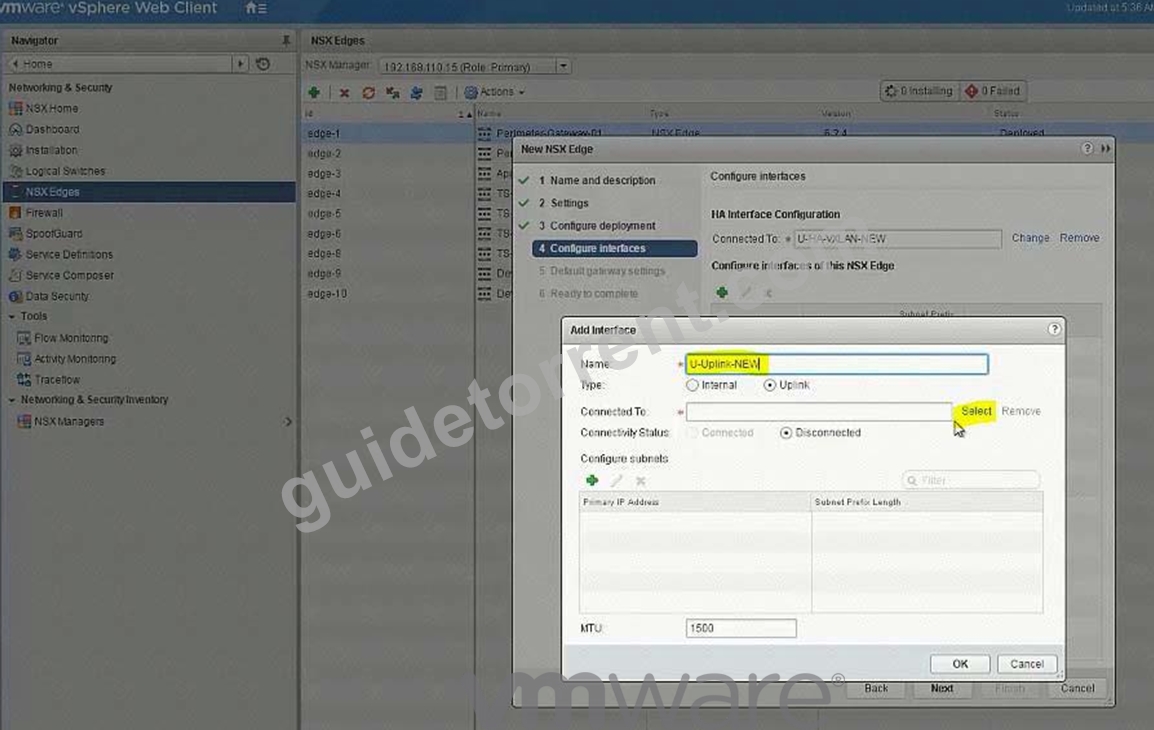
Select U-Transit-NEW logical swicth here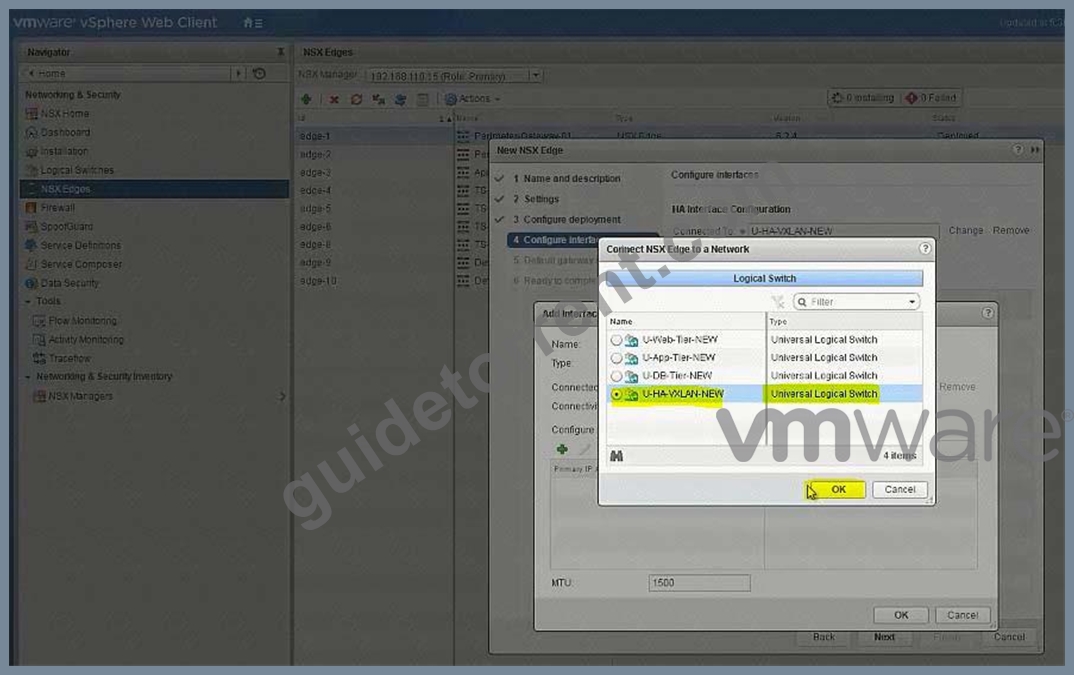
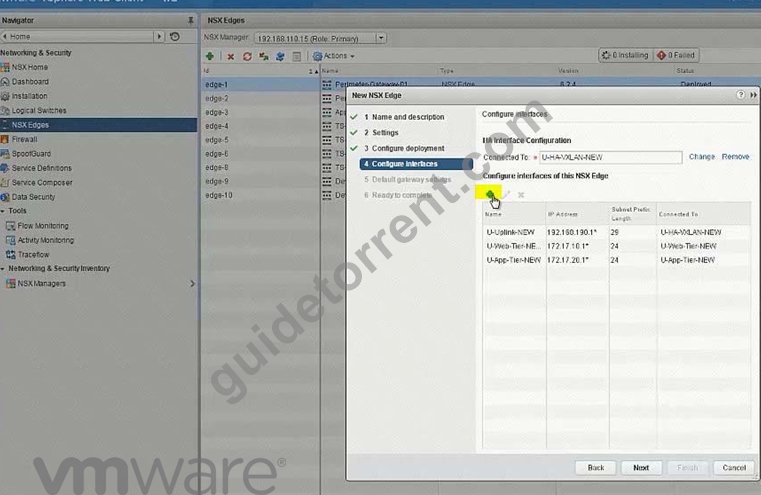
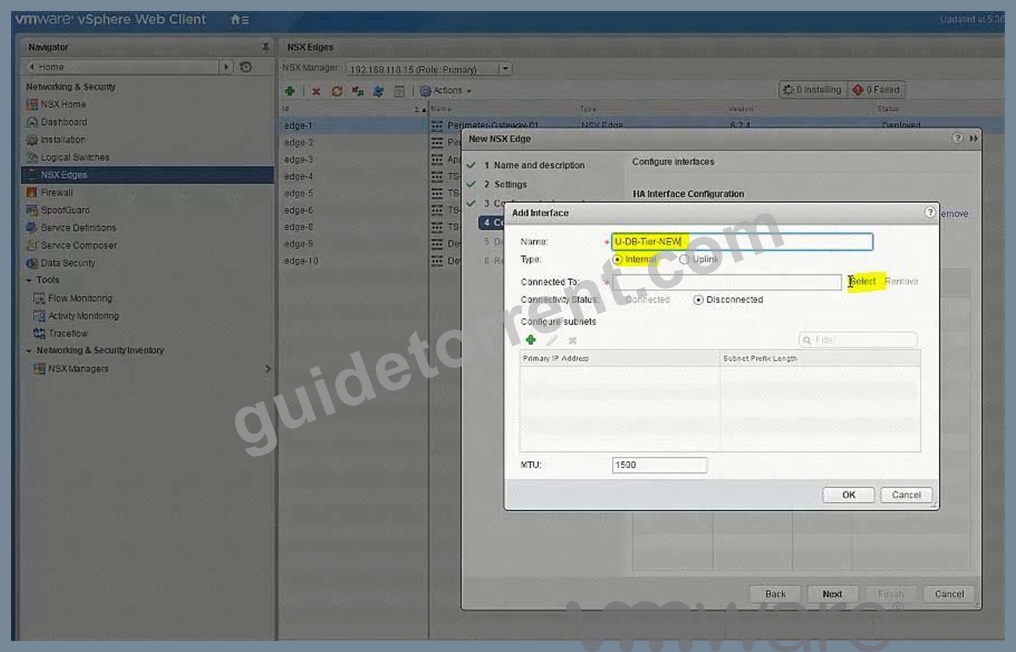
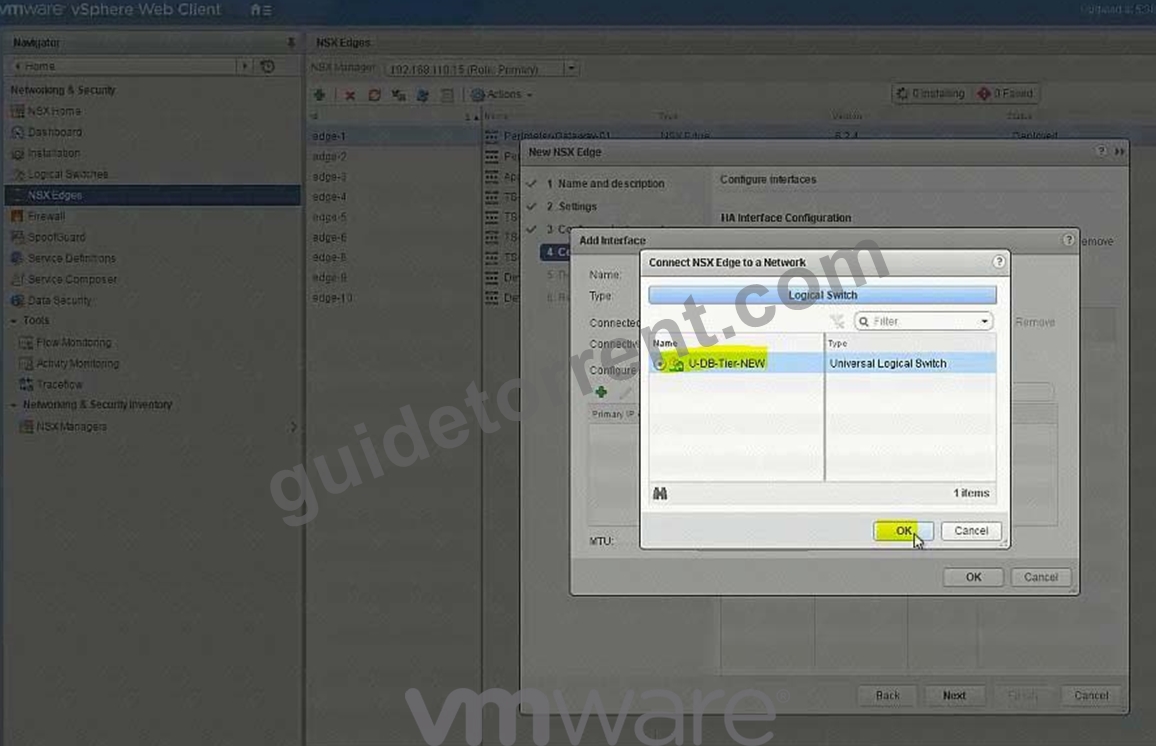
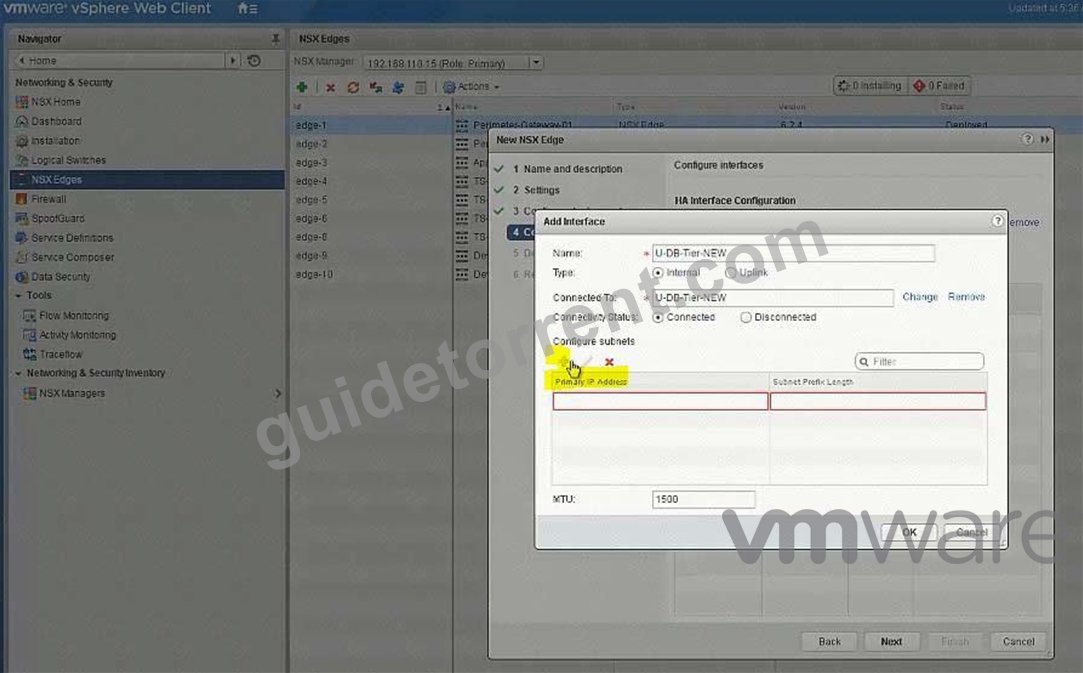
Perimeter-Gateway-02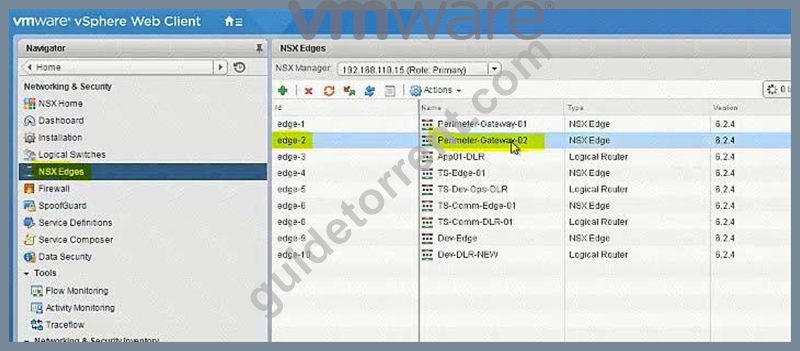
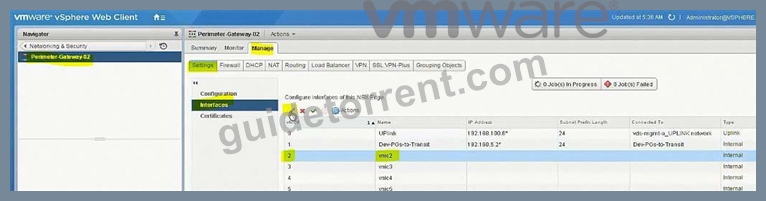
To-Universal-DLR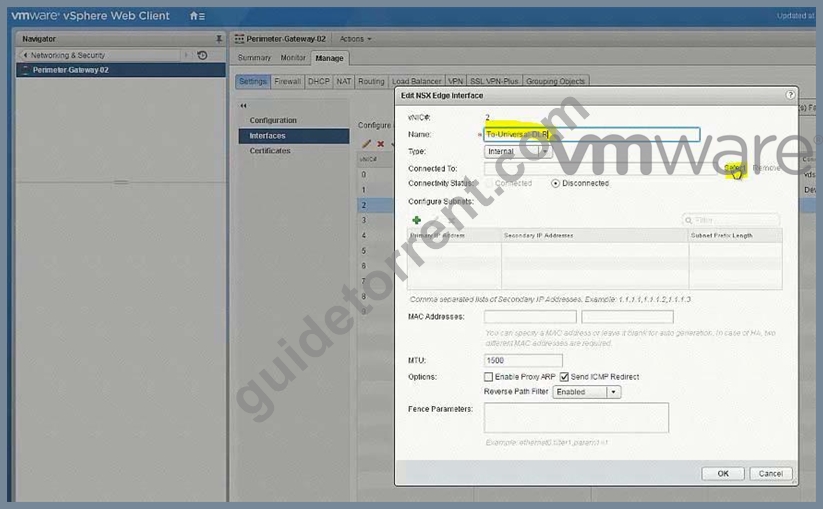
Select U-Transit-NEW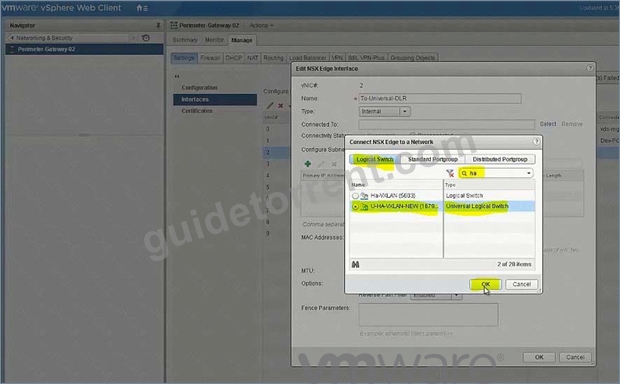
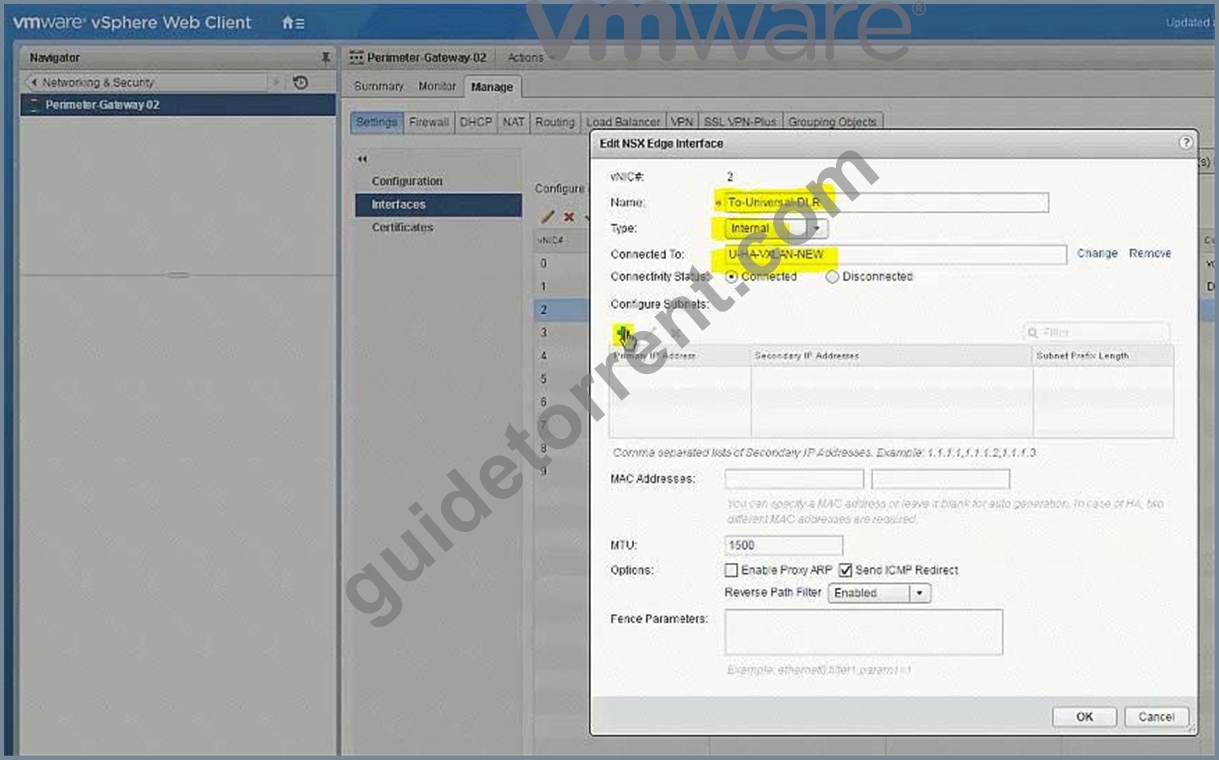
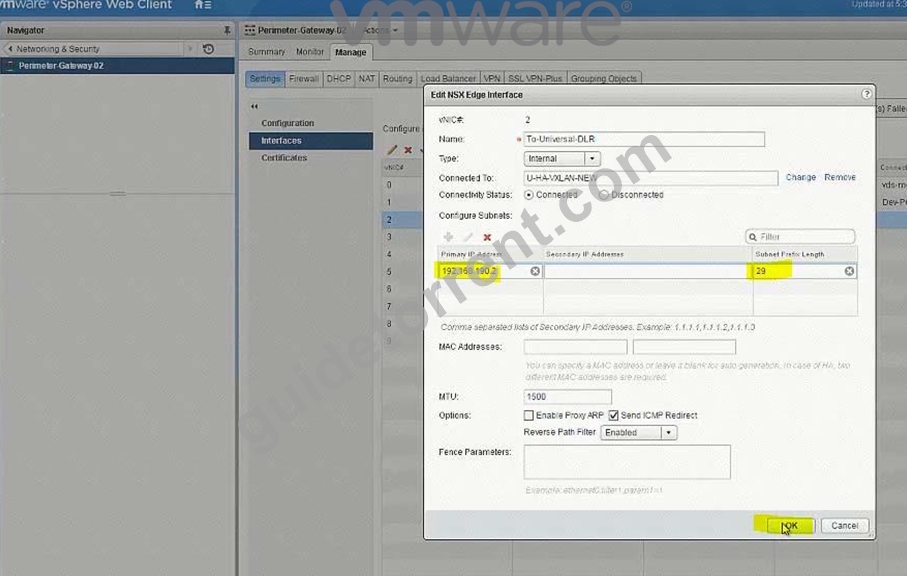
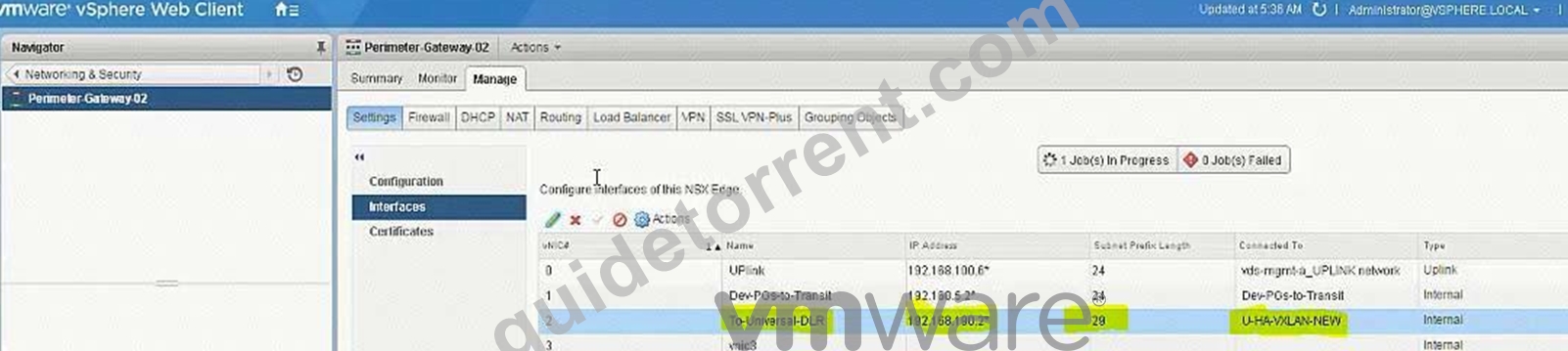
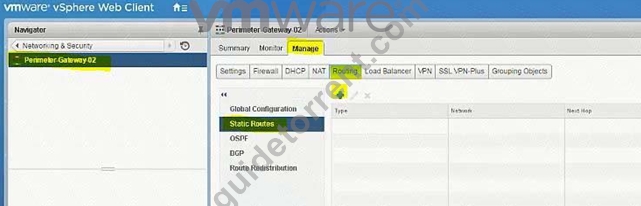
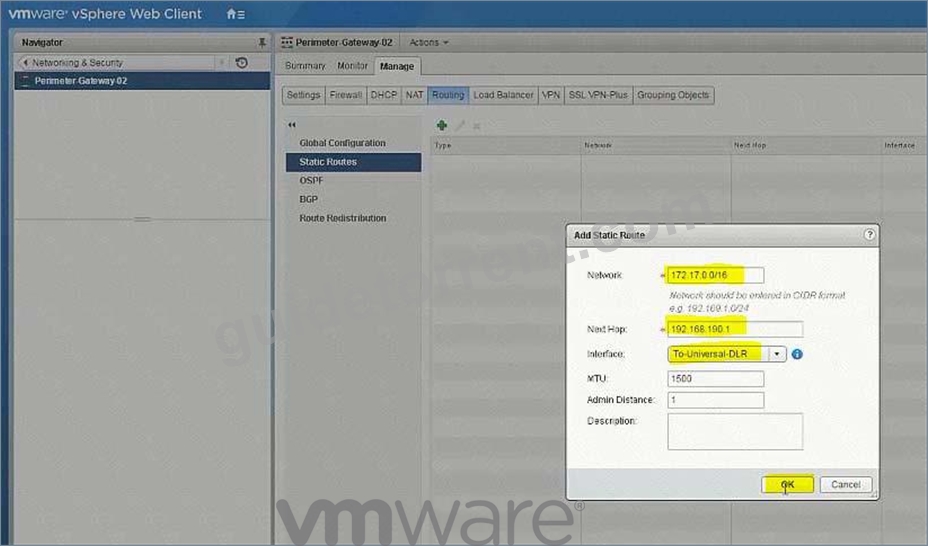

172.17.0.0/16
192.168.190.1
To-Universal-DLR
NEW QUESTION 18
An NSX administrator has been troubleshooting a communication issue between Edge device TS-Comm-Edge-01 and the TS-Comm-DLR-01 logical router with no success and has reached out to you for further assistance. The following troubleshooting has already been performed.
Temporarily disabled the firewall between both devices.
Unsuccessful ping from TS-Comm-Edge-01 to TS-Comm-DLR-01
Unsuccessful ping from TS-Comm-DLR-01 to TS-Comm-Edge-01
Determine and resolve the communication issue between the two devices.
Requirements:
vCenter: vcsa01a.crop.local
Credentials: [email protected] / VMware1!
Troubleshooting Information:
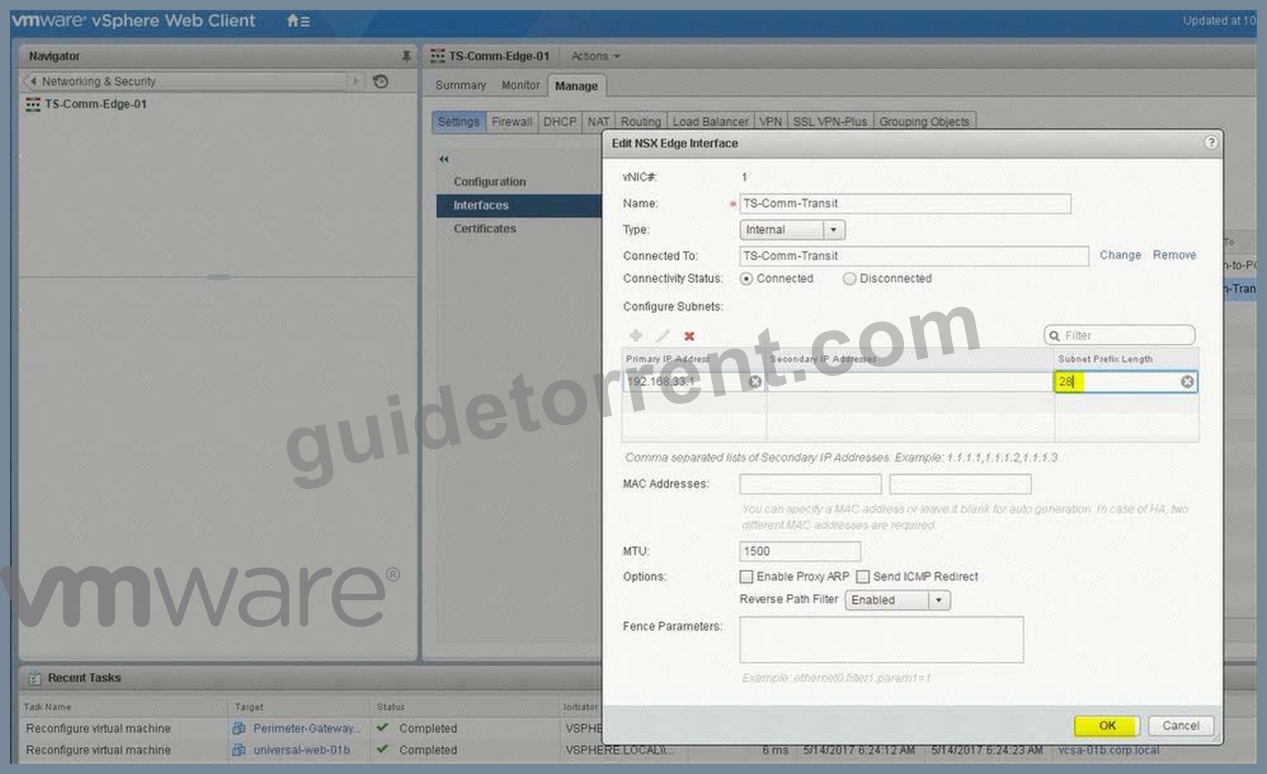
Edge: TS-Comm-Edge-01 (192.168.33.1)
DLR: TS-Comm-DLR-01 (192.168.33.8)
Transit Network: TS-Comm-Transit
IP Subnet: 192.168.33.0/29
Ensure communication between both devices is successful.
NOTE:
IP addresses must remain unchanged.
HOL LAB for Practice:
See the explanation part for complete solution.
Answer:
Explanation:
SOLUTION:
Troubleshooting:
TS-Comm-Edge-01
Interfaces -> TS-Comm-Transit (change the subnet mask to 28)
Verification:
SSH to TS-Comm-Edge-01 (192.168.7.2) and ping 192.168.33.8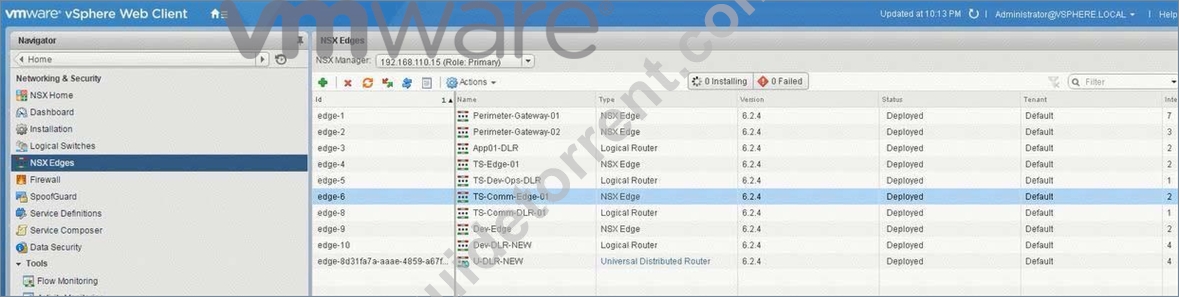
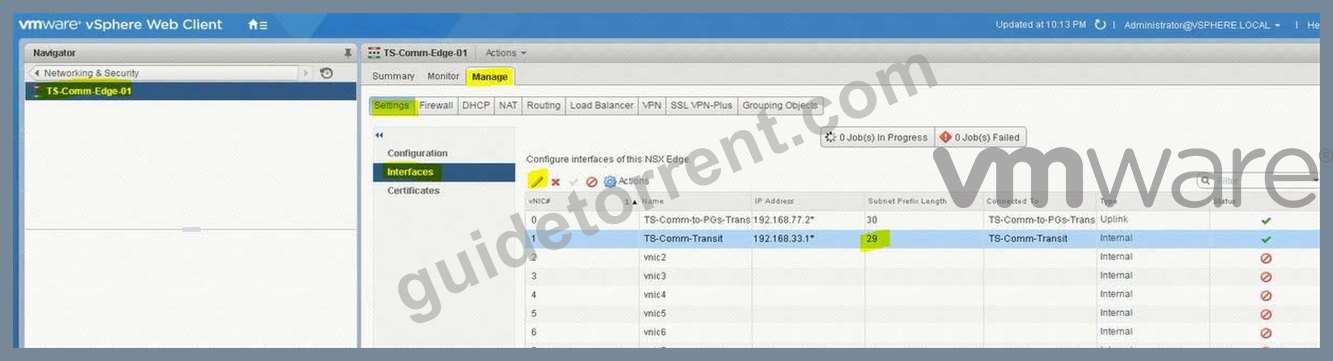
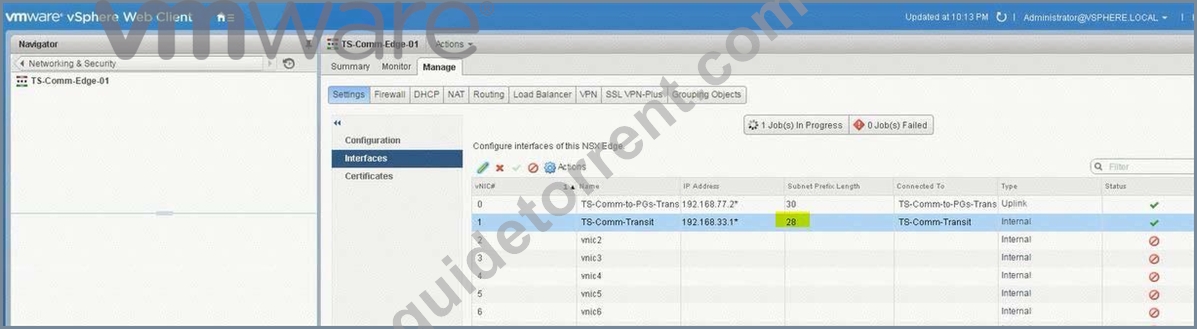
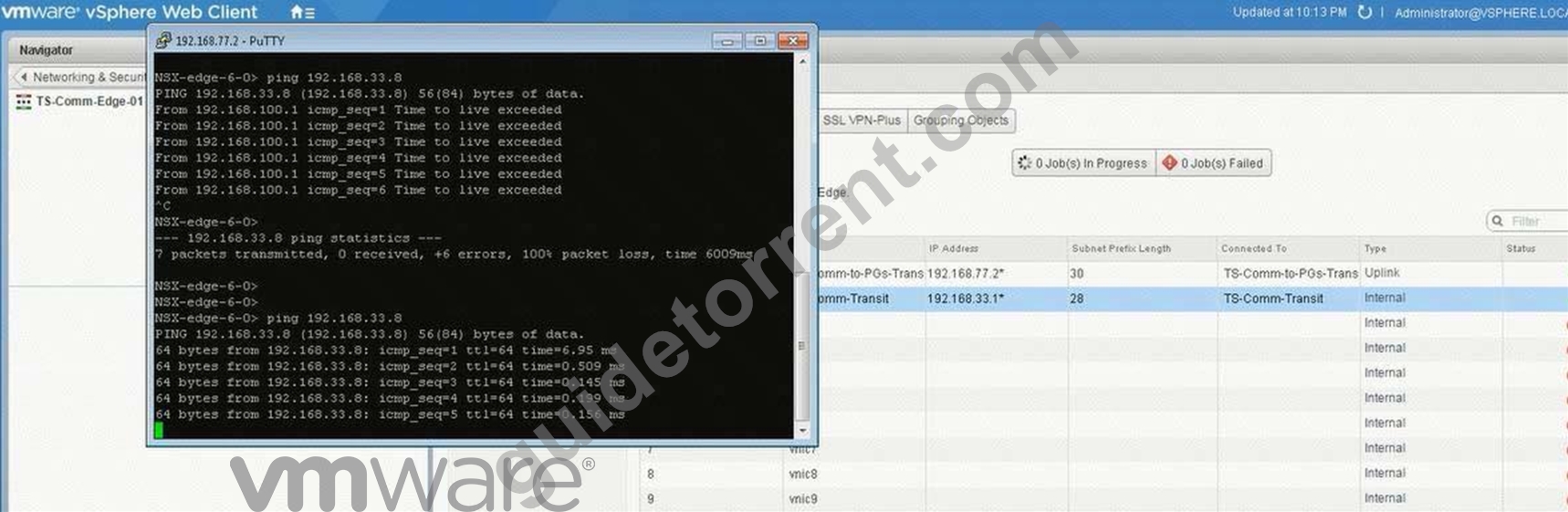
(2) select Ts-Comm-DLR-01 from Nsx Edge. select Manage tab. select Settings.
select interface. check the ip address and mask. and change the mask to /28.
click ok.
(3) select Manage Tab. select Routing. select global configuration. click edit.
select OSPF enter router ID 192.168.33.8 click ok. click on enable
click on publish changes.
(4) select OSPF. click edit. enable OSPF. Enter Protocol Address 192.168.33.7 enter forwarding address 192.168.33.8 (ip address of the vnic). click enable graceful restart. click ok.
(5) under area. click + Sign and add area 0. select type normal. select authentication none. click ok.
(6) under area to interface mapping. click on + sign. select interface uplink enter area 0. enter hello interval 10. dear interval 40. enter priority 128 enter cost 1. click ok. click publish changes.
(7) select TS-Comm-Edge-01. select manage select routing. select global configuration.
click edit under dynamic routing configuration.enter router id ts-comm 192.168.33.
click ok. click publish changes.
(8) select OSPF. click edit. enable OSPF. enable graceful restart. click ok.
select vnic transit. enter area 0. click on blue icon. change the subnet mastk to /28. click ok.
(9) select Firewall under manage Tab. click disable. click publish changes.
do the same steps for Ts-comm-DLR-01. and disable the firewall.
NEW QUESTION 19
Complete the configuration of Dev-Edge to allow north-south routing connectivity for the new Dev-segment.
Workloads will have overlapping IP addressing with production workloads. The developers will RDP into a jump host server (Dev-Jumphost) on the Dev-Web segment. An RDP shortcut named To Dev-JumpHost.rdp has been created on the ControlCenter Desktop.
The following has been preconfigured on Dev-Edge:
The uplink interface on the Dev-Edge has been pre-configured to communicate the upstream Gateways and attached to Dev-to-PGs-Transit.
Dev-DLR-NEW and Dev-Edge interfaces have been preconfigured to communicate with each other.
ECMP has been disabled.
Requirements:
vCenter: vcsa-01a.corp.local
Credentials: [email protected] / VMware1!
Dev-Jumphost information:
Credentials: administrator / VMware1!
Internal IP of Dev-Jumphost: 172.16.10.100
External IP of Dev-Jumphost: 192.168.5.100
Connection Information:
Dev-Edge-Uplink IP: 192.168.5.3/24
Dev-Edge-Internal IP : 192.168.6.6/30
Preimeter-Gateway-01-Internal IP: 192.168.5.1/24
Preimeter-Gateway-02-Internal IP: 192.168.5.2/24
Logical switch: Dev-to-PGs-Transit
ECMP: Enabled.
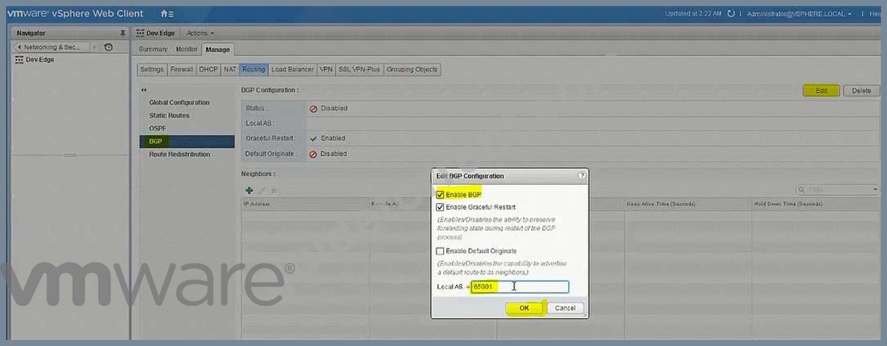
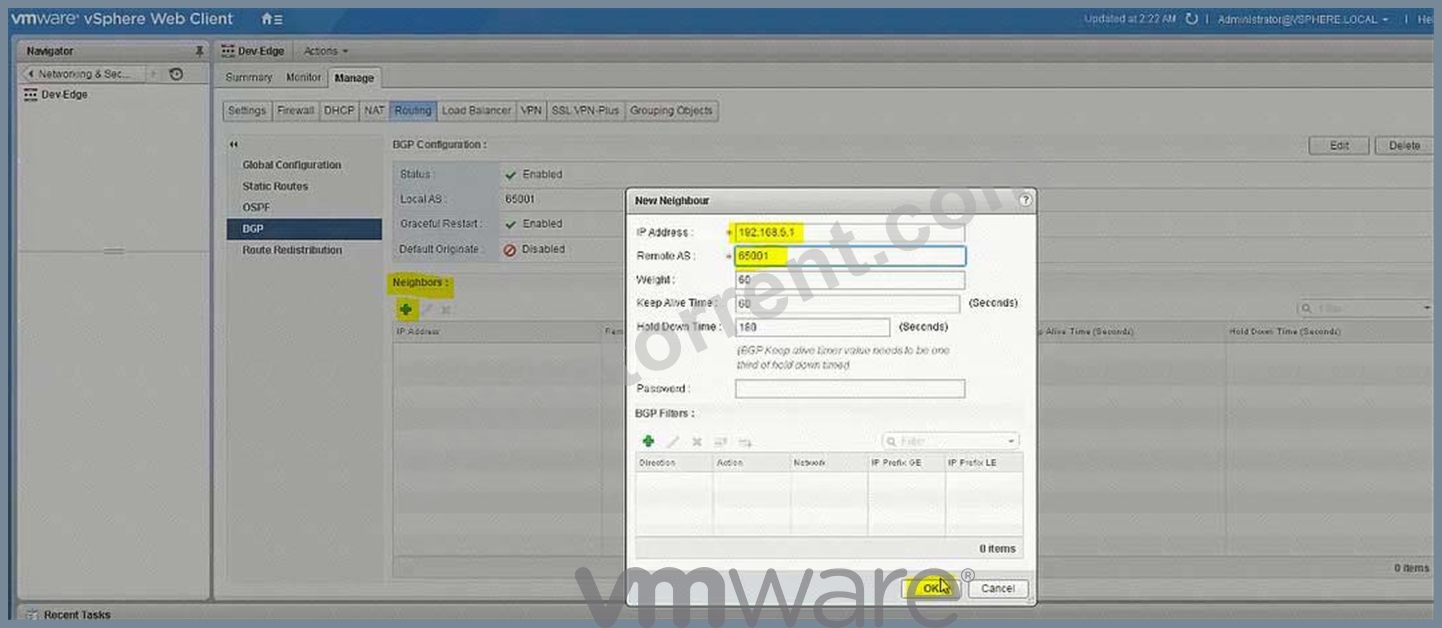
BGP AS: 65001
Credentials for all Edge Devices: admin / VMware1!VMware1!
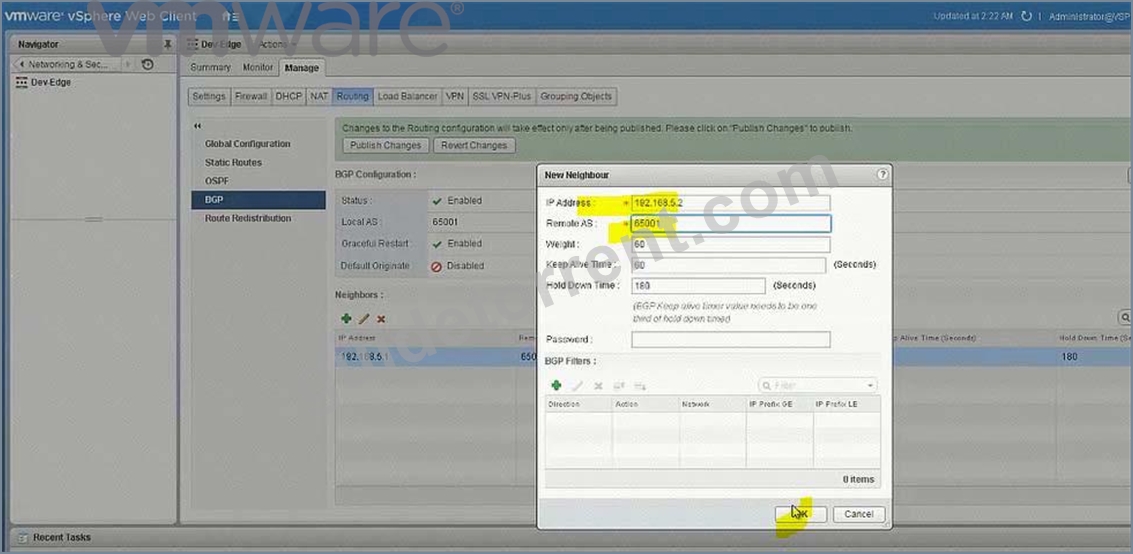
The networking team requires BGP as a routing protocol with an AS of 65001 for North-bound access for the Dev-environment.
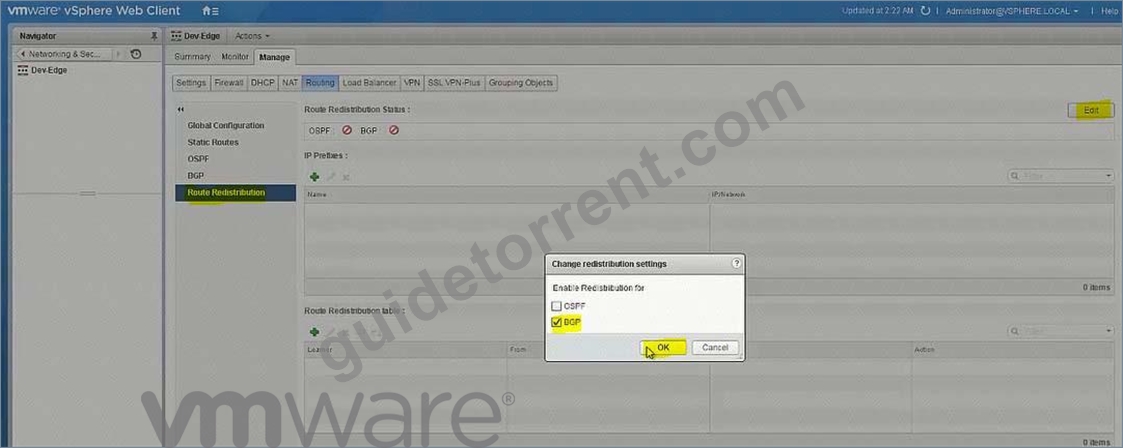
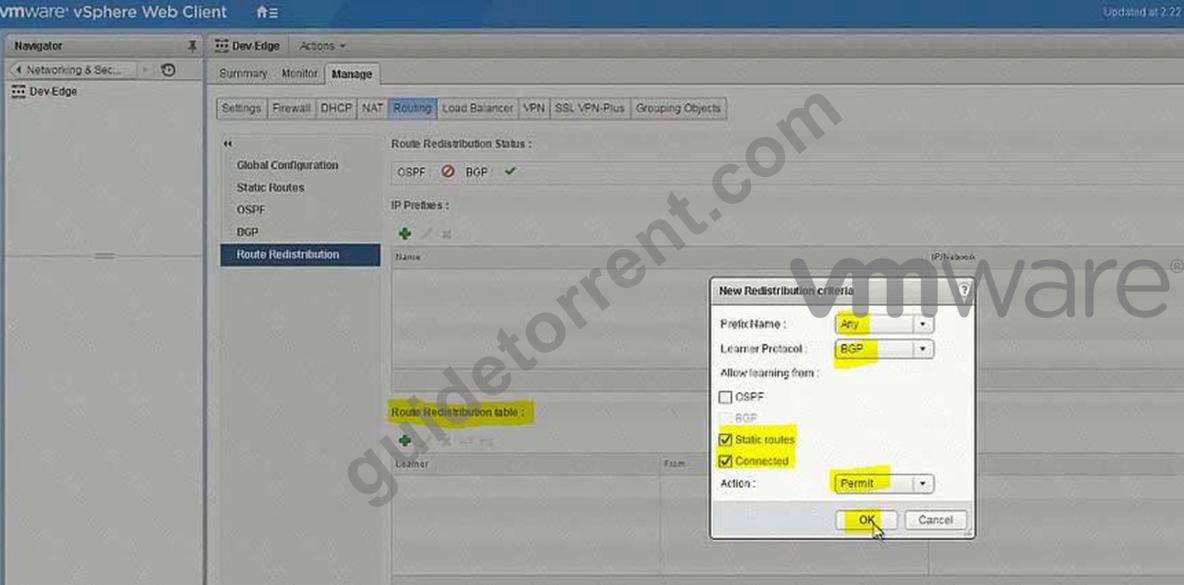
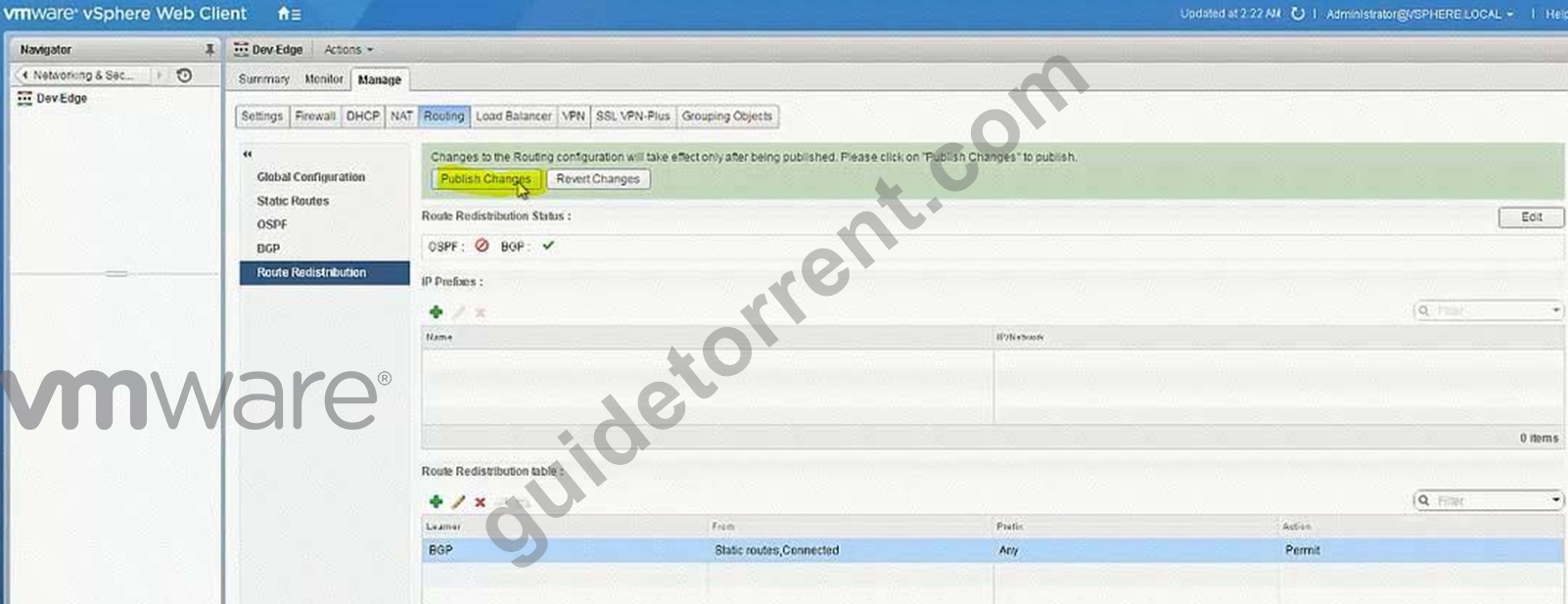
Use the fewest number of static routes and utilize network prefixes to ensure accessibility to the Dev-Web-Tier-01-NEW within the Dev-environment.
Ensure Dev-Jumphost is on Dev-Web-Tier-01-NEW.
Ensure the ability to RDP into the Dev-Jumphost server from the production network (ControlCenter).
HOL LAB for Practice:
module, it will be use full for other question like 20 and 22
See the explanation part for complete solution.
Answer:
Explanation:
SOLUTION: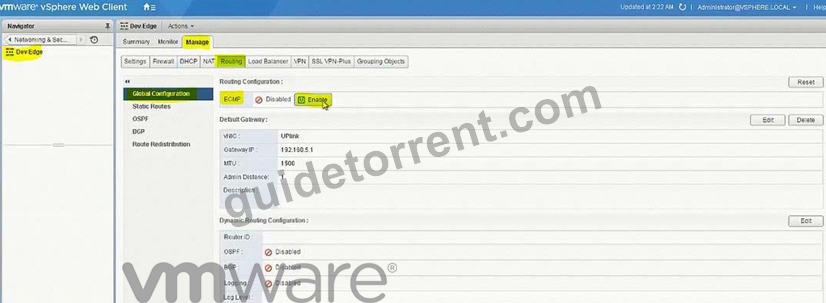
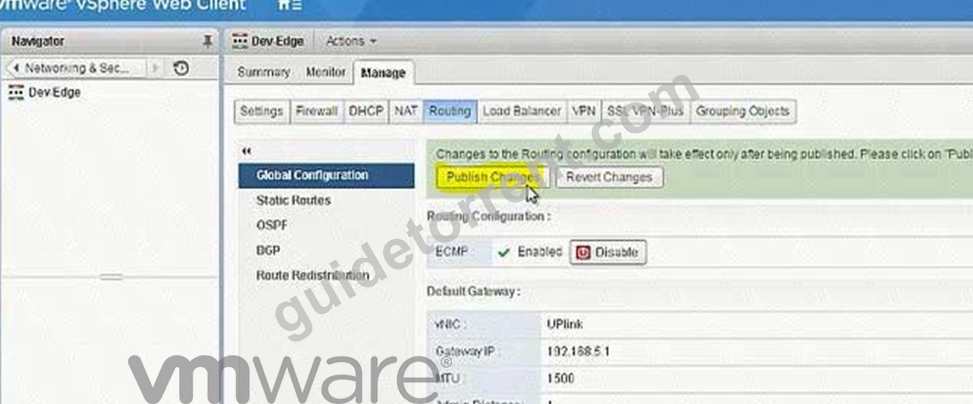
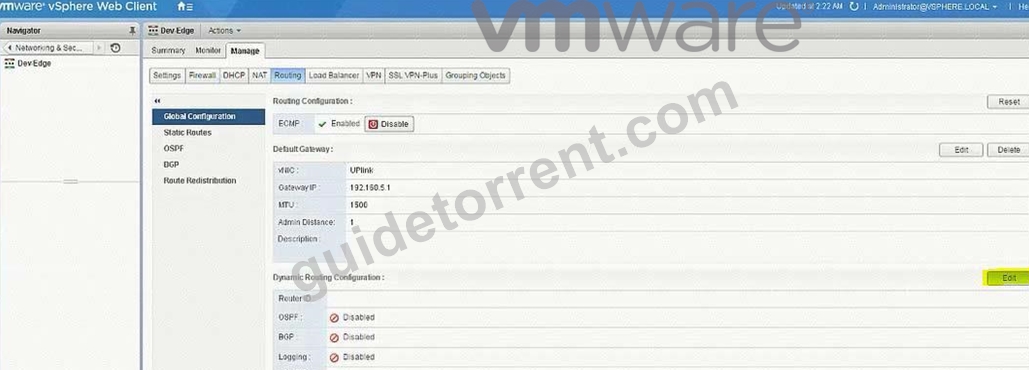
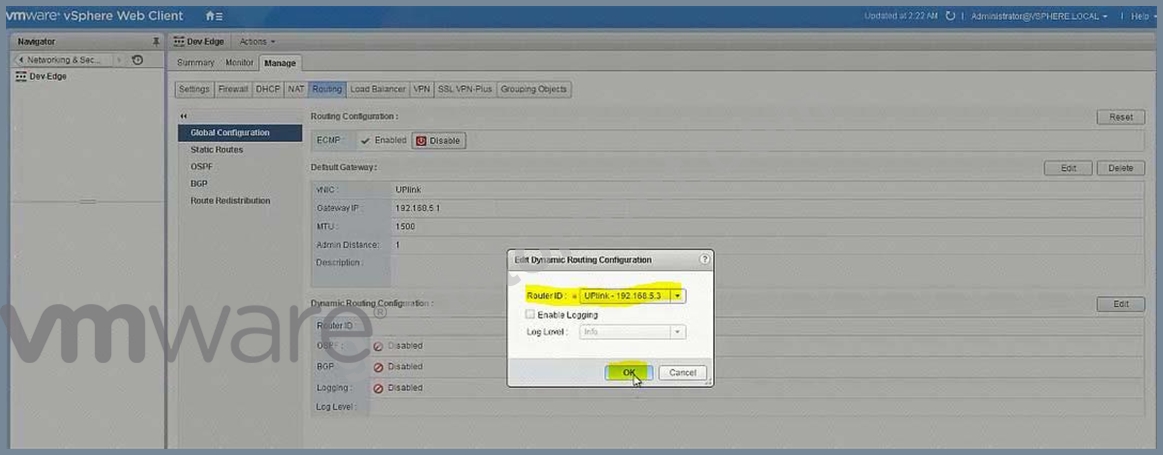
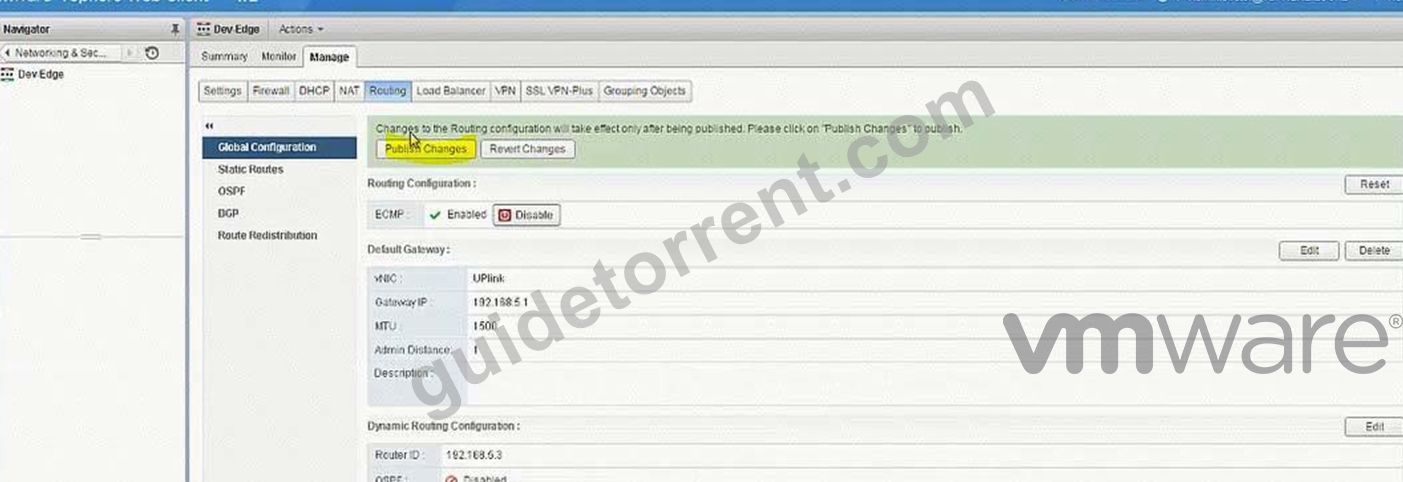
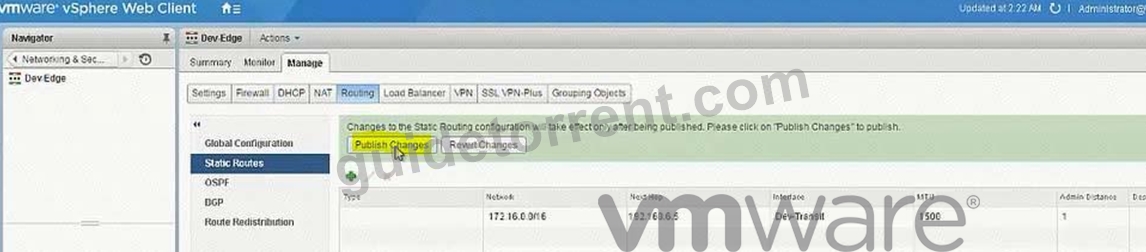
Static Routes on Dev-Edge:
Network:172.16.0.0/16
Next Hop:192.168.6.5
Interface:Dev-Transit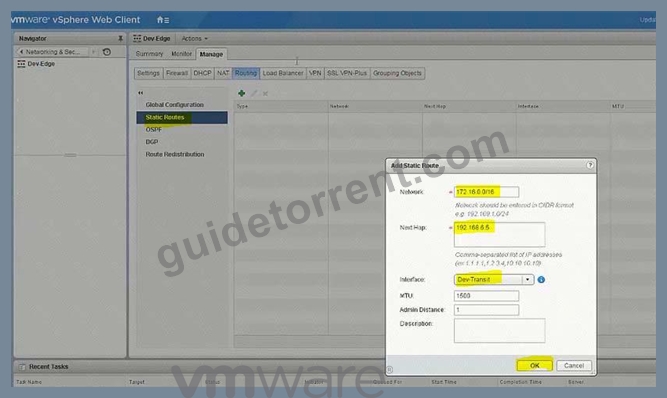
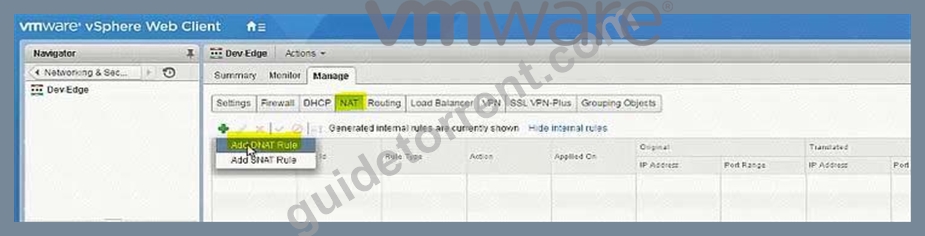
Uplink
192.168.5.100
Tcp
3389
172.16.10.100
3389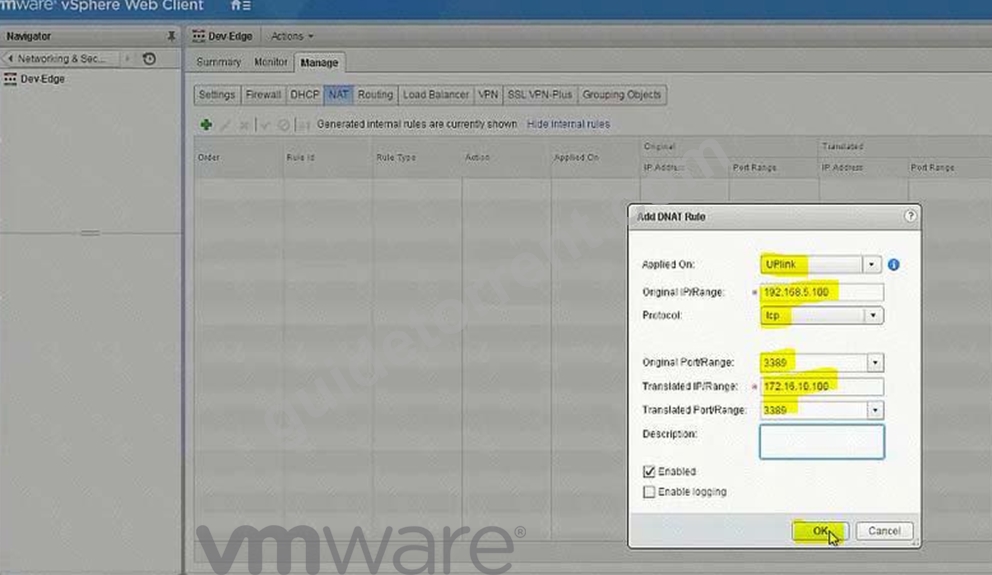
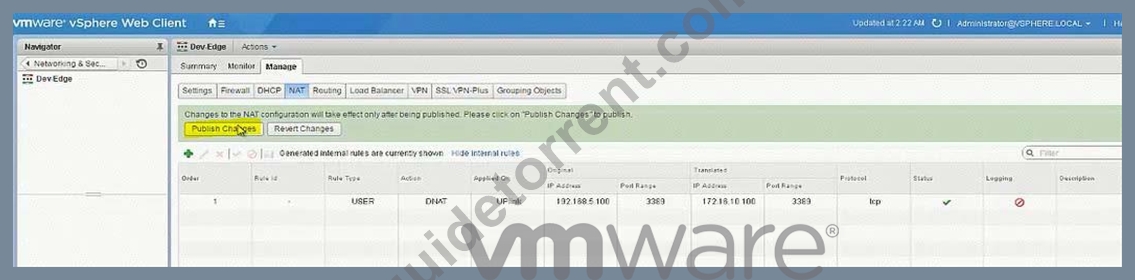
(1) Go to Vcenter-a. select network & Security. select NsX Edge.
(2) check the PGW01 configuration if everything is ok no need to do any changes specially ip address and routing. if not than select PGW01. select Manage. select routing select global configuration and enable routing. click publish changes.
be sure ECMP is enabled.
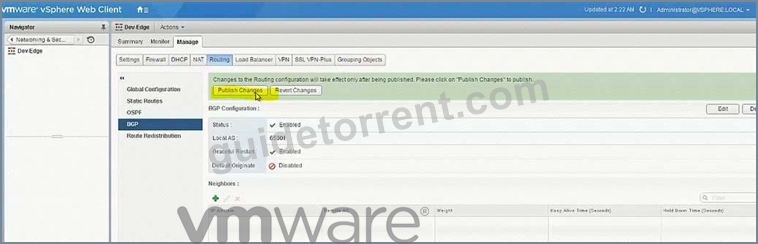
select BGP Configuration. click edit. select enable BGP, select Enable Graceful restart (select enable Default originate). enter AS 65001 click ok click publish changes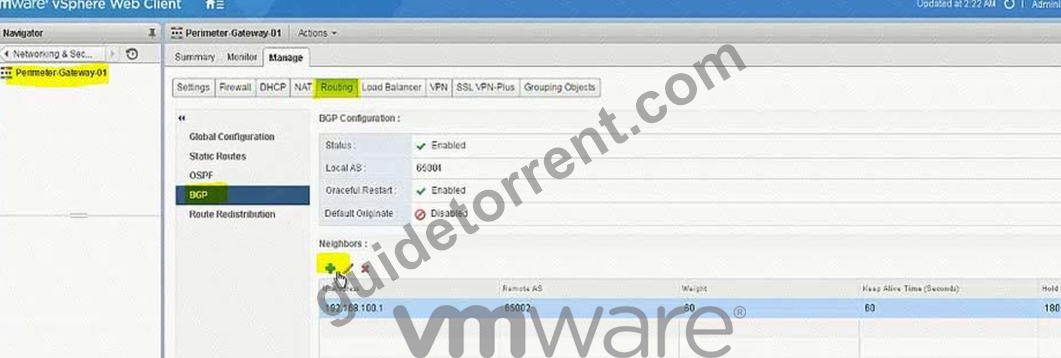
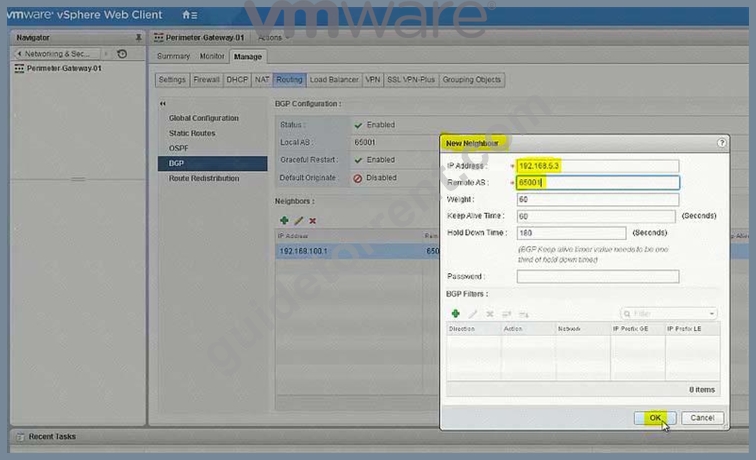
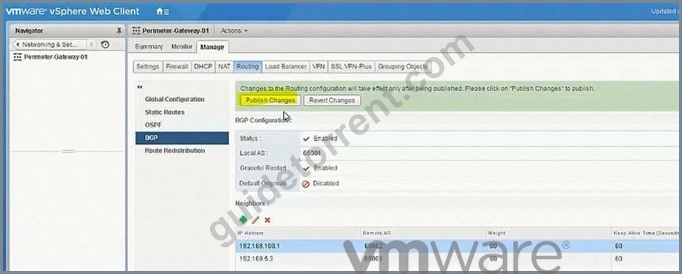
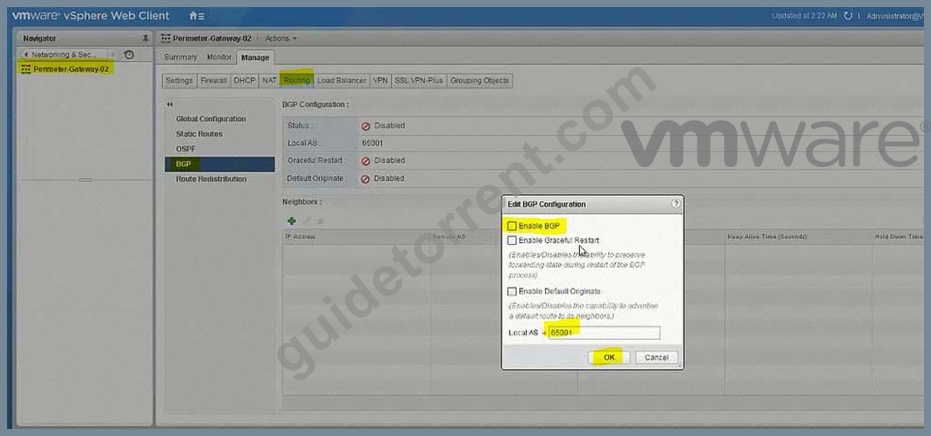
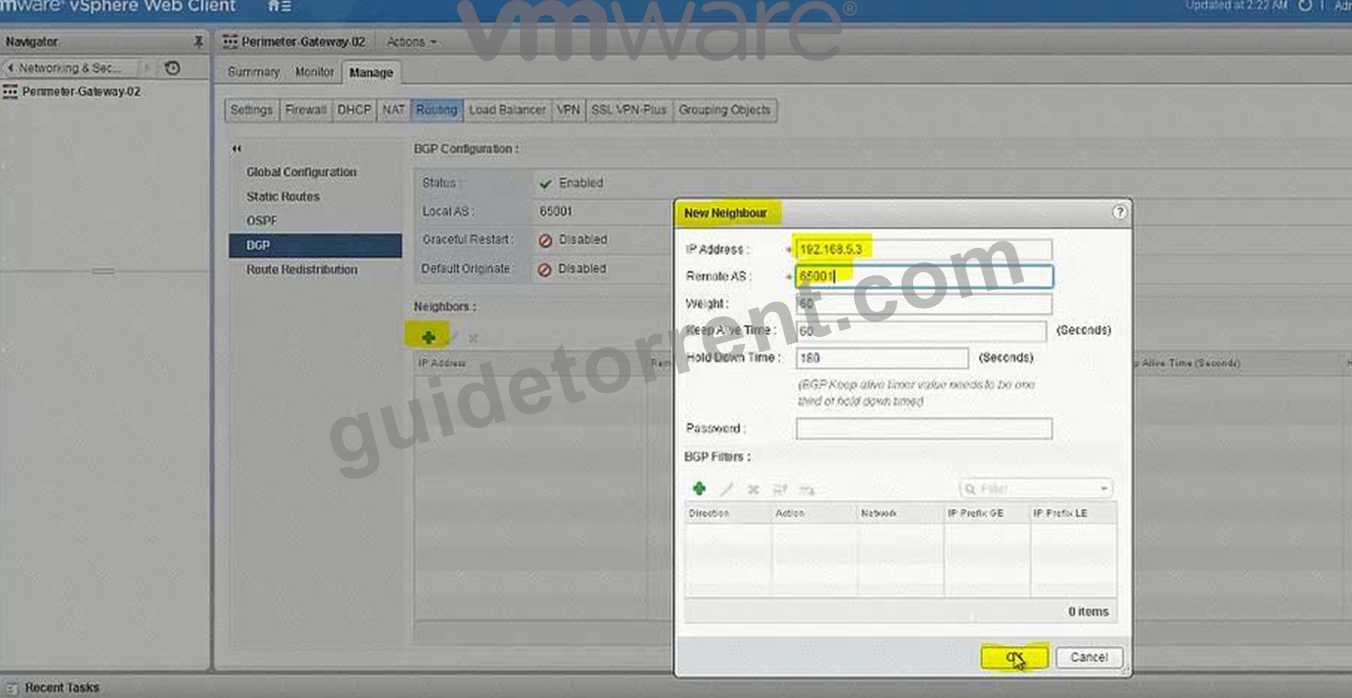
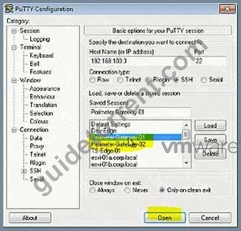
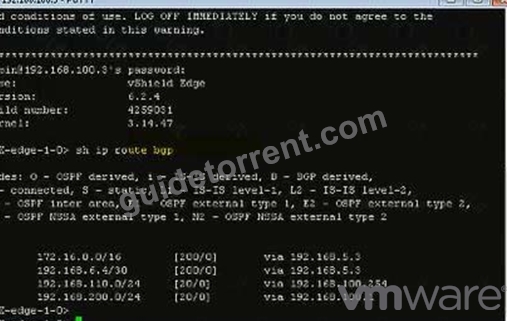
SSH to both Perimeter Routers and verify BGP neighborship.
Username: admin
Password: VMware1!VMware1!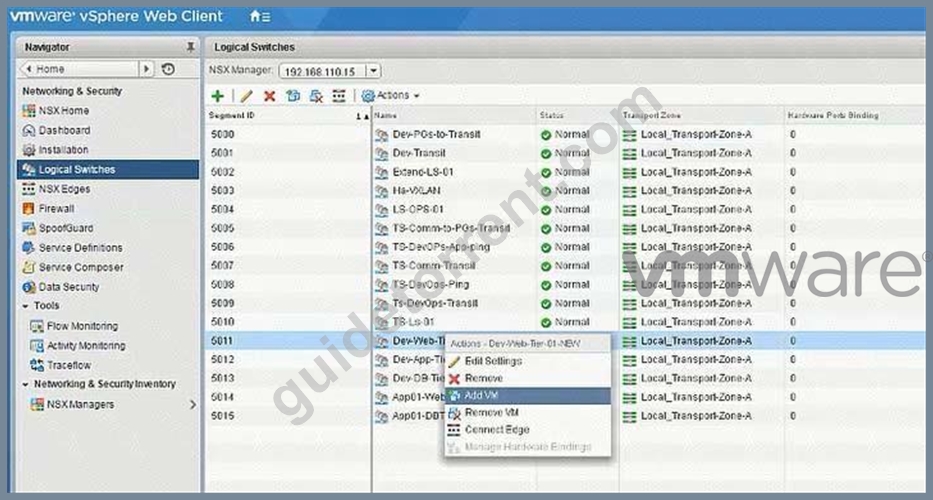
Add jumphost VM to Dev-Web-Tier-01-NEW Logical Switch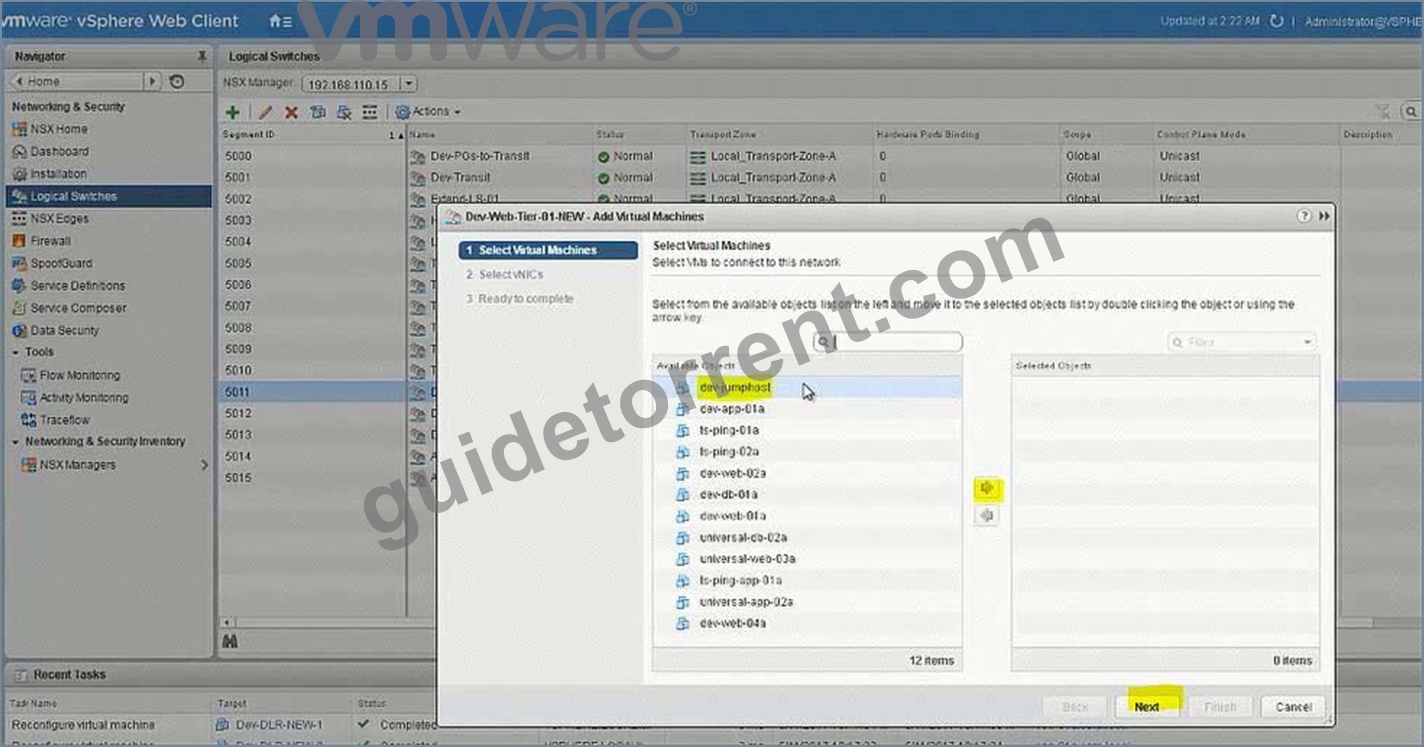
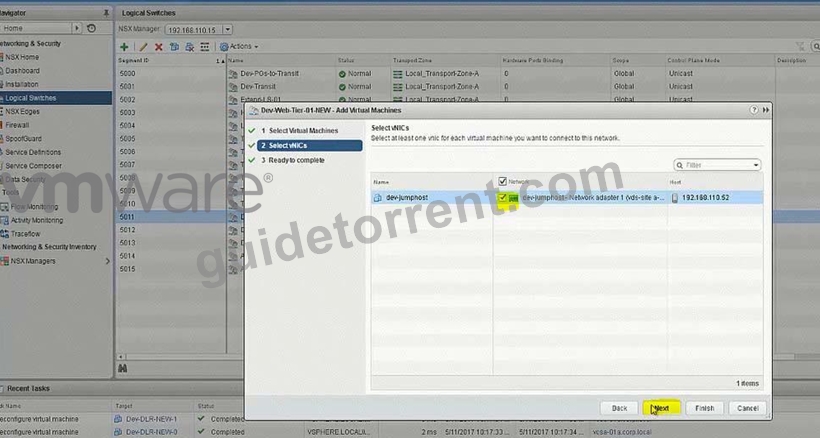
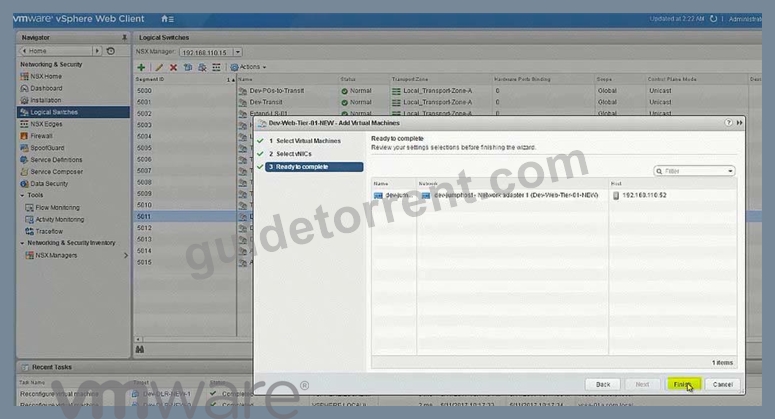
NOTE:
192.168.5.100 interface is created in the next task only. So after testing the next task output, you should be able to get the RDP login.
NEW QUESTION 20
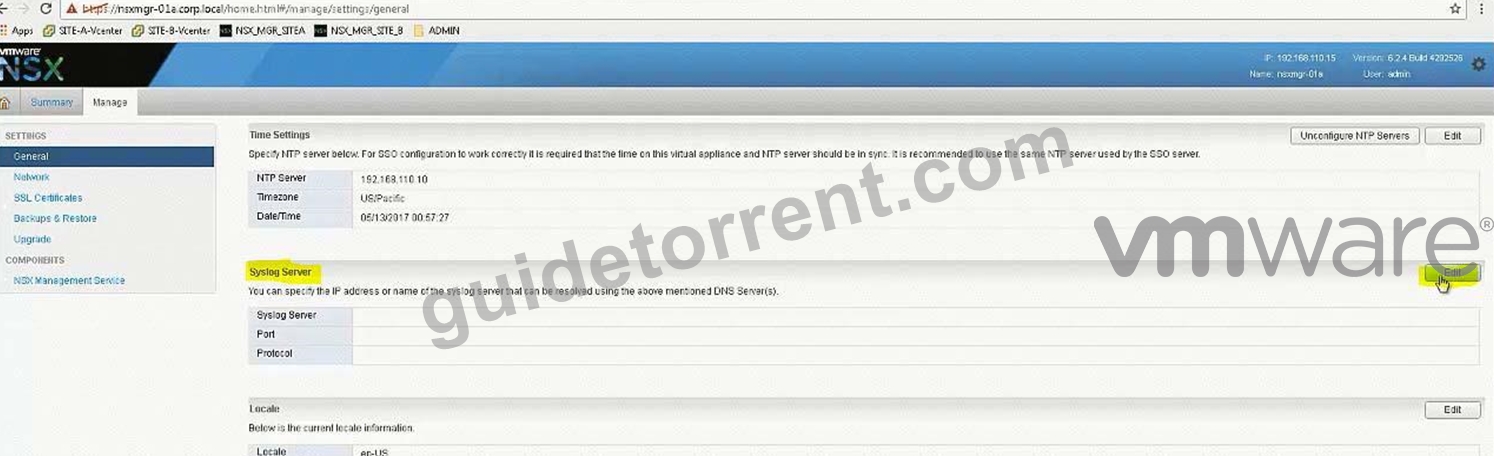
You have been tasked with enabling syslog on the NSX Manager (nsmgr-01a.corp.local) and all NSX Controllers.
Requirements:
vCenter: vcsa-01a.crop.local
NSX Manager A: nsxmgr-01a.corp.local
Password: VMware1!
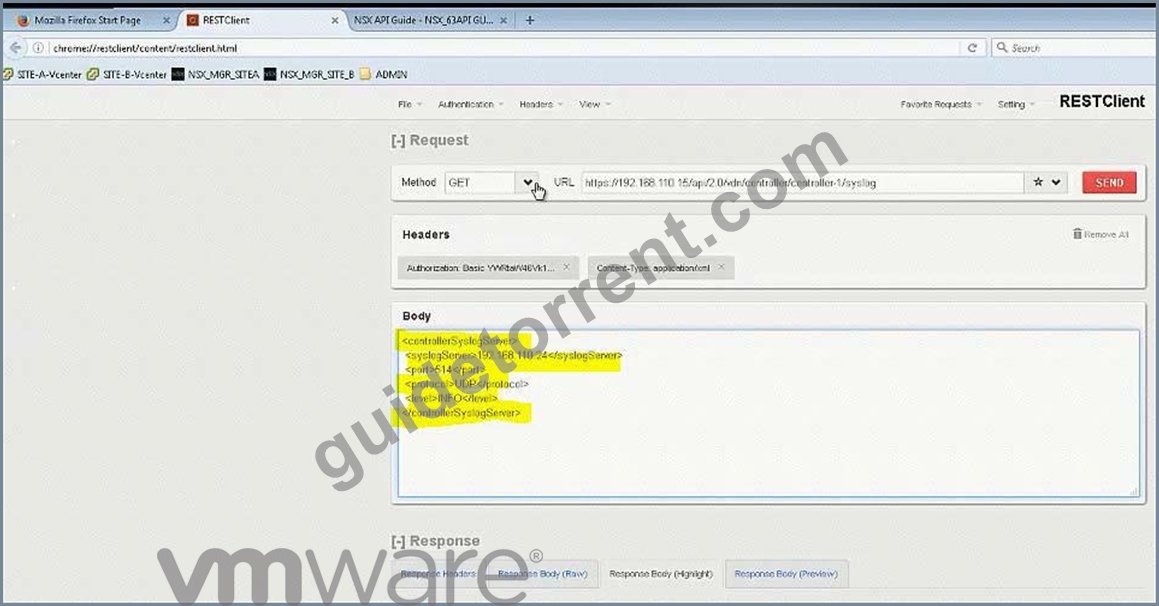
Syslog Information:
Server: 192.168.110.24
Port: 514
Protocol: UDP
Header Information:
Authentication: Basic
Content-Type: application/xml
Enable syslog for NSX Manager.
Enable syslog for NSX controllers.
HOL LAB for Practice:
See the explanation part for complete solution.
Answer:
Explanation:
SOLUTION: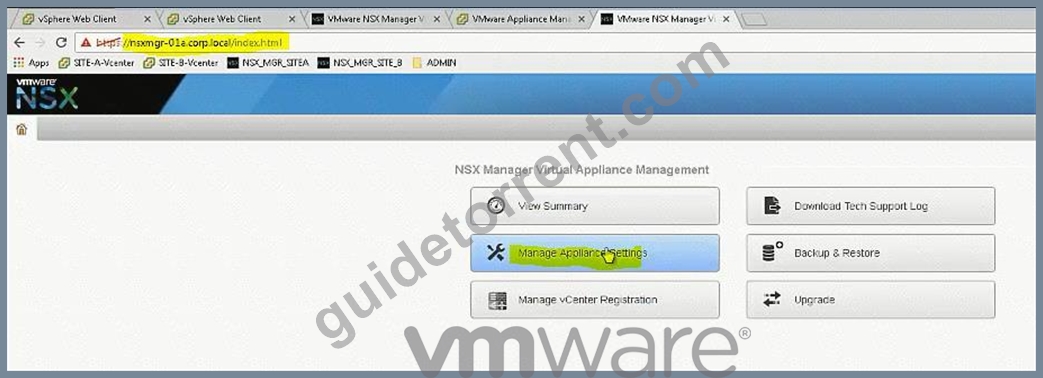
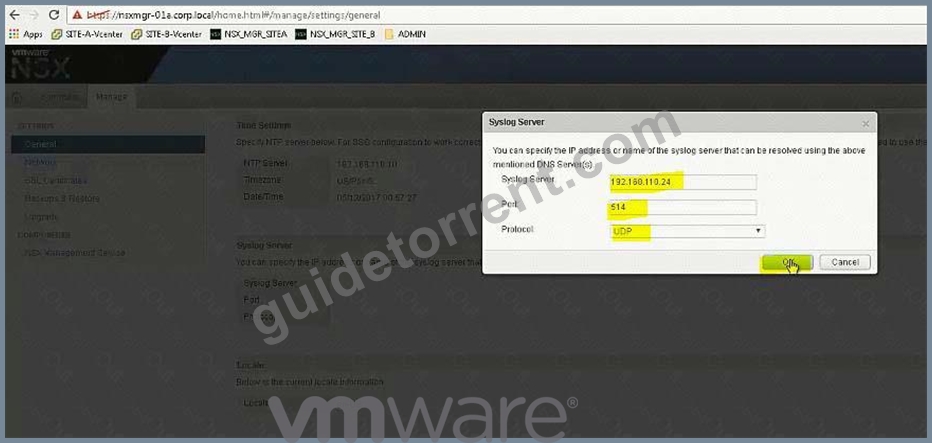
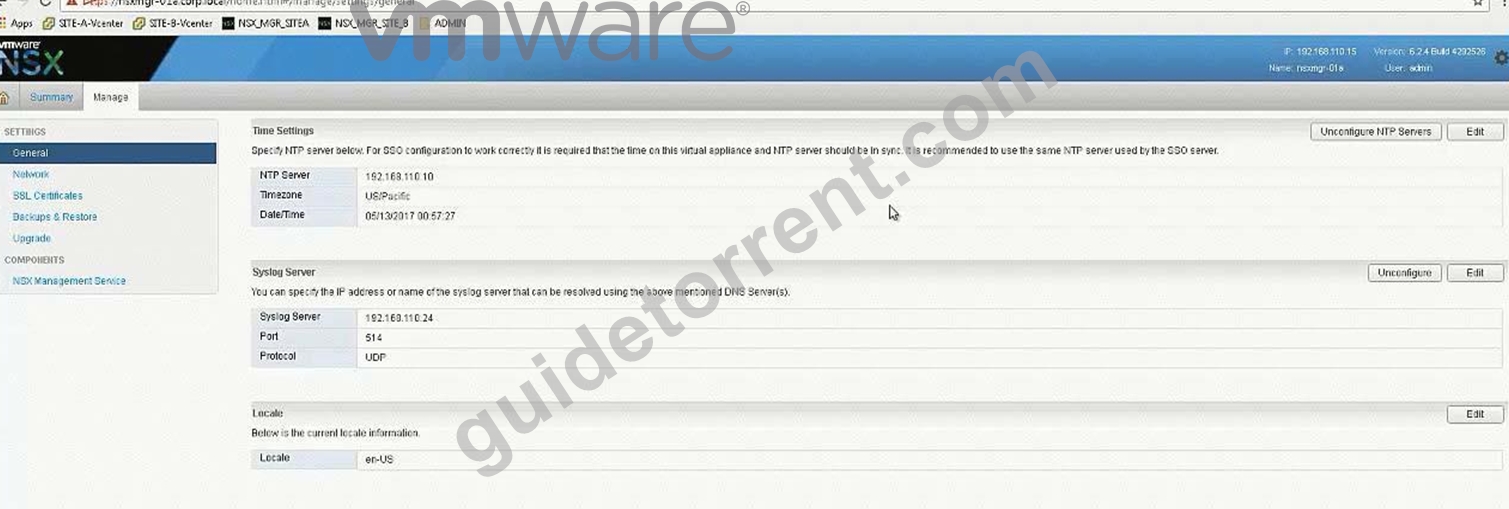
Open API guide from desktop, scroll down for Controller Syslog URI.
In exam search function doesn't work so you should be familiar with the document.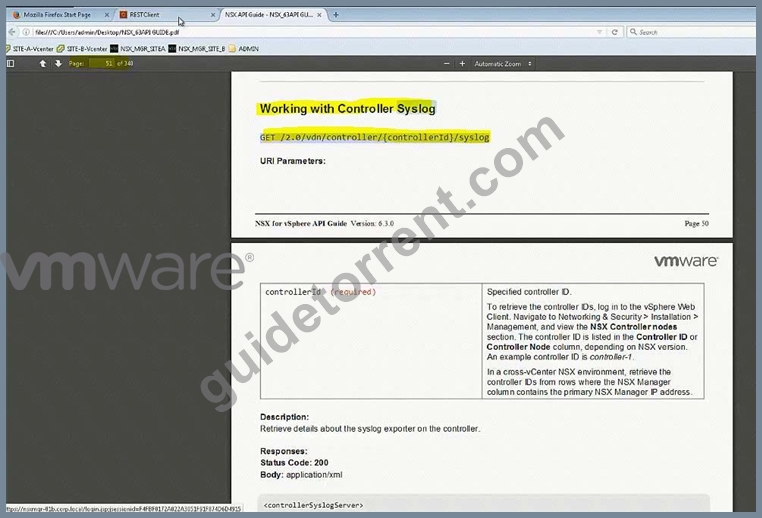
In exam, user hostname instead of IP address (IP address wont work).
For version (2.0), also check API guide version, it could be 2.1 or 2.0 GET
https:// nsxmgr-01a.corp.local/api/2.0/vdn/controller/controller-1/syslog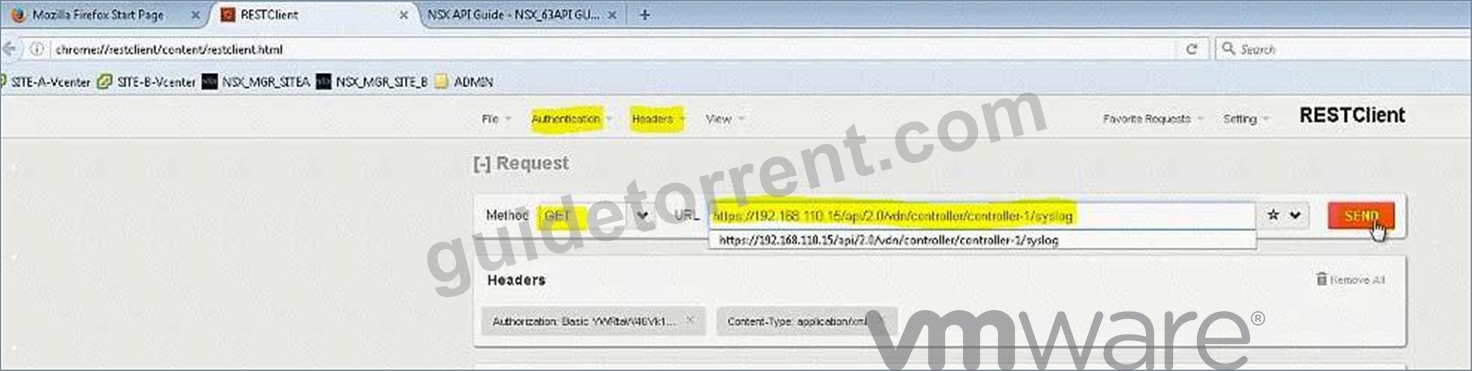
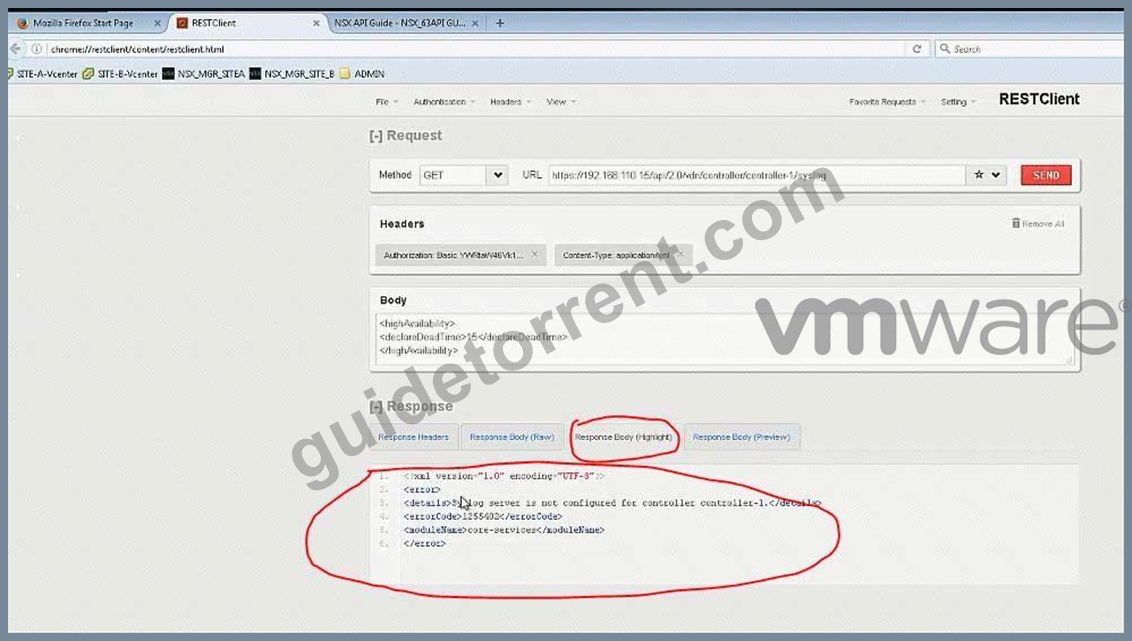
Copy the required parameters from API guide or memorize.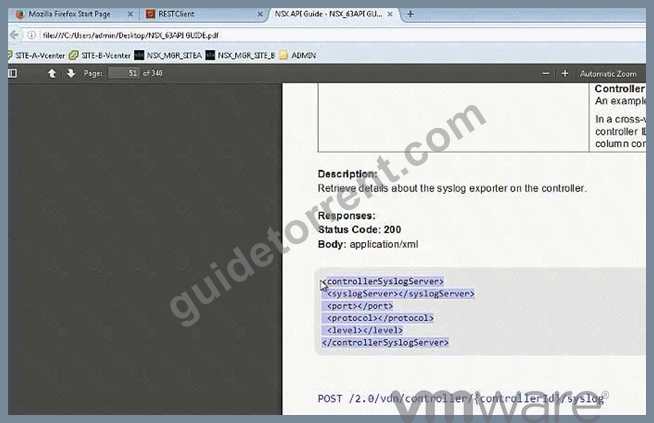
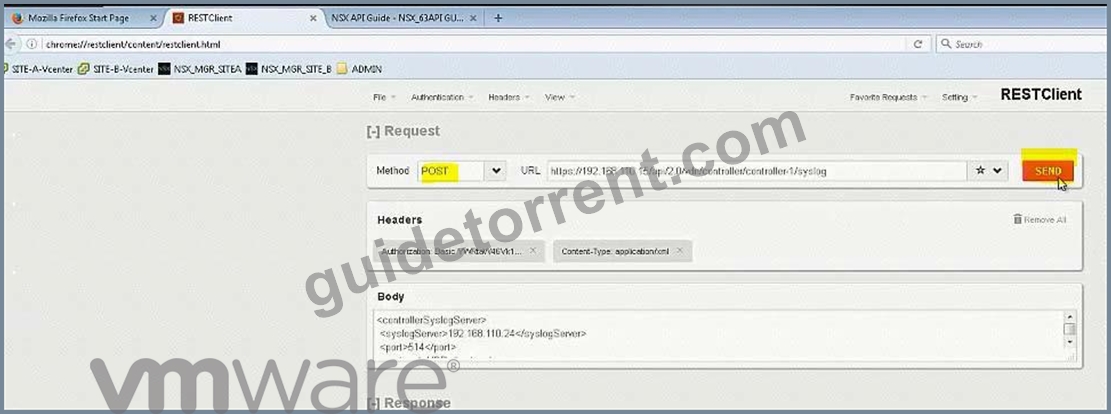
Verify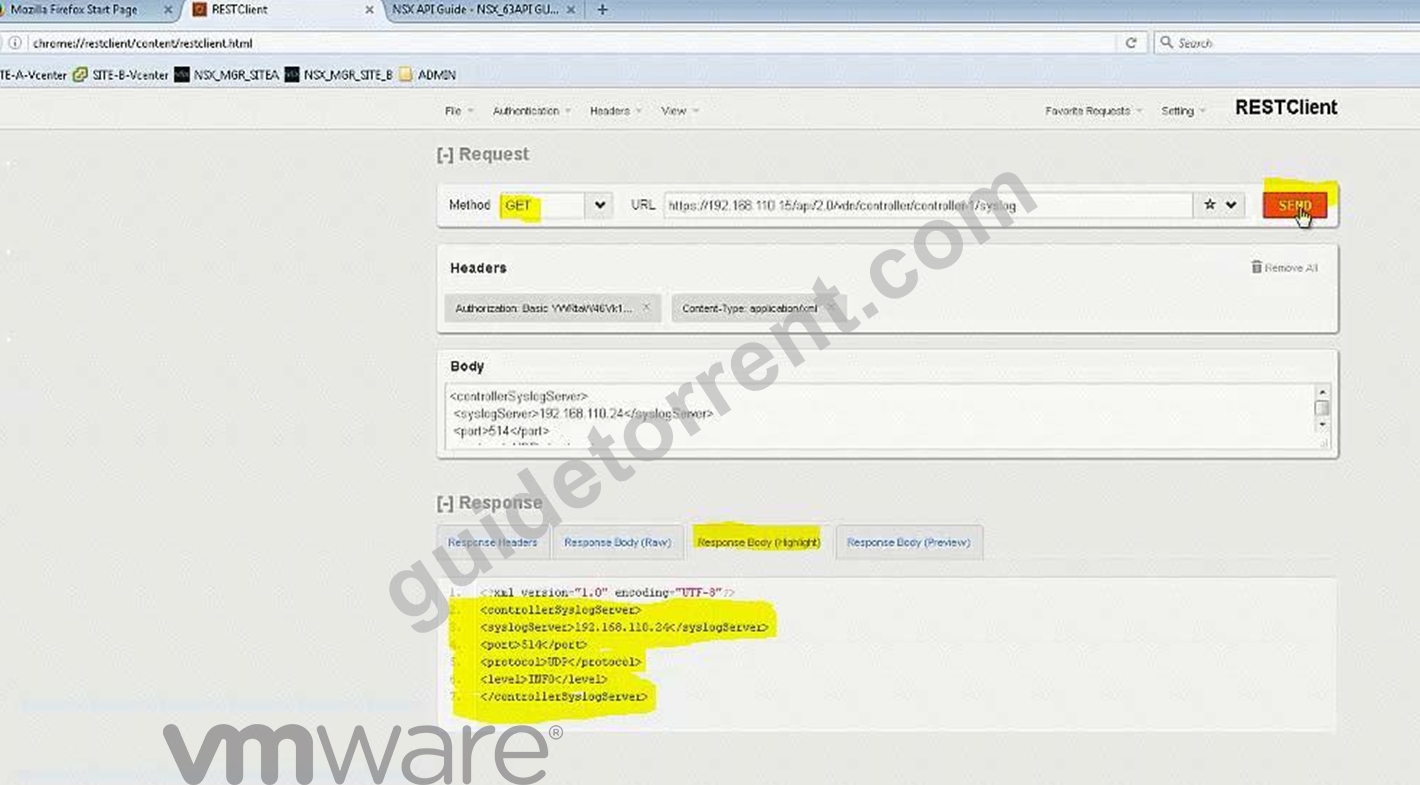
Do the same for controller-2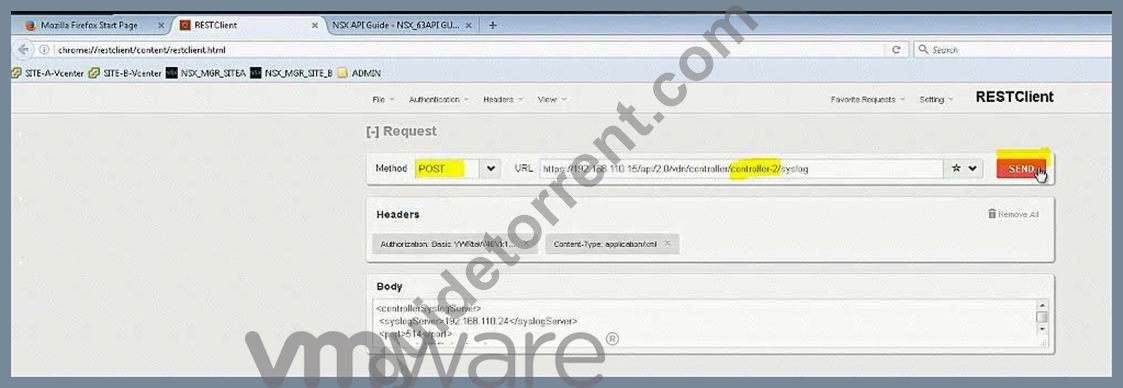
Do the same for controller-3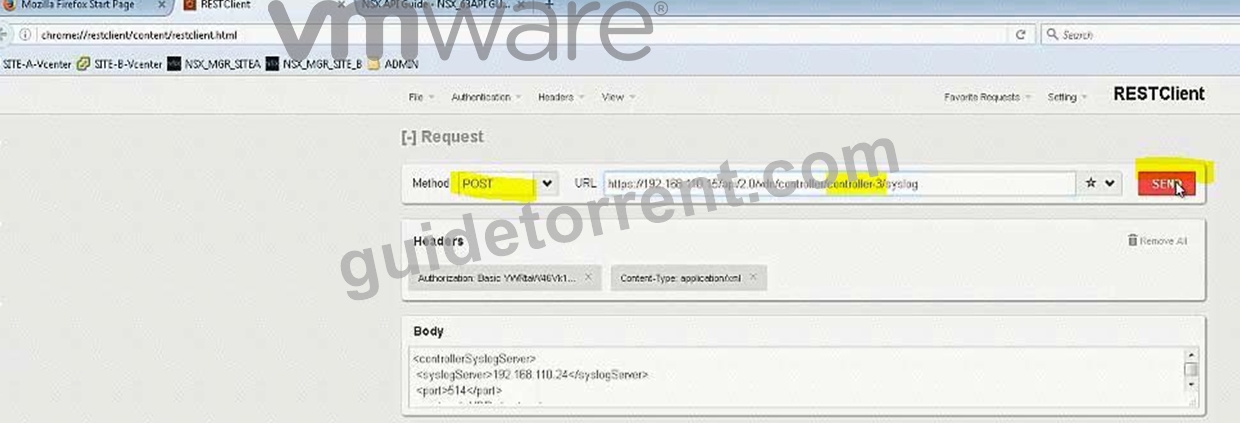
NEW QUESTION 21
......
Verified 3V0-643 dumps Q&As - 100% Pass from GuideTorrent: https://www.guidetorrent.com/3V0-643-pdf-free-download.html